





Description
Product Introduction
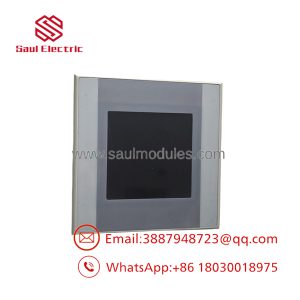
The Eaton XV-440-10TVB-1-500 belongs to the XV400 operator panel family developed for industrial machine control, process visualization, and OEM equipment. It combines a fanless industrial computer platform with a 10.4-inch TFT display, infrared touch technology, and multiple industrial communication interfaces suitable for packaging, material handling, and manufacturing applications.
Internally, the XV-440 hardware platform shares its architecture with other XV400 variants, including Ethernet, RS232, CAN, CompactFlash storage, and optional PLC runtime capability. The “-500” suffix represents a specific mechanical/front-panel configuration rather than a different controller architecture, so electrical compatibility should always be confirmed against the original machine documentation before replacement.
Key Technical Specifications
| Parameter | Value |
|---|---|
| Manufacturer | Eaton |
| Product Family | XV400 |
| Model | XV-440-10TVB-1-500 |
| Display Size | 10.4-inch TFT Color |
| Resolution | VGA 640 × 480 |
| Touch Technology | Infrared Touch |
| Processor | 32-bit RISC CPU, 400 MHz |
| Operating System | Windows CE |
| Memory | 64 MB DRAM, Flash + NVRAM |
| Power Supply | 24 VDC (20.4–28.8 VDC nominal) |
| Ethernet | 1 × 10/100Base-T |
| Serial Interface | 1 × RS232 |
| Fieldbus | 1 × CAN / easyNet |
| USB | USB Host + USB Device |
| Expansion | CompactFlash Slots, Communication Module Slots |
| Mounting | Flush Panel Mount |
| Front Protection | IP65 |
| Rear Protection | IP20 |
| Cooling | Fanless |
| PLC Capability | Optional software license (LIC-PLC-MXP-MEDIUM) |
| Engineering Software | GALILEO, XSOFT-CODESYS 2, XSOFT-CODESYS 3 |
Application Scenarios & The “Trench” Experience
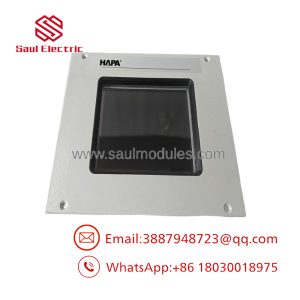
A maintenance technician replaces what appears to be the exact same XV400 HMI. The connector locations match. The display powers up. Then nothing. The mounting holes don’t align with the machine door because the replacement uses a different front construction. Four hours disappear before anyone notices the suffix on the nameplate.
That is why experienced engineers order the entire catalog number, not just “XV440.”
Typical Applications
Packaging Machinery — Operator interface and production recipes — Ethernet and CAN simplify machine integration.
Material Handling Systems — Conveyor and sorter supervision — Large display improves alarm diagnostics.
Food Processing Equipment — Batch operation and recipe management — Fanless construction reduces maintenance inside sealed cabinets.
Automotive Assembly — Production workstations — Optional PLC runtime allows future expansion without changing hardware.
OEM Machinery — Custom-built equipment — Communication licenses can be added as system requirements evolve.
Field Replacement Example
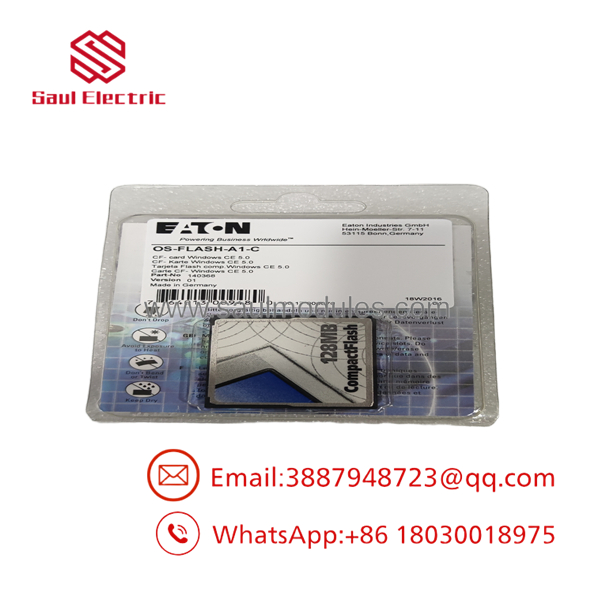
A machine builder supporting a plastics extrusion line ordered a standard XV-440 replacement after a touchscreen failure. Electrically, the panel was compatible. Mechanically, it wasn’t. The replacement used a different front construction, requiring cabinet modifications that delayed startup by nearly a full shift. Once the correct hardware variant was sourced and the CompactFlash application restored, production resumed without additional software changes.
- XV-440-10TVB-1-500
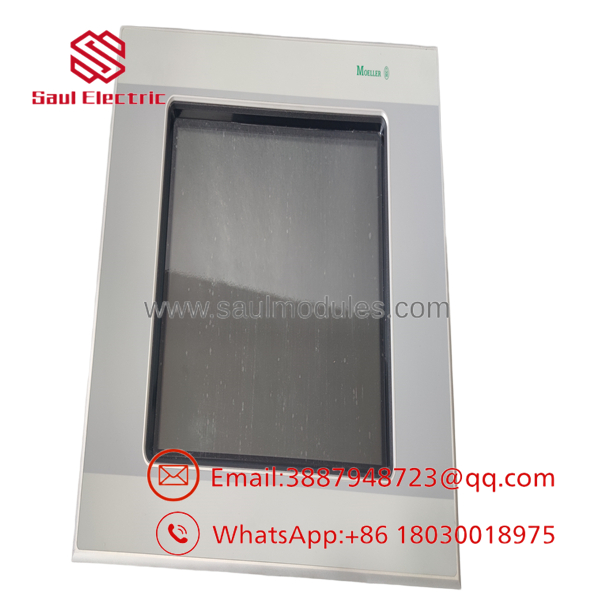
- XV-440-10TVB-1-500
Transparency SOP: Quality Assurance & Testing
We don’t just ship boxes; we test them on actual Eaton XV-series hardware whenever practical.
- Inbound Inspection
- Verify Eaton model and catalog label.
- Inspect display glass and aluminum housing.
- Check CompactFlash slots and communication connectors.
- Screen for counterfeit markings.
- Live Rig Testing
- Power using regulated 24 VDC.
- Verify Windows CE startup.
- Test infrared touch functionality.
- Verify Ethernet communication.
- Test RS232 and CAN interfaces.
- Electrical Parameter Checks
- Measure operating current.
- Verify LCD brightness.
- Confirm stable power-up.
- Inspect USB and CompactFlash operation.
- Firmware Verification
- Record operating system version.
- Record Galileo runtime version.
- Verify installed communication licenses.
- Document PLC runtime license if present.
- Final QC & Packaging
- Complete operational inspection.
- Anti-static packaging.
- Shock-resistant shipping materials.
- Serial number traceability.
The Veteran’s Tech Trap Guide
⚠️ Order by the complete part number.
Never replace an XV400 using only “XV-440.” The suffix often identifies the front style or hardware configuration. Two panels may share identical electronics but differ mechanically.
⚠️ Back up the CompactFlash card first.
Many OEMs store both Windows CE and the visualization project on the card. Losing it often means rebuilding the application from archived engineering files.
❗ Don’t assume the PLC license is installed.
The XV400 hardware supports PLC functionality, but many machines were shipped as HMI-only systems. Verify the installed licenses before commissioning.
⚠️ Check communication parameters before blaming the hardware.
CAN node addresses, Ethernet IP settings, and serial parameters frequently cause longer downtime than the HMI replacement itself.
Frequently Asked Questions (FAQ)
Q1. Does the XV-440-10TVB-1-500 include an integrated PLC?
The hardware supports PLC functionality, but it depends on whether the optional PLC runtime license was installed. Verify the software configuration before purchasing.
Q2. Can it be hot-swapped?
No. Isolate machine power before removing the panel. Disconnecting it while energized can interrupt communications and may corrupt CompactFlash data.
Q3. Is this model still manufactured?
No. The family has been phased out for new applications, and replacement units are typically sourced from surplus inventory or professionally refurbished stock.
Q4. Is the “-500” version electrically different from other XV-440 models?
The primary differences are generally related to the front-panel or mechanical configuration rather than the controller electronics. Always compare the complete model number, catalog number, and original machine documentation before ordering.
Q5. What engineering software is supported?
Typical engineering tools include GALILEO, XSOFT-CODESYS 2, and XSOFT-CODESYS 3, depending on the installed licenses and project version.
Q6. Why is surplus inventory less expensive than purchasing directly from the OEM?
Most available units come from canceled projects, unused maintenance inventory, or plant modernization programs. They are genuine Eaton products that remain in circulation after production ended.
Q7. What should I verify before installation?
Verify the CompactFlash contents, Windows CE version, Galileo project, Ethernet configuration, CAN parameters, installed licenses, panel cutout dimensions, and the complete model suffix. Verify exact wiring and connector assignments with the OEM documentation before energizing the replacement.

 Start Chat


