





Description
Product Introduction
The Honeywell 51401497-100 is an industrial operator keyboard developed for the Honeywell TDC 3000 distributed control system (DCS). It serves as the primary operator input device for Universal Station workstations, allowing process operators to navigate graphics, acknowledge alarms, issue commands, and interact with the plant control system.
Unlike a standard PC keyboard, the 51401497-100 includes dedicated function keys and a layout optimized for continuous process operations. In refineries, chemical plants, and power stations where TDC 3000 systems remain in service, replacing a failed keyboard is often the fastest way to restore operator functionality without modifying the DCS configuration.
Key Technical Specifications
| Parameter | Value |
|---|---|
| Manufacturer | Honeywell |
| Model | 51401497-100 |
| Product Family | TDC 3000 |
| Product Type | Industrial Operator Keyboard |
| Compatible Platform | Honeywell Universal Station |
| Interface | Proprietary Honeywell Console Interface |
| Key Type | Industrial Membrane Keyboard |
| Function Keys | Dedicated Process Control Keys |
| Intended Use | Process Operator Console |
| Installation | Desktop / Console Mount |
| Typical Industries | Oil & Gas, Chemical, Power, Pulp & Paper |
| Product Status | Legacy / Discontinued |
Engineering Note: Honeywell has not published a detailed standalone datasheet for 51401497-100. Publicly available documentation identifies it as a Universal Station keyboard assembly. Verify the workstation model and connector type before ordering.
Application Scenarios & The “Trench” Experience
An operator reports that alarms can still be seen on the display, but nothing happens when the ACKNOWLEDGE key is pressed.
The DCS is healthy.
The network is healthy.
The controller is still executing every control loop.
The actual fault is a failed console keyboard.
On older TDC 3000 installations, input devices receive far less attention than controllers. Yet a single defective keyboard can leave operators unable to respond efficiently during abnormal process conditions.
Typical Applications
Oil & Gas — Refinery operator consoles — Enables alarm acknowledgement and process navigation within TDC 3000.
Chemical Processing — Continuous reactor control — Provides dedicated operator input for process graphics and control displays.
Power Generation — Boiler and turbine monitoring — Supports operator interaction with Universal Station workstations.
Pulp & Paper — Process visualization — Allows continuous plant operation through Honeywell DCS consoles.
Petrochemical Plants — Central control rooms — Provides reliable operator interface during 24/7 production.
Field Replacement Example
A refinery control room experienced intermittent keyboard failures during night shifts. Operators initially suspected a workstation software issue because the display remained fully operational. After replacing the 51401497-100 keyboard assembly, all function keys immediately returned to normal operation. No workstation software changes or controller downloads were required, and the console was restored to service in less than twenty minutes.
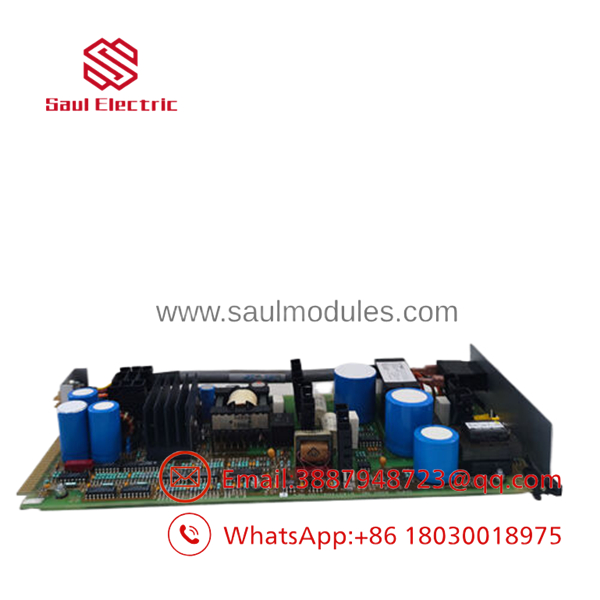
- 51401497-100
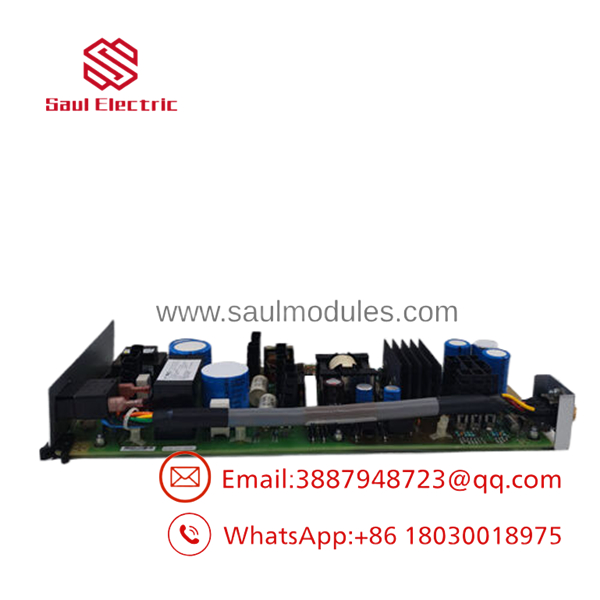
- 51401497-100
Transparency SOP: Quality Assurance & Testing
We don’t just ship boxes; we verify every operator interface component before it leaves our warehouse.
- Inbound Inspection
- Verify Honeywell part number and revision label.
- Inspect membrane surface for wear or delamination.
- Check cable condition and connector integrity.
- Screen for unauthorized repairs.
- Functional Testing
- Connect to a compatible Universal Station test setup.
- Verify all alphanumeric keys.
- Test every dedicated function key.
- Confirm indicator operation where applicable.
- Electrical Verification
- Check connector continuity.
- Verify key matrix response.
- Inspect cable shielding and grounding.
- Compatibility Verification
- Record hardware revision.
- Confirm compatibility with supported Universal Station hardware.
- Final QC & Packaging
- Functional inspection report.
- Anti-static packaging.
- Protective shipping materials.
- Serial number traceability.
The Veteran’s Tech Trap Guide
⚠️ Don’t substitute a standard PC keyboard.
The 51401497-100 is designed specifically for Honeywell Universal Station consoles and uses dedicated control functions that a conventional keyboard cannot replicate.
⚠️ Inspect the keyboard cable first.
Years of repeated movement inside control consoles often damage the cable before the keyboard electronics fail.
❗ Verify the workstation hardware model.
Honeywell produced several Universal Station hardware revisions. Always match the exact workstation model and connector before ordering a replacement.
⚠️ Test every function key—not just the letters.
A keyboard may type normally while dedicated alarm acknowledgment or navigation keys have failed. Those keys are often the most critical during plant upsets.
Frequently Asked Questions (FAQ)
Q1. What is the Honeywell 51401497-100?
It is an industrial operator keyboard assembly used with Honeywell TDC 3000 Universal Station consoles for process control and operator interaction.
Q2. Can I replace it with a standard USB or PS/2 keyboard?
No. This keyboard is designed specifically for Honeywell operator stations and includes proprietary function keys and interface hardware.
Q3. Is the 51401497-100 still manufactured?
No. The TDC 3000 platform is a legacy DCS. Most replacement keyboards are sourced from New Surplus inventory or professionally refurbished equipment.
Q4. Does replacing the keyboard require software changes?
In most installations, no. The keyboard is a hardware replacement. However, verify workstation compatibility and connector type before installation.
Q5. Why are these keyboards still expensive?
Production ended years ago, but many TDC 3000 systems continue operating in critical process industries. Limited supply and ongoing maintenance demand keep prices relatively high.
Q6. What warranty is typically available?
Most industrial automation suppliers offer a 12-month functional warranty on tested New Surplus or professionally refurbished units. Warranty terms vary by supplier.
Q7. What should I verify before ordering?
Verify the complete 51401497-100 part number, Universal Station model, connector style, keyboard layout, cable condition, and workstation hardware revision. Because Honeywell produced multiple console generations, always compare the replacement unit with the original assembly and verify compatibility using the applicable Honeywell maintenance documentation before installation.

 Start Chat


