





Description
Product Introduction & Engineering Value
Mixed copper and fiber networks create a practical challenge in industrial facilities: field devices may require short copper runs while backbone connections need fiber isolation and distance capability. The Enterasys A4H254-8F8T addresses this requirement by combining Fast Ethernet copper ports with integrated fiber interfaces in a single managed switch platform.
Used in SecureStack A4 environments, this switch supports Layer 2 network management functions needed for controlled industrial communication. For legacy installations, maintaining the original switch architecture can reduce the risk associated with redesigning validated Ethernet layouts.
Technical Specifications
| Parameter | Specification |
|---|---|
| Manufacturer | Enterasys Networks |
| Model | A4H254-8F8T |
| Product Family | SecureStack A4 |
| Switch Type | Managed Layer 2 Stackable Switch |
| Copper Ports | 24 × 10/100BASE-TX |
| Fiber Ports | 8 × 100BASE-FX |
| Fiber Connector | MT-RJ |
| Uplink Capability | Gigabit SFP interfaces |
| Switching Capacity | Approx. 12.8 Gbps |
| Forwarding Rate | Approx. 9.5 Mpps |
| MAC Address Table | 16K entries |
| VLAN Support | IEEE 802.1Q |
| Management Protocols | SNMP, RMON, Telnet, HTTP, SSH |
| Mounting | 19-inch rack installation |
| Operating Environment | Enterprise / industrial network cabinets |
Field Application & The “Trench” Experience
A manufacturing plant operates several production areas connected through an Enterasys-based Ethernet infrastructure. During a scheduled maintenance window, operators report intermittent communication delays between PLC monitoring stations and the plant supervisory network.
The maintenance team discovers that one access-layer switch has several unstable copper ports while the fiber uplinks remain active. Instead of rebuilding the network topology, engineers replace the aging unit with a verified Enterasys A4H254-8F8T.
The replacement process includes:
- Saving the existing VLAN configuration.
- Recording port assignments.
- Checking fiber link mapping.
- Restoring management settings.
- Verifying PLC and SCADA communication.
The field lesson: network switches in automation environments are part of the control infrastructure. A small configuration mistake can create larger operational issues than the hardware failure itself.
Specific application scenarios
- Factory automation Ethernet networks — connecting PLC panels, HMIs, and supervisory systems.
- Building-to-building fiber distribution networks — combining copper access ports with fiber uplinks.
- Legacy industrial communication cabinets — maintaining validated Enterasys SecureStack installations.
Transparency SOP: QA & Testing
For New Surplus or Refurbished A4H254-8F8T units, testing should cover both Ethernet switching functions and fiber communication performance.
Inspection Procedure
Step 1 — Identification Check
- Confirm model: A4H254-8F8T.
- Verify Enterasys SecureStack A4 labeling.
- Record serial number and hardware revision.
Step 2 — Physical Inspection
- Check RJ45 ports for damage.
- Inspect fiber connectors.
- Examine SFP slots.
- Verify chassis condition.
Step 3 — Power Validation
- Confirm startup sequence.
- Check diagnostic LEDs.
- Verify cooling operation.
Step 4 — Network Testing
- Test copper Ethernet links.
- Verify fiber port communication.
- Check management access.
- Validate VLAN operation.
Step 5 — Final Preparation
- Protect fiber interfaces.
- Use anti-static packaging.
- Document test results.
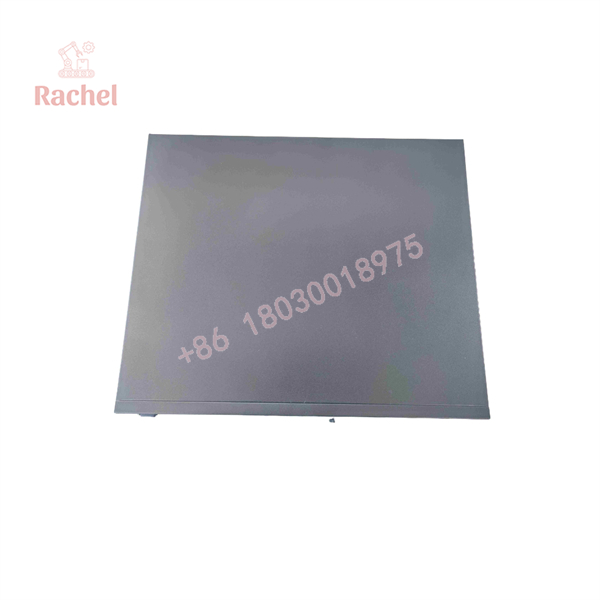
A4H254-8F8T
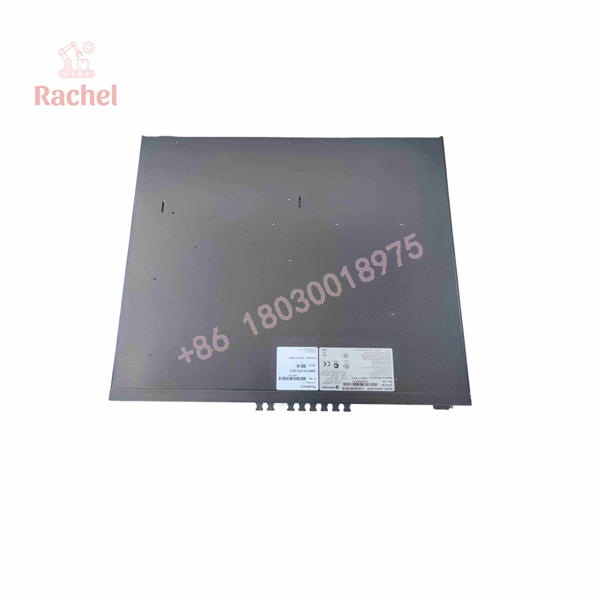
A4H254-8F8T
The Veteran’s Tech Trap Guide
⚠️ Trap #1 — Confusing copper/fiber port combinations
The A4H254-8F8T is not a standard 24-port copper switch. The integrated fiber ports are part of the product design.
PRO TIP: Confirm the exact port layout before ordering. Similar Enterasys model numbers may have different fiber and copper combinations.
⚠️ Trap #2 — Ignoring MT-RJ fiber compatibility
Many newer fiber switches use LC connectors. The A4H254-8F8T belongs to an older generation using MT-RJ fiber interfaces.
Before replacement, verify:
- Fiber connector type
- Fiber mode
- Optical distance requirements
- Existing patch cable availability
⚠️ Trap #3 — Losing configuration during replacement
A replacement switch without the original configuration may appear healthy but fail in operation.
Always preserve:
- VLAN database
- Port security settings
- Management IP
- SNMP configuration
- Spanning-tree parameters
⚠️ Trap #4 — Mixing SecureStack generations
A4 Series switches are not automatically interchangeable with A2 Series hardware. Confirm software compatibility and stacking requirements before installation.
Dynamic FAQ
Q1: What is Enterasys A4H254-8F8T?
The Enterasys is a SecureStack A4 managed Ethernet switch combining copper Fast Ethernet ports with fiber connectivity for network distribution applications.
Q2: Is A4H254-8F8T suitable for industrial automation networks?
Yes. It is commonly used in managed Ethernet environments where VLAN separation, fiber communication, and remote network monitoring are required.
Q3: What type of fiber ports does A4H254-8F8T use?
The switch uses integrated 100BASE-FX fiber interfaces. Confirm connector type and optical specifications before replacement because legacy fiber standards vary between models.
Q4: Can A4H254-8F8T replace another SecureStack switch?
Only after checking:
- Port configuration
- Firmware compatibility
- Network topology
- VLAN settings
- Stacking requirements
Q5: What should I verify before purchasing New Surplus A4H254-8F8T?
Check:
- Exact model number
- Actual hardware photos
- Fiber port condition
- Firmware revision
- Power-on test results
- Warranty terms
Q6: Is New Surplus the same as refurbished?
No. New Surplus generally means unused inventory from previous stock holdings. Refurbished equipment has typically undergone inspection, repair if required, and functional testing.
Q7: Does this Enterasys switch include warranty?
Warranty depends on supplier and inventory condition. Confirm whether the unit is New Surplus, refurbished, or tested used before purchase.

 Start Chat


