





Description
Product Introduction
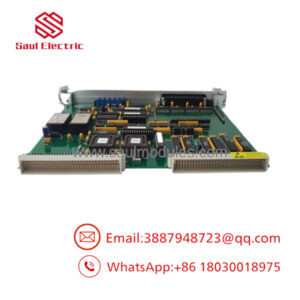
The FANUC A20B-3400-0020 is a specialized SRAM/FROM memory sub-board (daughter card) engineered for FANUC 30i, 31i, 32i, and 0i-D series CNC controllers. Slotting directly into the primary main CPU motherboard, this module functions as the high-speed storage vault for critical operational software, including system boot ROM (Flash ROM), system parameter structures, PMC execution ladders, and part program memory buffers.
Built with high-density flash memory ICs and ultra-low-power SRAM chips, the A20B-3400-0020 provides rapid read/write cycles required for high-speed block processing during 5-axis surface machining. Its compact SODIMM-style footprint and gold-plated edge connections preserve signal integrity across severe workshop vibration and electrical noise environments.
Key Technical Specifications
| Parameter | Value |
| Part Number | A20B-3400-0020 (Assembly: A350-3400-0020) |
| Manufacturer | FANUC Corporation |
| Control Compatibility | FANUC Series 30i-A, 31i-A, 32i-A, 0i-MD, 0i-TD Systems |
| Memory Architecture | Non-volatile Flash ROM (FROM) & Static RAM (SRAM) |
| Form Factor | SODIMM-Style Modular Edge Connector Card |
| Operating Voltage | +3.3V DC / +5V DC (Supplied by mainboard local power bus) |
| Data Preservation | External Lithium Backup Battery (via mainboard bus) |
| Cooling Method | Cabinet air recirculation / Convection |
Application Scenarios & The “Trench” Experience
When an internal SRAM block or flash chip degrades on an A20B-3400-0020 board, the CNC screen may freeze on the initial boot splash screen, display a red “SYSTEM ALARM 970 / 971” (SRAM Parity Error), or fail to retain parameters after powering down overnight. Replacing the damaged memory card allows maintenance teams to recover the CNC mainboard without incurring the massive expense of replacing the complete main CPU rack.
- 5-Axis Aerospace Machining Centers – Stores complex high-speed contouring options and dynamic look-ahead buffer parameters.
- Automotive Transfer Lines – Holds extensive PMC ladder logic files and custom macro variables for multi-station automation.
- High-Precision CNC Lathes – Maintains machine position offsets, screw pitch error tables, and multi-turret synchronization parameters.
Field Case Study
A automotive component plant experienced a critical “SRAM Parity Error / System Alarm 970” on a FANUC 31i-A controller driving an engine block boring machine. The controller refused to pass the IPL (Initial Program Loader) screen. Troubleshooting confirmed that an SRAM chip on the original A20B-3400-0020 card had suffered an internal cell failure. Rather than replacing the complete mainboard, the technician backed up memory via the Boot System Menu, swapped in a bench-tested surplus A20B-3400-0020 module, and reloaded the SRAM image. The machine returned to full production in under 30 minutes.
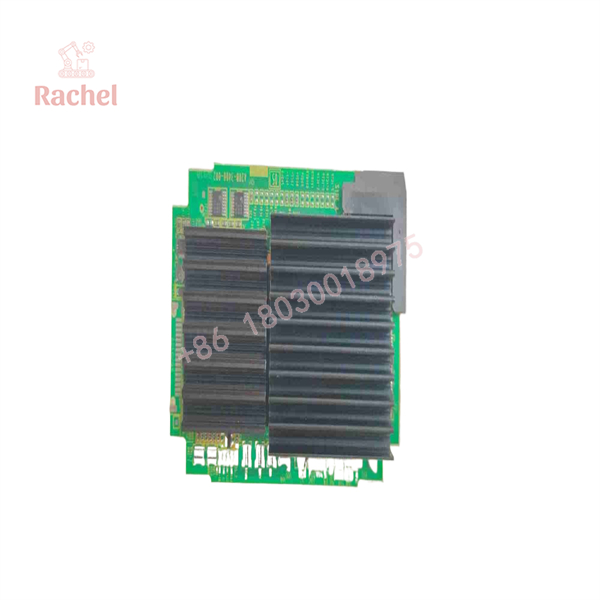
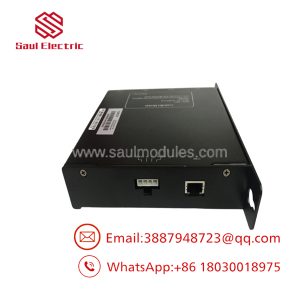
A20B-3400-0020
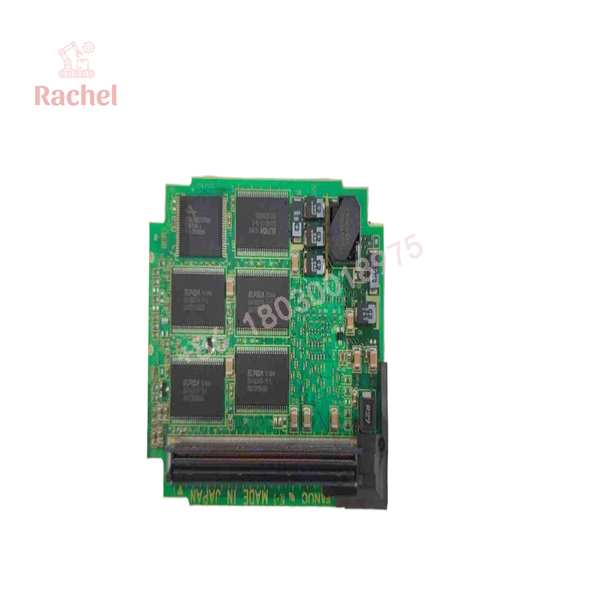
A20B-3400-0020
Transparency SOP: Quality Assurance & Testing
Every FANUC memory card in our inventory undergoes testing on dedicated CNC control racks prior to stock placement.
- Inbound Visual Inspection: Inspect gold contact edge pins for wear or scratches, check surface-mount memory IC leads for solder bridges, and verify PCB trace health.
- Contact Edge Refurbishment: Clean all gold connector fingers with isopropyl alcohol and contact restorative compound to eliminate surface oxidation layers.
- Boot & Read/Write Cycle Test: Insert the card into a live FANUC 31i CNC mainboard. Perform full SRAM read/write stress cycles, verify Flash ROM sector erasure, and ensure clean system boot cycles.
- Data Retention & Battery Check: Verify that data written to the SRAM array holds continuously without voltage leakage when main control power is interrupted.
- ESD Static Shielding: Vacuum-seal the module in anti-static ESD shielding bags with fresh desiccant, protected inside custom-cut shock foam boxes.
The Veteran’s Tech Trap Guide
- ⚠️ Always Backup System Parameters Before Removal: Replacing or removing the A20B-3400-0020 memory card will wipe all un-backed parameters, PMC ladders, and tool offsets stored in SRAM! Always perform a complete SRAM / All Data backup to a Flash Memory Card via the FANUC Boot System Menu prior to servicing.
- ❗ Never Touch Gold Contacts Without ESD Protection: Static electricity is the leading cause of premature memory cell destruction. Always wear an ESD grounding wrist strap and hold the board strictly by its plastic guide edges.
- ⚠️ Verify Proper Socket Seating: Ensure the card is inserted at a 45-degree angle before pressing down to lock the side metal retaining clips. An improperly seated card will trigger immediate bus error alarms or short power supply rails on the mainboard.
- ❗ Never Swap Cards With Cabinet Power ON: Always turn off the main cabinet power switch and verify that all internal rack LEDs are dark before opening the CPU casing to insert or remove memory sub-boards.
Frequently Asked Questions (FAQ for Conversion)
Q: What is the difference between the A20B-3400-0020 part number and the A350-3400-0020 number stamped on the board?
A: is the primary FANUC component drawing number for the assembled circuit board, while A350-3400-0020 is an alternative internal sub-assembly manufacturing reference code. Both numbers refer to the exact same physical memory card.
Q: Will installing this new card restore my machine parameters automatically?
A: No. The replacement card is shipped clean/blank. You must restore your machine’s parameters, PMC ladder, and system files from your previous SRAM memory backup via the FANUC Boot Menu or PCMCIA card slot.
Q: Can I replace an A20B-3400-0020 card with an older A20B-3300 series card?
A: No. Memory boards are controller-generation specific. The A20B-3400 series is designed specifically for 30i/31i/32i Model A/B architectures and is not backward compatible with older 16i/18i/21i platforms.
Q: What warranty coverage comes with this surplus FANUC memory module?
A: We back all clean surplus and reconditioned A20B-3400-0020 memory sub-boards with a full 12-month operational replacement warranty.
Q: Why purchase tested surplus memory cards over sending the whole mainboard out for repair?
A: Diagnostic and repair turnaround times for CNC mainboards can take weeks. Replacing the memory sub-card directly on-site gets your machine operational in minutes at a fraction of the cost.

 Start Chat


