





Description
Key Technical Specifications
| Parameter | Value |
| Form Factor | 6U CompactPCI (cPCI) Standard compliant |
| PMC Slots | 2 x IEEE 1386.1 PCI Mezzanine Card (PMC) slots |
| Bus Width | 32-bit or 64-bit configuration adaptive |
| Bus Frequency | 33 MHz or 66 MHz operation depending on host capability |
| Front I/O Interface | 1 x RJ45 Gigabit Ethernet (10/100/1000BaseTX) port |
| Signaling Voltage | Universal V(I/O) signaling compatibility (3.3 V or 5 V) |
| Power Input | Derived via cPCI backplane pins |
| Operating Temperature | 0 to +60 °C (32 to 140 °F) ambient cabinet temperature |
Product Introduction
The GE Fanuc CP238TA is a high-reliability, 6U CompactPCI (cPCI) carrier card engineered to host up to two standard PCI Mezzanine Cards (PMC) within a ruggedized industrial computing environment. By bridging the low-profile mezzanine interface to the durable cPCI architecture, this module enables custom I/O expansion, communication adaptation, and coprocessing capabilities without consuming individual core rack slots.
Engineered for specialized mission-critical tasks, the “TA” variation incorporates a front-access Gigabit Ethernet port to permit high-bandwidth networking independent of the mezzanine card interfaces. Plant systems integrators specify this module for high-stress aerospace testing, localized data logging networks, and legacy gas or steam turbine subsystem upgrades where high-speed real-time data ingestion requires dedicated hardware modularity.
Installation & Configuration Guide
Stage 1: Pre-Installation Preparation (Estimated Time: 15 minutes)
- ⚠️ Safety First: The cPCI rack chassis houses master computing logic. Inserting or removing boards while the chassis backplane is energized risks data corruption across the network and can destroy sensitive digital ICs. Shut down the host computer or controller rack, isolate the main power source, and tag out the supply switch.
- Tools Required: Grounded anti-static ESD wrist strap, fine-threaded Phillips screwdriver (PH0/PH1), small stand-off torque tool, and your master cPCI system layout documentation.
- Data Backup: Document the exact slot location of the faulty card. Check and record any fixed hardware configuration profiles, custom mezzanine addressing offsets, or software driver allocations bound to the active slots.
Stage 2: Removing the Old Module (Estimated Time: 5 minutes)
- Fasten your ESD grounding wrist strap to a bare metal part of the cabinet enclosure frame.
- Disconnect any RJ45 Ethernet cables or localized field data connectors attached to the faceplate.
- Fully unseat the upper and lower faceplate retention screws securing the card to the rack frame.
- Flip the red-handled injector/ejector latches outward simultaneously to disengage the multi-pin connector block from the cPCI backplane tracks.
- Pull the board smoothly out of the chassis tracks and set it flat on a clean anti-static mat.
Stage 3: Installing the New Module (Estimated Time: 20 minutes)
- Keep the grounding strap attached. Unpack the new CP238TA carrier module from its anti-static packaging.
- Mount Mezzanine Sub-Modules First: If transferring existing PMC cards from the old carrier, carefully unscrew the stand-offs on the back of the old board. Align the high-density plug pins of the PMC module with the receiver socket on the CP238TA. Press downward firmly until seated flush, then tighten the securing screws from the underside.
- Inspect the backplane connectors of the CP238TA to confirm no pins are bent or covered in dust particles.
- Align the top and bottom edge tracks of the carrier card with the guide rails of the designated rack slot.
- Push the module evenly inward until the injector/ejector handles contact the rack frame. Press the handles inward firmly until they snap closed, driving the connector home. Secure the faceplate screws.
- Self-Checklist:
- [ ] PMC mezzanine cards seated flush and screwed tightly onto the carrier.
- [ ] Carrier card fully injected and aligned perfectly with adjacent modules.
- [ ] Front panel locking screws turned down to bond the chassis shield.
Stage 4: Power-On & Testing (Estimated Time: 15 minutes)
- Restore power supply paths to the cPCI system enclosure and turn on the control system computer.
- Monitor the boot status logs on the operating terminal monitor. Watch for hardware mapping steps verifying the presence of a new cPCI bridge.
- Access your system operating platform console (such as VxWorks, Windows Embedded, or Linux RT). Verify that the native Gigabit Ethernet controller chip is detected.
- Run a network loop ping or hardware diagnostic check on the daughtercard extensions to confirm proper bus-width adaptation (32/64-bit) and zero transmission packet failure states.
- ⚠️ Troubleshooting Note: If the system hangs up during BIOS initialization or crashes immediately post-boot, power down the rack. Remove the carrier and verify that your hosted PMC daughtercards do not violate the host backplane signaling voltage parameters (3.3 V versus 5 V V(I/O) mismatch setting).
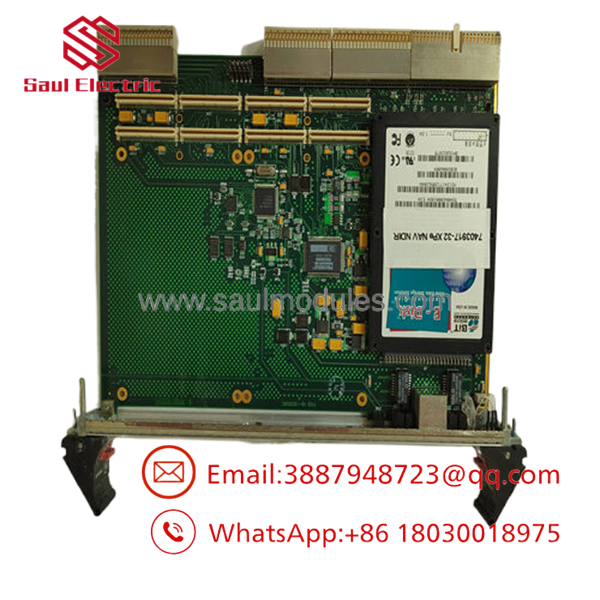
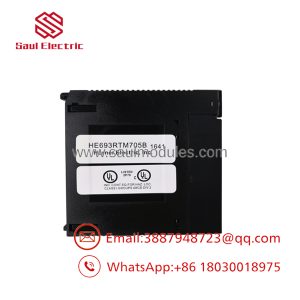
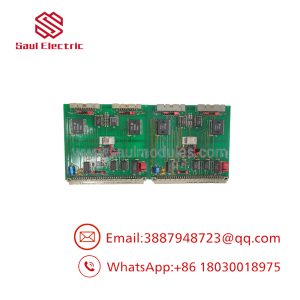
- CP238TA
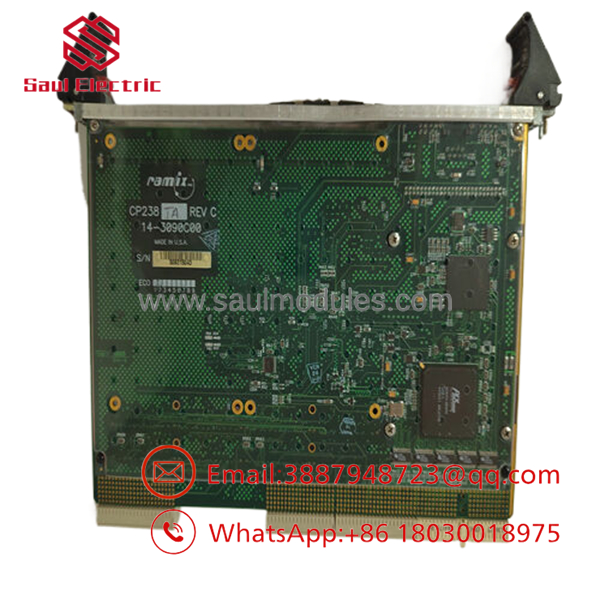
- CP238TA
Frequently Asked Questions (FAQ)
Is the hot-swappable inside the CompactPCI rack chassis?
No. Despite the general architectural parameters of the overall CompactPCI format allowing for hot-swap variants, this specific base carrier module does not support live insertion or extraction. Pulling or inserting this high-density pin array card while the backplane has active voltage applied can cause electrical arcing across data pins, which will instantly lock up the PCI bus, disrupt neighboring modules, and permanently damage the onboard components.
What is the exact purpose of a PMC carrier card like the ?
The acts as an adaptation bridge. Standard PCI Mezzanine Cards (PMCs) are tiny, low-profile auxiliary boards providing targeted tasks (like extra serial links, fieldbus nodes, or high-speed data capture), but they cannot plug straight into a large 6U industrial rack. The acts as a full-size vehicle board. It provides the physical slots, power routing pathways, and mechanical faceplate brackets to let those small mezzanine cards communicate natively over a standard 6U cPCI chassis backplane.
Does this board come pre-configured with the actual I/O modules?
No. The is a bare carrier board assembly. It contains the central bus translation chips, the physical plug connections, and the front-panel Ethernet port, but the two main PMC card locations are shipped completely open. You must mount your specific pre-existing or separately purchased PMC expansion modules onto this board to provide the targeted field terminal or instrumentation outputs required by your plant architecture.
What should I check if my hosted PMC card is completely ignored by the host computer?
First, verify that the mechanical connections are seated flush. High-density mezzanine connectors can look aligned while a few pins fail to bridge properly. Second, inspect the bus operational frequency parameters. If your installed PMC module is older and only supports 33 MHz cycles, while your cPCI backplane expects a fixed 66 MHz clock rate without fallback negotiation, the device will fail to enumerate during the initial system startup scan.
Why is GE Fanuc equipment now handled under the Emerson branding tree?
GE Fanuc Automation was originally formed as a joint venture. Over the years, the internal structures went through corporate re-organizations, shifting from GE Fanuc to GE Intelligent Platforms, then to GE Automation & Controls. In 2019, Emerson Electric Co. acquired the entire intelligent platforms and industrial computing business unit from GE. As a result, current technical tracking, hardware documentation, and surplus component support fall under the Emerson industrial automation umbrella.

 Start Chat


