





Description
Product Introduction
The GE Fanuc IC754VSI12CTD is a 12.1-inch industrial operator interface terminal from the QuickPanel View series (Intermediate specification level). Engineered for door-mounting on industrial control panels, it acts as a central operator window into automated processes, machinery sequencing, and system diagnostics.
The “VSI” designation indicates the View Intermediate performance profile within the QuickPanel line—offering optimized processing hardware and memory capacity tailored for standard visualization, alarm management, and multi-driver PLC communications without the additional overhead or cost of full control coprocessing. Featuring an 800 x 600 SVGA color TFT display with an analog resistive touchscreen overlay, it runs on Microsoft Windows CE and communicates seamlessly with GE/Emerson PACSystems (RX3i, RX7i), Series 90-30, Series 90-70, and third-party controllers over Ethernet and serial links.
Key Technical Specifications
| Parameter | Value |
| Model Class | QuickPanel View Intermediate (VSI) |
| Display Type & Size | 12.1-Inch Active Matrix Color TFT LCD |
| Resolution | SVGA (800 × 600 pixels) |
| Touchscreen Type | Analog Resistive Touch Screen Overlay |
| Operating System | Microsoft Windows CE |
| Input Voltage | 24 VDC (18 to 30 VDC operating range) |
| Power Consumption | ~30 Watts nominal |
| Ethernet Port | 1 × 10/100Base-TX RJ-45 Port |
| Serial Ports | Configurable RS-232 / RS-422 / RS-485 Serial Communications |
| Expansion & Storage | CompactFlash (CF) Card Slot & USB Ports |
| Enclosure Rating | NEMA 4X / IP65 Front Bezel (when panel mounted) |
Application Scenarios & The “Trench” Experience
When an operator screen drops out on a continuous assembly line or batch mixing skid, process operators are left without visibility into real-time tank levels, motor speeds, or fault interlocks.
- Automotive & Metal Stamping Cells – Displaying production counters, cycle time metrics, and robotic cell safety interlocks.
- Municipal Water & Wastewater Skids – Serving as the primary local operator terminal for pump stations, filter backwash sequences, and chemical dosing systems.
- Material Handling & Conveyor Systems – Providing station operators with real-time package routing, photo-eye fault codes, and manual jog controls.
Field Case Study: A commercial bakery experienced intermittent screen freeze-ups and touch unresponsiveness on an aging IC754VSI12CTD terminal controlling a mixer line. Replacing the terminal with a bench-tested unit and loading the PME runtime via a CompactFlash card restored full touchscreen response and eliminated batch downtime in under 25 minutes.
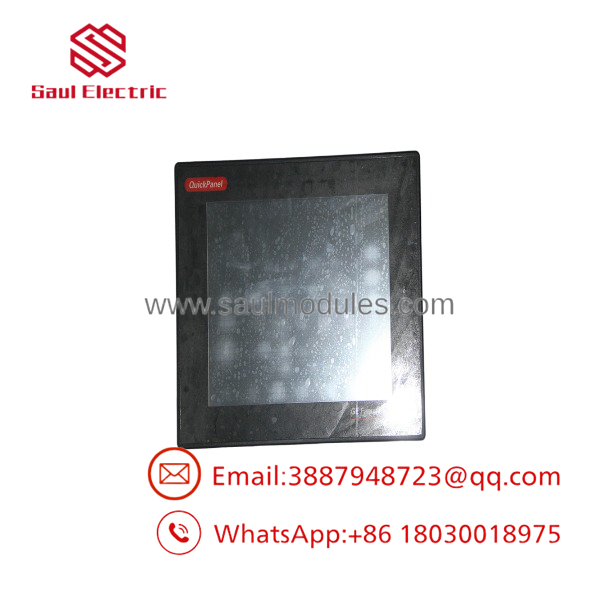
IC754VSI12CTD
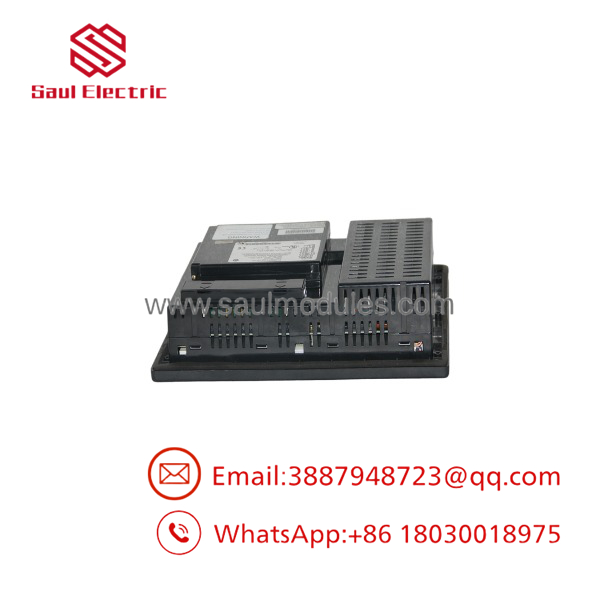
IC754VSI12CTD
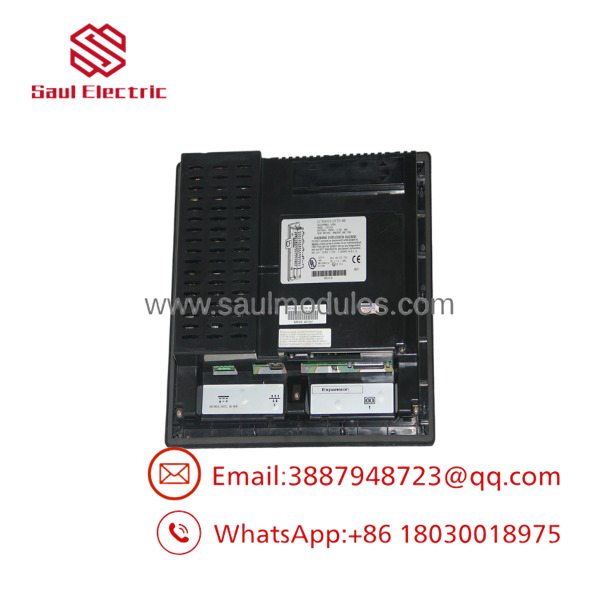
IC754VSI12CTD
Transparency SOP: Quality Assurance & Testing
Industrial HMIs undergo meticulous visual, functional, and communication testing prior to dispatch:
- Inbound Mechanical Inspection: Inspect aluminum housing, bezel sealing gasket, rear terminal block screws, and connector pins.
- Display & Backlight Audit: Test screen brightness and color accuracy; check for dead pixels, backplate discoloration, or backlight flicker.
- Touchscreen Calibration: Run a full grid alignment test across all four corners and center points to ensure immediate touch response without drift.
- Communication & Download Test: Download a test runtime project via Ethernet; verify RS-232/RS-485 serial communication loopback with an RX3i test rack.
- ESD Packaging & Display Protection: Apply a screen protector overlay, seal in anti-static packaging, and secure inside custom foam-lined boxes.
The Veteran’s Tech Trap Guide (Crucial Value-Add)
⚠️ VSI vs. VSF Module Differences: The IC754VSI12CTD (Intermediate) and IC754VSF12CTD (Standard/Full) share identical panel cutout dimensions and outer bezels. However, verify your target runtime project’s driver requirements and memory footprint in Proficy Machine Edition (PME) when swapping between VSI and VSF models to ensure full compatibility!
❗ Observe Correct 24 VDC Power Wiring! The unit requires a clean 24 VDC supply. Reversing the positive (+24V) and negative (DC Ground) power leads on the rear pluggable terminal block can damage internal board protection circuits or blow internal fuses.
⚠️ Backup Your Machine Edition Project File: HMI application files reside in the unit’s internal flash memory. Always archive a copy of your compiled project file (.X2M or .PRO) on a backup USB stick or CompactFlash card for rapid recovery during hardware swaps.
Frequently Asked Questions (FAQ)
Q: What programming software is used to configure the IC754VSI12CTD?
A: Application screens and PLC communication drivers are configured using GE Fanuc / Emerson Proficy Machine Edition (PME) View.
Q: How can I transfer my project file to the terminal without a network connection?
A: You can transfer compiled project runtimes directly using a CompactFlash card or a USB flash drive via the onboard ports.
Q: Can the IC754VSI12CTD communicate with non-GE controllers like Allen-Bradley or Siemens?
A: Yes! Proficy Machine Edition includes built-in communication drivers for major PLC protocols including Allen-Bradley DF1/EtherNet/IP, Modicon Modbus TCP, and Siemens MPI/Ethernet.
Q: How do I re-calibrate the touchscreen if touch points are misaligned?
A: Connect a USB mouse, access the Windows CE Control Panel, launch the Touch screen tool, and complete the target alignment steps.
Q: What warranty is offered with this HMI module?
A: All new surplus and fully bench-tested pre-owned IC754VSI12CTD units supplied from stock include a full 12-month replacement warranty.

 Start Chat


