





Description
Key Technical Specifications
| Parameter | Value |
|---|---|
| Manufacturer | GE Fanuc / Emerson |
| Model Number | IC695CPU320HU |
| Series | PACSystems RX3i |
| Product Type | CPU module |
| Processor | Intel Celeron M, 1.0 GHz |
| User RAM | 64 MB |
| Flash Memory | 64 MB non-volatile |
| Serial Ports | 2 built-in serial ports |
| Supported Protocols | SNP, Modbus RTU Slave, Serial I/O |
| Backplane Support | RX3i PCI and 90-30 serial backplane |
| Power Requirement | 3.3 V DC and 5 V DC from backplane |
| Operating Temperature | 0°C to 60°C |
Product Introduction & Supply Chain Strategy
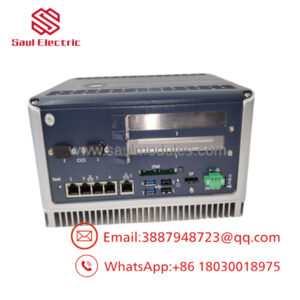
GE IC695CPU320HU is a PACSystems RX3i CPU module used to run PLC logic and manage serial communications in industrial automation systems. It serves as the control core for distributed racks, legacy migration projects, and process equipment where deterministic operation and memory retention matter.
Buying it as New Surplus is a sound supply-chain decision because this platform sits in legacy infrastructure with meaningful lead time variability. For this class of controller, Total Cost of Ownership is shaped by stock-out risk, migration compatibility, and obsolescence exposure, so buffer stock is often cheaper than emergency sourcing during downtime.
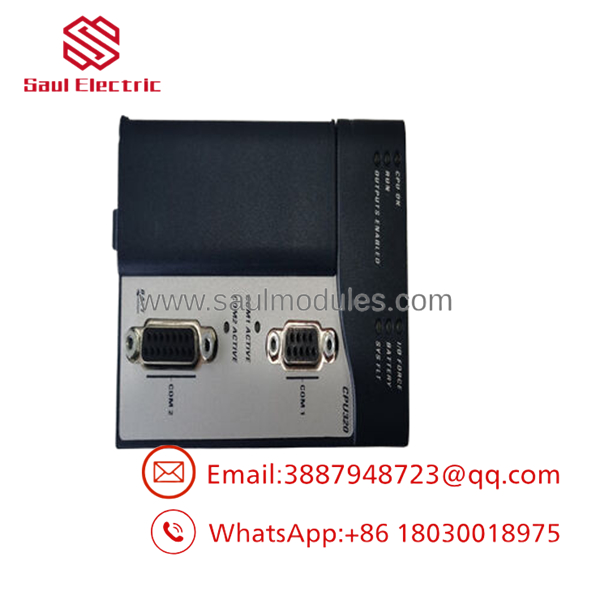
- IC695CPU320HU
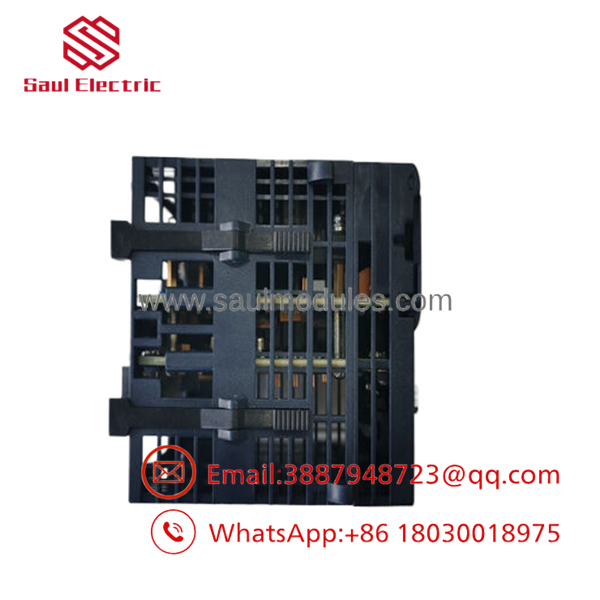
- IC695CPU320HU
Installation & Configuration Guide
Stage 1: Pre-Installation
Apply lock-out/tag-out and confirm the rack is fully de-energized. Use an ESD strap, insulated tools, and a camera. Photograph all wiring, module locations, and any backup battery or configuration references before removal.
Stage 2: Removal
Disconnect serial and field wiring carefully, labeling each cable as it comes off. Remove the CPU straight from the baseplate to avoid bent pins or connector damage. Keep the old module until the replacement is fully validated.
Stage 3: Installation
Replicate the original wiring, slot placement, and communication settings exactly. Seat the module fully and confirm proper engagement with the backplane. Reconnect the serial links and verify any retention battery or memory backup arrangement.
Stage 4: Power-On & Testing
Check the backplane supply rails before energizing. Confirm the CPU boots normally, the serial ports respond, and the controller sees the expected rack and I/O configuration. Validate the application logic and communication status before returning the system to service.
Firmware/Software Versions & Upgrade Notes
Document the installed firmware and site program before any swap. The IC695CPU320 family is commonly programmed in Proficy Machine Edition, and the software image should be preserved to avoid compatibility issues during replacement.
Avoid firmware upgrades or downgrades during a simple hardware swap unless you have a controlled reason and rollback plan. Revision mismatch can affect serial behavior, memory retention, and site logic validation.
Frequently Asked Questions
Is this really new? The correct procurement position is New Surplus / Original New, not refurbished or repaired.
Why is it cheaper than OEM new but more expensive than refurb stock? New Surplus comes from controlled excess inventory, so it costs less than factory list pricing while avoiding the risk of uncertain-condition replacement units.
Is this part obsolete or EOL? Yes, treat it as a strategic legacy spare. That means buffer stock, vendor consolidation, and last-time-buy planning are appropriate.
Can I hot-swap it? Do not assume hot-swap is safe. Isolate the rack and replace it only under a controlled maintenance procedure.
Will the program stay in the module? The module has non-volatile flash and battery-backed retention, but you should still archive the program and verify the restored image after installation.
What warranty terms make sense? For New Surplus PLC CPUs, warranty should be tied to traceability, outbound testing, and condition verification. The real value is avoiding a stock-out on a critical controller.

 Start Chat


