





Description
Key Technical Specifications
| Parameter | Value |
|---|---|
| Part Number | IS420PPNGH1A |
| Brand | GE |
| Series | Mark VIe / Mark VIeS |
| Product Type | PROFINET gateway module |
| Processor | 1066 MHz Intel EP80579 |
| Memory | 256 MB DDR2 SDRAM |
| Operating System | QNX Neutrino |
| Required Software | ControlST V05.04 or higher |
| Mounting | Vertical panel mount |
| Cooling | Air-cooled; airflow must not be blocked |
| Networking Note | PROFINET and IONet cannot share the same switch |
| Lifecycle Status | Legacy / obsolescence-sensitive |
Product Introduction & Supply Chain Strategy
The GE IS420PPNGH1A is a PROFINET gateway module used in Mark VIe and Mark VIeS turbine control systems. It connects the controller to PROFINET I/O devices and supports high-speed industrial communication in gas, steam, and hydro turbine applications.
Buying this as New Surplus is a sound TCO decision for legacy control systems. It reduces stock-out risk, protects uptime, and avoids the cost of emergency sourcing when lead time variability and obsolescence pressure are both high.
Installation & Configuration Guide
Stage 1: Pre-Installation
- Apply lock-out/tag-out and confirm the cabinet is de-energized.
- Use an ESD wrist strap and insulated hand tools.
- Photograph the unit, cabling, switch assignments, and cabinet layout before removal.
- Verify the exact part number and revision against the installed module.
Stage 2: Removal
- Shut down the system according to the approved turbine-control procedure.
- Label all cables before disconnecting them.
- Remove the module evenly to avoid connector or backplane damage.
- Inspect the mounting area and connectors for heat, corrosion, or bent pins.
Stage 3: Installation
- Match the replacement module to the recorded configuration.
- Reconnect all wiring exactly as documented.
- Mount the unit vertically and confirm airflow clearance.
- Ensure PROFINET and IONet use separate switches.
Stage 4: Power-On & Testing
- Check the 24 V supply and associated rails for shorts before energizing.
- Power up and verify status LEDs and startup behavior.
- Confirm network link activity and controller recognition.
- Validate communication with PROFINET I/O devices before returning to service.
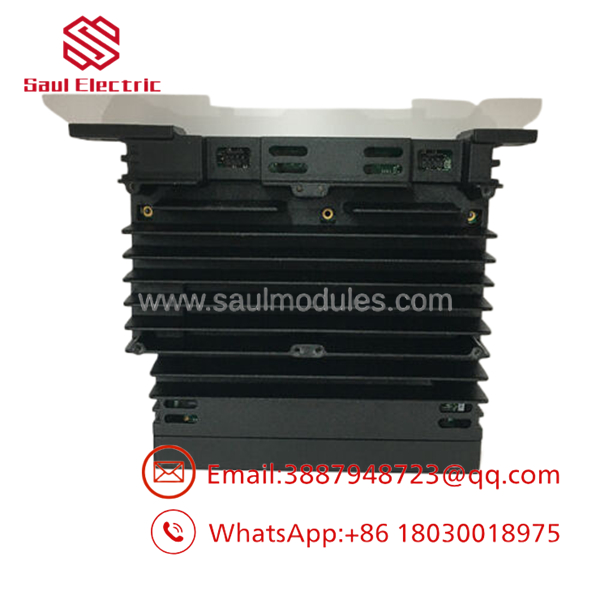
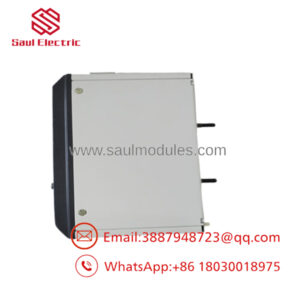
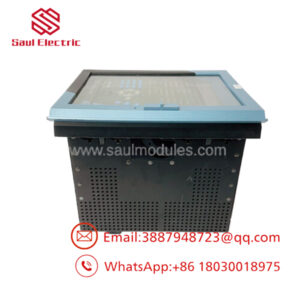
- IS420PPNGH1A
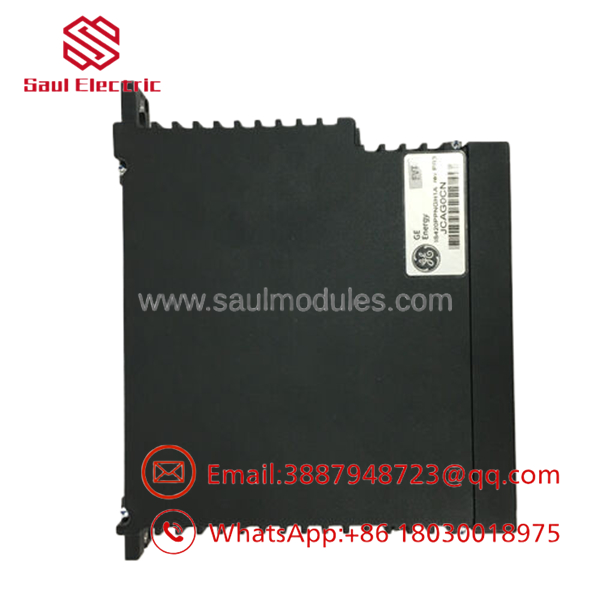
- IS420PPNGH1A
Firmware/Software Versions & Upgrade Notes
This module should be matched to the existing Mark VIe software baseline already proven at the site. The documented requirement is ControlST V05.04 or higher, so confirm engineering station compatibility before installation.
Avoid firmware upgrades or downgrades during a hardware swap unless you have compatibility data and rollback coverage. For legacy turbine controls, the safest move is a like-for-like replacement with the installed configuration preserved.
Frequently Asked Questions
Q: Is this part really New Surplus?
A: It should be sold as New Surplus / Original New, not refurbished. That means secured legacy inventory with traceability, not a repair-cycle unit.
Q: Why is it cheaper than OEM new but not as cheap as refurb stock?
A: New Surplus usually comes from excess inventory or project closeout channels. That lowers price versus OEM list while keeping a much stronger reliability profile than uncertain-condition parts.
Q: Is IS420PPNGH1A obsolete?
A: Yes, treat it as a legacy Mark VIe/Mark VIeS spare with obsolescence risk. Critical sites should keep buffer stock and plan for last-time-buy coverage.
Q: Can it be hot-swapped?
A: Do not assume hot-swap is safe. Gateway modules should be handled under a controlled outage unless the site procedure explicitly allows otherwise.
Q: Will my settings transfer automatically?
A: No. Record the existing network assignments, cabinet layout, and controller configuration before replacement. The new module should mirror the original setup exactly.
Q: What warranty terms are typical?
A: New Surplus industrial parts often carry vendor-backed warranty coverage, but the exact term depends on the supplier. Confirm warranty length, return policy, and serial traceability before purchase.

 Start Chat


