





Description
Product Introduction & Engineering Value
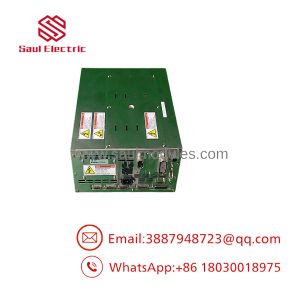
Kawasaki UP-KJA3 is a legacy Kawasaki electronic module associated with Kawasaki robotic control equipment. The available public identification is not sufficient to safely classify it as a CPU, servo, I/O, or communication board, so procurement should be based on the complete UP-KJA3 marking and the parent controller.
For replacement work, the physical assembly is the best starting point. Record all PCB labels, connectors, daughterboards, switches, and revision markings before ordering. That information is especially important when supporting older Kawasaki systems with limited documentation.
Technical Specifications
| Parameter | Specification |
|---|---|
| Manufacturer | Kawasaki |
| Model | UP-KJA3 |
| Product Type | Industrial robot controller electronic module |
| Application | Kawasaki robotic control |
| Controller Compatibility | Requires verification |
| Board Revision | Not publicly verified |
| Processor | Not publicly verified |
| Memory | Not publicly verified |
| I/O Configuration | Not publicly verified |
| Communication Interface | Not publicly verified |
| Input Voltage | Verify from applicable controller |
| Output Ratings | Verify from controller documentation |
| Connector Configuration | Verify from actual unit |
| Firmware | System-dependent |
| Lifecycle | Legacy / secondary-market spare |
Technical accuracy note
I would not publish specific electrical ratings or controller compatibility for UP-KJA3 without the Kawasaki system documentation or a clear photograph of the module label. Publicly available information for this exact model is too limited to support those claims confidently.
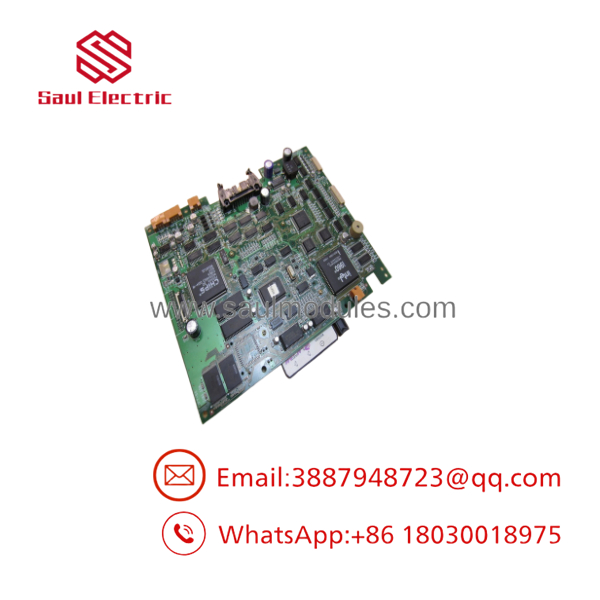
UP-KJA3
Field Application & the “Trench” Experience
A Kawasaki robot controller begins producing intermittent faults after years of operation. The maintenance team identifies a module marked UP-KJA3 and searches the secondary market for a replacement.
The dangerous assumption is that the first module carrying the same basic model number is automatically ready for installation.
For legacy Kawasaki equipment, technicians should compare the complete marking, revision, connector arrangement, installed components, and parent controller. If the replacement has a different revision or configuration, obtain compatibility confirmation before commissioning.
Niche application scenarios
- Legacy Kawasaki robot cell: replacement of an aging controller module.
- Automated material-handling system: restoration of controller electronics.
- Industrial assembly robot: maintaining an obsolete Kawasaki control platform.
- Robot controller refurbishment: board-level replacement instead of complete cabinet replacement.
Transparency SOP: QA & Testing
For New Surplus or Refurbished UP-KJA3, use a controlled acceptance process:
- Model verification — Confirm
UP-. - Physical inspection — Check connectors, PCB surfaces, components, and mounting hardware.
- Label documentation — Photograph every identification and revision marking.
- Configuration comparison — Compare switches, jumpers, memory devices, and daughterboards.
- Controller compatibility — Confirm the intended Kawasaki controller.
- Controlled power-up — Test using a compatible controller or qualified test fixture.
- Initialization test — Verify normal controller startup.
- Diagnostic check — Confirm absence of module-related alarms.
- Functional test — Test the module’s actual system function where possible.
- QA record — Document the test conditions and warranty.
“Powers on” is not a sufficient functional specification.
The Veteran’s Tech Trap Guide
⚠️ Trap #1 — Assuming UP- defines the complete function
The model number alone does not establish whether the module is a processor, interface, I/O, servo, or other controller assembly.
PRO TIP: Ask for a photograph of the actual unit before purchasing.
⚠️ Trap #2 — Ignoring the parent controller
A module can be electrically correct yet incompatible with a particular controller configuration. Always capture the Kawasaki controller model.
⚠️ Trap #3 — Accepting an unspecified revision
If the original module carries an additional revision or suffix, record it. Do not automatically substitute a different revision.
⚠️ Trap #4 — Buying a board from a stock photograph
For legacy Kawasaki spares, actual-unit photographs are valuable. Request clear images of the PCB label, connectors, and any attached daughterboards.
Dynamic FAQ
What is Kawasaki UP-?
is a Kawasaki industrial robot-controller electronic module. Its precise board-level function should be confirmed from the applicable Kawasaki system documentation.
Is UP- a CPU board?
That should not be assumed. Available public identification is insufficient to establish it specifically as a CPU, I/O, servo, or communication board.
Which Kawasaki robot controller uses UP-?
Exact controller compatibility should be verified from the installed system. The UP- model alone is not sufficient evidence for universal compatibility.
Can I replace it with another Kawasaki UP-series module?
No. Do not assume interchangeability based on the UP-series designation. Verify the complete model, revision, connectors, configuration, and controller compatibility.
What information should I provide when requesting a quotation?
Provide:
- Kawasaki UP-
- Controller model
- Robot model
- Photographs of the actual module
- All secondary labels and revision markings
- Connector photographs
How should New Surplus stock be verified?
Request actual-unit photographs and written confirmation that the module is unused, rather than used-working or refurbished. Original packaging and Kawasaki identification labels are useful supporting evidence.
How should refurbished UP- stock be tested?
A credible test should include PCB inspection, controlled power-up, controller initialization, diagnostic verification, and functional testing in a compatible Kawasaki system where practical.
What warranty should I request?
For production equipment, request a written functional warranty with a defined coverage period and failure terms. A third-party warranty is not equivalent to a Kawasaki OEM warranty.

 Start Chat


