





Description
Product Introduction & Engineering Value
A PROFIBUS card is not interchangeable merely because another card uses the same 9-pin network connector. The PC interface, driver stack, firmware, master/slave mode, configuration files, and application software all matter. The PCU-DPIO family was designed specifically to handle PROFIBUS-DP communication at the PC level.
For legacy automation and test systems, this makes the exact PCU-DPIO configuration valuable. The card provides onboard communication processing and stores configuration in flash memory, reducing dependence on the host processor for time-critical network handling.
Technical Specifications
| Parameter | Specification |
|---|---|
| Manufacturer | Molex / Woodhead |
| Model | PCU-DPIO |
| Product Family | Direct-Link / applicomIO |
| Network Protocol | PROFIBUS-DP |
| Master Modes | DP V0 Master Class 1 & Class 2 |
| Slave Mode | PROFIBUS-DP Slave |
| DP V1 | Master Class 1 & Class 2 on applicable Universal PCI configuration |
| Maximum Speed | 12 Mbps |
| Minimum Speed | 9.6 kbps |
| Network Ports | 1 PROFIBUS port |
| Host Bus | Configuration dependent |
| Configuration Storage | Flash memory |
| Diagnostics | Network configuration and diagnostic tools |
| Device Detection | Automatic network device detection |
| Operating Systems | Windows, Linux, QNX, VxWorks, Phar Lap ETS, DOS and others depending on software package |
| Communication Processing | Embedded/onboard processing |
Molex’s published documentation lists PROFIBUS-DP V0 Master/Slave support and PROFIBUS-DP V1 Master support for the Universal PCI configuration. Supported baud rates range from 9.6 kbps through 12 Mbps.
An Epson fieldbus manual for the Molex PROFIBUS-DP master board further documents 9.6, 19.2, 93.75, 187.5, 500, 1500, 3000, 6000, and 12000 kbps, one PROFIBUS port, up to 126 stations, and 1024-bit maximum input/output data sizes.
Field Application & the “Trench” Experience
A production machine used a legacy industrial PC as the supervisory controller for a PROFIBUS-DP network. Several drives, remote I/O stations, and instrumentation nodes had already been commissioned and validated against the original Woodhead communication card.
When the PCU-DPIO began failing during system startup, replacing the industrial PC was not the real problem. The larger concern was retaining the existing PROFIBUS configuration and application software.
The maintenance team sourced a matching PCU-DPIO, verified the host-bus variant, restored the configuration, and tested communication with the existing DP network. The controller was brought back online without replacing the field devices or rebuilding the PROFIBUS network.
Specific application scenarios
- PC-based PROFIBUS-DP master stations controlling remote I/O
- Legacy machine-control PCs communicating with PROFIBUS drives
- Industrial test systems using PROFIBUS instrumentation
- Robotic or motion-control systems with PROFIBUS peripheral devices
- Engineering and diagnostic workstations for established DP networks
The PCU-DPIO is specifically documented as a PC interface card for direct communication with PROFIBUS-DP I/O devices.
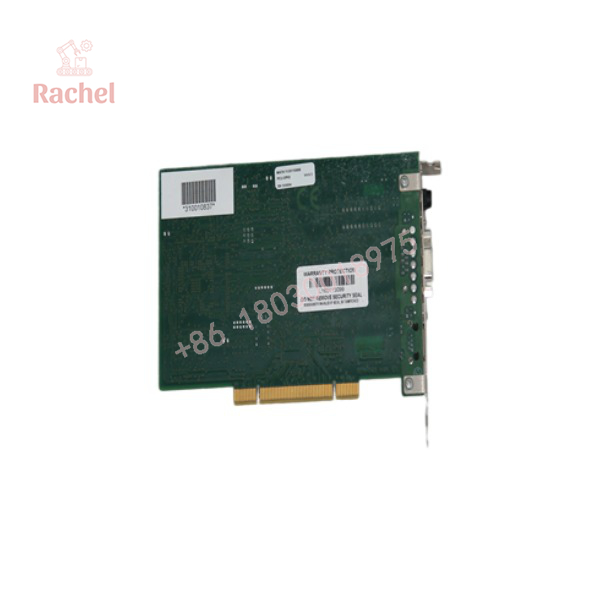
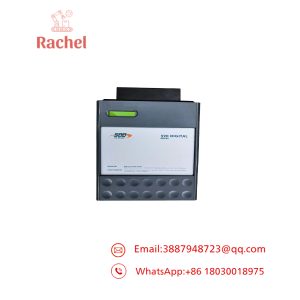
PCU-DPIO V4
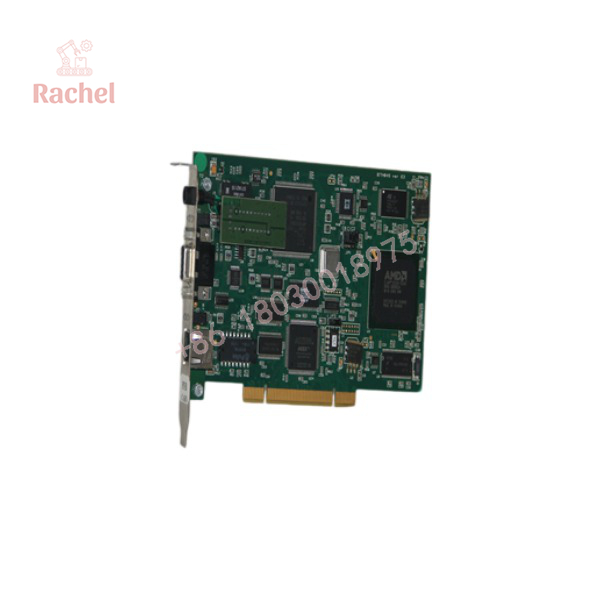
PCU-DPIO V4
Transparency SOP: QA & Testing
For a New Surplus or Refurbished PCU-DPIO V4, the host interface and PROFIBUS side should both be verified.
1. Identification
- Confirm Molex/Woodhead PCU-DPIO marking.
- Verify the complete ordering code.
- Determine whether the board is Universal PCI, PCI Express, CompactPCI, or another variant.
- Record firmware and hardware revision.
2. PC Interface Test
Install the board in the appropriate host system and confirm:
- Hardware detection
- I/O or PCI resource assignment
- Driver recognition
- Configuration software communication
3. PROFIBUS Test
Connect the card to a controlled PROFIBUS-DP test network and verify:
- Master/slave initialization where applicable
- Baud-rate configuration
- Device discovery
- Cyclic data exchange
- Diagnostic reporting
- Network communication stability
A basic power-on test is not enough. A PROFIBUS interface can appear healthy at the PC level while still having a network-side communication problem.
The Veteran’s Tech Trap Guide
⚠️ Trap 1: Buying the wrong PCU-DPIO host-bus version
This is the biggest purchasing risk.
Molex documented PCU-DPIO products for Universal PCI, PCI Express 1x, CompactPCI 3U, and PC/104. The PCI Express version, for example, is separately identified as part number 112011-5028.
PRO TIP: Photograph the board connector and label before ordering. “PCU-DPIO V4” alone may not identify the correct physical interface.
⚠️ Trap 2: Assuming all V4 firmware behaves identically
The PCU-DPIO uses onboard processing and stores configuration in flash memory. Existing application behavior can therefore depend on both firmware and configuration.
Before replacement, record the original:
- Firmware revision
- PROFIBUS station configuration
- Master/slave mode
- Baud rate
- GSD configuration
- Application driver version
⚠️ Trap 3: Ignoring the PROFIBUS address configuration
The board itself can have hardware configuration settings. An Epson integration manual for the Molex board identifies a JP1 jumper for board-address setting and separate status LEDs.
Do not assume a replacement board’s configuration is identical to the failed unit.
Dynamic FAQ
Q1. What is the Molex-Woodhead PCU-DPIO?
It is a PROFIBUS-DP communication interface card from the Woodhead/Molex Direct-Link family, intended to connect PC-based control systems with PROFIBUS-DP devices.
Q2. What PROFIBUS speed does PCU-DPIO support?
The documented PCU-DPIO platform supports PROFIBUS-DP communication from 9.6 kbps through 12 Mbps, depending on configuration and operating mode.
Q3. Is PCU-DPIO a Master or Slave card?
It can support PROFIBUS-DP Master and Slave functionality. The exact supported modes depend on the hardware/software configuration; the Universal PCI version also supports DP V1 Master functionality.
Q4. What is the difference between PCU-DPIO and PCI-DPIO?
Both belong to the Woodhead Direct-Link PROFIBUS-DP product family, but the PCU-DPIO designation is associated with the newer PCU platform and multiple host-bus configurations. The exact ordering code should be matched to the host computer rather than relying on the family name alone.
Q5. What should I verify when purchasing a replacement?
Verify the complete PCU-DPIO part number, host-bus type, hardware/firmware revision, PROFIBUS operating mode, existing configuration files, and driver/software environment.
Q6. Are New Surplus or refurbished PCU-DPIO cards available?
Yes. Legacy automation suppliers currently list PCU-DPIO units for new, surplus, refurbished, and repair applications. For critical production equipment, request identification photos, functional test details, and a written warranty before purchase.

 Start Chat


