





Description
Product Introduction & Engineering Value
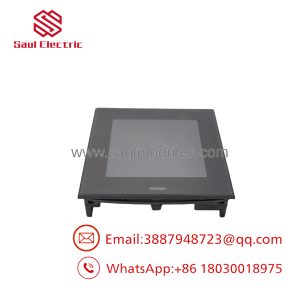
The Pro-face GP2501-TC11, part number 3180021-03, is a legacy GP2500-series operator interface designed for industrial machine and process control applications. Its 10.4-inch color display and touchscreen provide the operator-facing layer between the control system and the machine. It is particularly relevant when maintaining older PLC/HMI installations where a complete HMI migration would require substantial application redevelopment.
The main replacement issue is software compatibility. Physical installation is only one part of the job. The existing GP application, communication driver, PLC protocol, project version, memory configuration, and cable/interface arrangement should be checked before removing the original terminal.
Technical Specifications
| Parameter | Specification |
|---|---|
| Manufacturer | Pro-face |
| Model | GP2501-TC11 |
| Part Number | 3180021-03 |
| Series | GP2500 |
| Display Type | TFT color LCD |
| Display Size | 10.4 inches |
| Resolution | 640 × 480 pixels |
| Touchscreen | Analog resistive |
| Power Supply | 24 VDC |
| Display Colors | 256 colors |
| Application Memory | Model/configuration dependent |
| Communication | PLC/device dependent |
| Installation | Panel mount |
| Application | Industrial machine and process HMI |
Important identification point
3180021-03 and GP2501-TC11 should be treated as the linked ordering/model identifiers. For a legacy Pro-face terminal, verify both markings on the physical unit before purchasing.
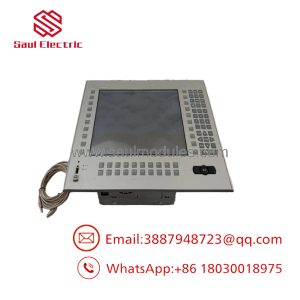
Also confirm the exact display, communication, and software requirements against the original terminal. Older GP2500-series units can differ significantly by model suffix even when their front-panel appearance is similar.
Field Application & the “Trench” Experience
A production machine has been running for more than a decade with a GP2501-TC11. The display begins developing intermittent touch failures, but the PLC and machine sequence remain operational.
The maintenance engineer installs a spare terminal and discovers that the replacement powers up but does not communicate with the PLC.
The hardware was correct. The problem was the HMI project and communication configuration.
The practical lesson is simple: when replacing a legacy Pro-face terminal, back up the original project and document the PLC driver, communication port, cable, baud settings, node address, and screen/application revision before removing the old HMI.
Specific application scenarios
- Packaging machinery — Operator recipe entry, alarm display, and machine-status monitoring.
- CNC and machine-tool equipment — Operator interface for established PLC-controlled machine sequences.
- Material-handling systems — Status monitoring, manual controls, fault diagnostics, and production counters.
- Process skids — Local HMI for setpoint entry, alarm handling, and equipment status.
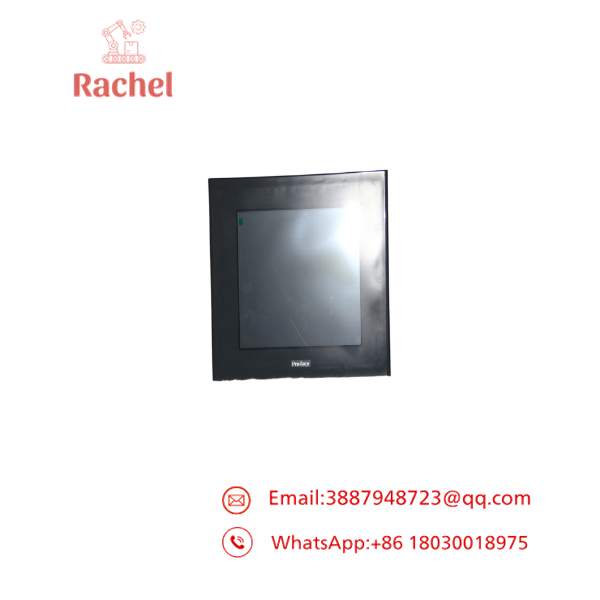
3180021-03 GP2501-TC11
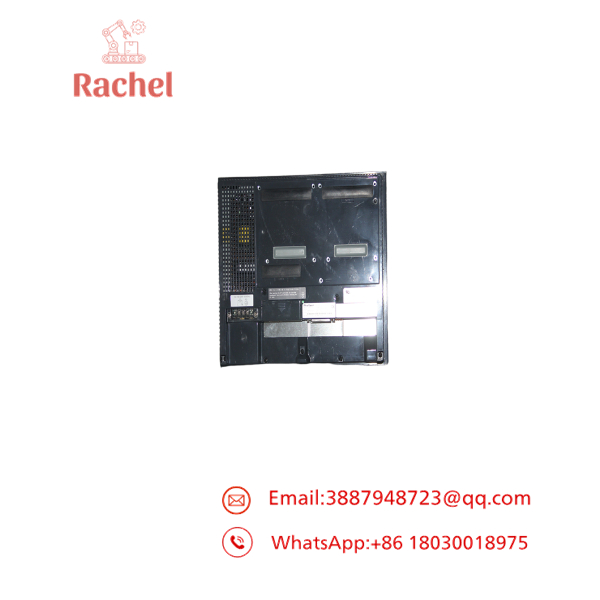
3180021-03 GP2501-TC11
Transparency SOP: QA & Testing
For new-surplus or refurbished Pro-face 3180021-03 / GP2501-TC11 stock, testing should include the display, touchscreen, power supply, and communications hardware.
- Identity verification — Confirm GP2501-TC11 and 3180021-03 markings.
- Visual inspection — Check the LCD, bezel, touchscreen surface, mounting hardware, and rear connectors.
- Power test — Apply the correct 24 VDC supply under controlled conditions.
- Display test — Verify backlight, LCD uniformity, pixel operation, and startup behavior.
- Touch test — Test touch response across the entire active screen.
- Memory/application test — Verify storage and project-loading capability where applicable.
- Communication test — Connect to a compatible PLC or test device using the appropriate Pro-face driver.
- Port inspection — Verify serial/network interfaces and connector condition.
- Final QA — Record display condition, touch performance, communication results, and hardware revision.
For an HMI, “powers on” is not enough. A darkening LCD, dead touch area, or failed communication port can make an otherwise functional unit unsuitable for production.
The Veteran’s Tech Trap Guide
⚠️ Trap #1 — Forgetting the HMI project.
The replacement terminal may boot normally but still fail to control the machine if the original application cannot be transferred or is incompatible.
PRO TIP: Back up the existing Pro-face project before replacing the terminal whenever the original unit is still operational.
⚠️ Trap #2 — Assuming the PLC cable is universal.
Legacy Pro-face terminals use model- and PLC-dependent communication cables and drivers. Verify the exact PLC protocol and cable before commissioning.
⚠️ Trap #3 — Ignoring touch-panel aging.
Older resistive touchscreens can develop dead zones or calibration drift. Test the entire active area, not just a few buttons.
⚠️ Trap #4 — Confusing similar GP2500 models.
The GP2500 family contains multiple hardware configurations. Do not substitute a visually similar model without checking the exact model suffix, display specification, communication interfaces, and application requirements.
⚠️ Trap #5 — Removing the original before documenting settings.
Record the PLC communication parameters, project revision, screen configuration, and machine-specific settings first. A replacement HMI is much easier to commission when the original configuration is documented.
Dynamic FAQ
What is Pro-face 3180021-03?
3180021-03 is associated with the Pro-face GP2501-TC11 industrial HMI terminal in the GP2500 series.
What type of display does the GP2501-TC11 use?
The GP2501-TC11 uses a 10.4-inch TFT color LCD with 640 × 480 VGA resolution and an analog resistive touchscreen.
What power supply does it require?
The terminal is designed for a 24 VDC industrial control power supply. Always verify the actual nameplate and applicable installation documentation before energizing a replacement.
Can I replace an existing GP2501-TC11 directly?
Hardware replacement may be straightforward, but the HMI project, PLC communication driver, cable, and configuration must also be compatible.
What should I provide when ordering a replacement?
Provide the complete 3180021-03 / GP2501-TC11 identification, photographs of the front and rear labels, the PLC model, communication interface, and—if available—the Pro-face project/application version.
Is refurbished stock suitable for production equipment?
It can be, especially when maintaining an obsolete machine, provided the unit passes display, touchscreen, communication, and power tests.
How do I verify new-surplus authenticity?
Ask for photographs of the actual unit, including the Pro-face label, model number, part number, serial information, rear connectors, and display condition. New-surplus should mean unused stock, not merely a refurbished terminal sold as surplus.
What warranty should I request?
Request written warranty coverage for the LCD, touchscreen, power operation, and communication interfaces. For refurbished units, ask for the actual test procedure and results.

 Start Chat


