





Description
Product Introduction & Engineering Value
When a production line depends on PC-based visualization, the panel computer becomes a critical control component. A failed industrial PC can interrupt operator access even when PLC hardware and field devices remain fully operational.
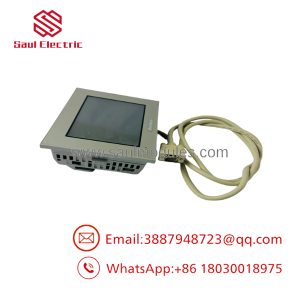
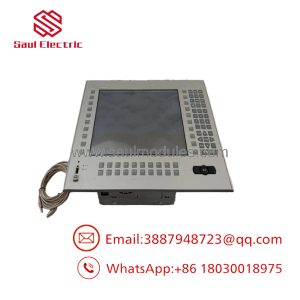
The PRO-FACE PFXPP2LU7DA6L0NN00 belongs to the PS5000 industrial panel PC family. It combines display, touchscreen, computing hardware, and industrial interfaces into one panel-mounted unit. The configuration uses an Intel Core i7-4650U processor, 12.1-inch WXGA display, capacitive multi-touch input, and industrial communication interfaces.
This model code represents a specific hardware configuration. Before replacement, engineers should confirm CPU, memory, storage type, operating system image, and expansion requirements. PS5000 units are configurable platforms, not simple display replacements.
Technical Specifications
| Parameter | Specification |
|---|---|
| Manufacturer | PRO-FACE |
| Series | PS5000 Series |
| Model Code | PFXPP2LU7DA6L0NN00 |
| Product Type | Industrial Panel PC |
| CPU | Intel Core i7-4650U, 1.7 GHz |
| Main Memory | DDR3L 1600 MHz SO-DIMM, 8GB / 16GB |
| Display Size | 12.1-inch Wide |
| Display Resolution | 1280 × 800 pixels (WXGA) |
| Display Colors | 16.7 million colors |
| Touch Panel Type | Capacitive multi-touch |
| Touch Capability | 5 simultaneous touch points |
| Touch Resolution | 2048 × 2048 |
| Graphics | Intel HD Graphics 5000 |
| Video Memory | Up to 2GB shared memory |
| Storage Options | HDD 500GB/1TB, SSD 256GB ×2, CFast options |
| Rated Voltage | DC24V ±20% |
| Power Consumption | 42.6W typical / 58.65W maximum |
| Serial Interface | RS-232C / RS-422 / RS-485 |
| Ethernet | Dual Gigabit Ethernet |
| USB Ports | USB 3.0 ×2, USB 2.0 ×2 |
| Video Output | DisplayPort |
| Operating Temperature | 0°C to 55°C with SSD/CFast |
| Front Protection | IP66 front panel protection |
| Mounting | Panel mount |
The PS5000 specification family includes Intel Core i7 processing, DDR3L memory options, WXGA TFT display, capacitive multi-touch, dual Gigabit Ethernet, serial communication, and DC24V industrial power input.
Field Application & the “Trench” Experience
A pharmaceutical packaging machine had been operating for years with a PC-based operator station running production monitoring software. The PLC system remained stable, but the original industrial computer began experiencing storage failures and slow application startup.
The maintenance team identified the required spare:
PRO-FACE PFXPP2LU7DA6L0NN00
The replacement checklist included:
- Confirming the existing Windows image.
- Backing up the HMI application.
- Verifying Ethernet communication settings.
- Checking PLC driver compatibility.
- Confirming storage configuration.
The replacement restored operator access without changing PLC logic or field wiring.
Typical applications include:
- Pharmaceutical packaging line visualization terminals
- Machine vision inspection workstations
- Automated assembly equipment control stations
- SCADA operator consoles
- Manufacturing execution system (MES) terminals
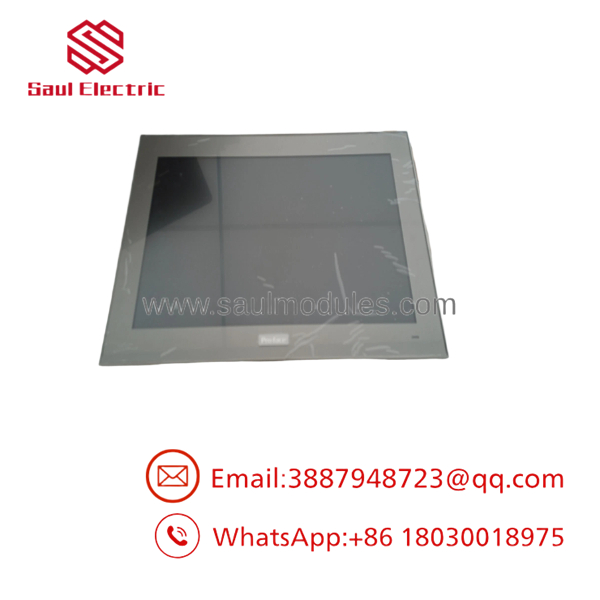
PFXPP2LU7DA6L0NN00
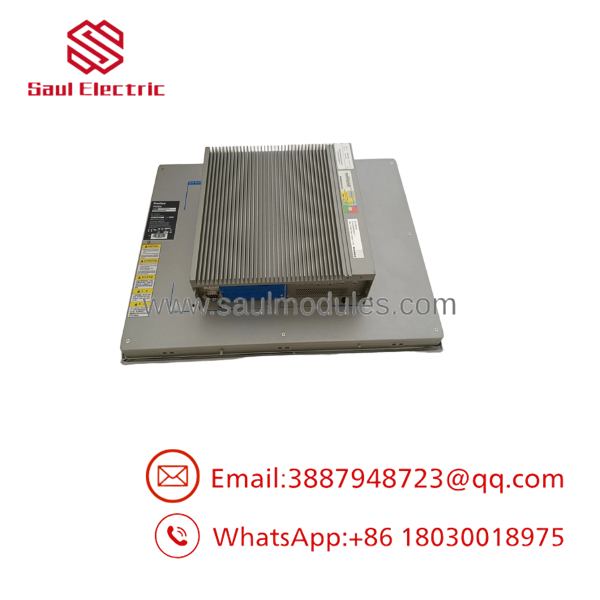
PFXPP2LU7DA6L0NN00
Transparency SOP: QA & Testing
Industrial panel PCs require computer-level verification.
Hardware Verification
- Confirm model label:
- PFXPP2LU7DA6L0NN00
- Record:
- CPU model
- RAM capacity
- Storage type
- Serial number
Display and Touch Testing
Verify:
- WXGA image output
- Brightness adjustment
- Touch accuracy
- Multi-touch response
- Dead pixel condition
System Test
Run:
- BIOS verification
- Operating system startup
- Storage health check
- Network communication test
- USB interface test
Industrial Interface Check
Test:
- RS-232C
- RS-422/485
- Ethernet ports
- DisplayPort output
Final Inspection
Record:
- Test results
- Configuration details
- Cosmetic condition
- Warranty status
A spare industrial PC should arrive with traceable inspection data, especially when replacing equipment in production environments.
The Veteran’s Tech Trap Guide
⚠️ Do not replace this unit based only on display size.
A 12-inch panel PC from another series may not match:
- CPU performance
- Operating system support
- Expansion capability
- Communication ports
The configuration code matters.
⚠️ PRO TIP: Clone the original storage before migration.
Many industrial systems depend on:
- Runtime software
- Device drivers
- PLC communication packages
- Custom scripts
- Database files
A clean Windows installation may boot successfully but still fail to run the machine application.
⚠️ Check licensing before commissioning.
PC-based HMIs may use:
- Software activation keys
- USB license dongles
- Hardware-bound licenses
Plan license transfer before replacing the hardware.
⚠️ Watch thermal conditions.
PS5000 systems are designed for industrial cabinets, but installation still requires attention to:
- Cabinet airflow
- Ambient temperature
- Dust accumulation
- Heat from nearby equipment
Dynamic FAQ
Q1. What is PRO-FACE PFXPP2LU7DA6L0NN00?
It is a PRO-FACE PS5000 Series industrial panel PC configuration with Intel Core i7 processing and a 12.1-inch wide touchscreen display.
Q2. What processor does this panel PC use?
The configuration uses:
Intel Core i7-4650U, 1.7 GHz
with Intel HD Graphics 5000.
Q3. What operating systems are supported?
The platform supports industrial Windows environments including Windows 7, Windows Embedded Standard 7, Windows Embedded 8.1 Industry, and Windows 10 IoT Enterprise versions depending on software revision.
Q4. What type of touchscreen does PFXPP2LU7DA6L0NN00 use?
It uses a projected capacitive touchscreen supporting up to five simultaneous touch points.
Q5. What communication interfaces are available?
The unit provides:
- RS-232C / RS-422 / RS-485 serial communication
- Dual Gigabit Ethernet
- USB interfaces
- DisplayPort output
Q6. Is still available?
Availability depends on industrial spare inventory. configurations are often sourced through automation spare suppliers, surplus inventory, or refurbishment channels.
Q7. Can another model replace it?
Only after confirming:
- Processor requirement
- Memory
- Storage
- Software compatibility
- Panel dimensions
- Expansion options
Q8. What should buyers request before purchasing?
Recommended verification:
- Actual product photos
- Model label confirmation
- CPU/RAM/storage details
- Power-on test report
- Touchscreen test results
- Operating system information
- Warranty conditions
For industrial panel PCs, configuration accuracy is the key factor in avoiding commissioning problems.

 Start Chat


