





Description
Product Introduction & Engineering Value
The 140NOE77111 is considerably more than a basic Ethernet adapter. It provides a Quantum rack with Ethernet communication services that can support HMI/SCADA data exchange, Modbus TCP devices, remote diagnostics, time synchronization, network management, and FactoryCast web functions. Its combination of an RJ45 interface and 100BASE-FX multimode fiber makes it useful where copper and fiber network segments meet.
For a legacy Quantum installation, configuration preservation is critical. IP parameters, Modbus TCP connections, I/O Scanning tables, Global Data settings, FactoryCast configuration, and firmware should be documented before removing an existing module. Schneider provides firmware releases specifically for the 140NOE77111, including Version 7.3 Rev. 2 documentation.
Technical Specifications
| Parameter | Specification |
|---|---|
| Catalog Number | 140NOE77111 |
| Platform | Modicon Quantum |
| Module Type | Ethernet TCP/IP network module |
| Transparent Ready Class | C30 |
| FactoryCast | Configurable |
| Copper Interface | RJ45, 10BASE-T/100BASE-TX |
| Fiber Interface | MT-RJ, 100BASE-FX multimode fiber |
| Transmission Rate | 10/100 Mbps |
| Communication Protocol | Ethernet Modbus TCP/IP |
| Modbus TCP Messaging | Supported |
| I/O Scanning | Supported |
| Global Data | Supported |
| NTP Time Synchronization | Supported |
| SNMP Network Management | Supported |
| SMTP Email Notification | Supported |
| FDR Server | Supported |
| Hot Standby Redundancy | Supported |
| Rack Viewer | Supported |
| Data Editor | Supported |
| Bus Current | 750 mA |
| Power Dissipation | Approximately 3.8 W |
| Power Source | Quantum rack power supply |
Schneider’s product documentation specifies both 10/100BASE-TX copper and 100BASE-FX multimode fiber interfaces. The module is powered through the Quantum rack rather than through a separate field power supply.
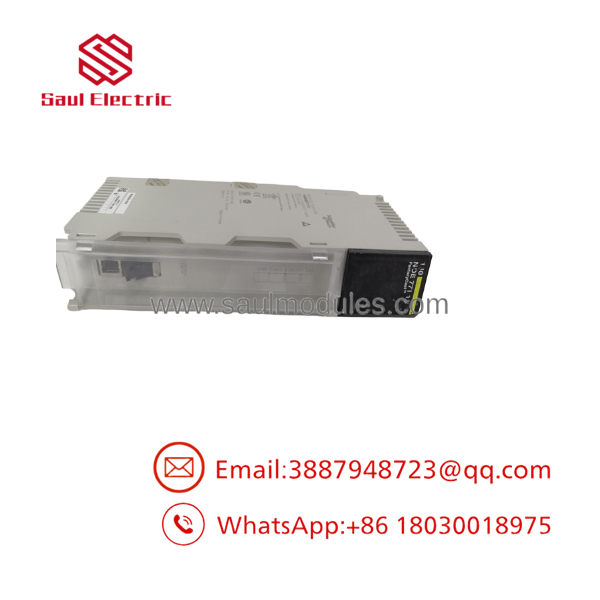
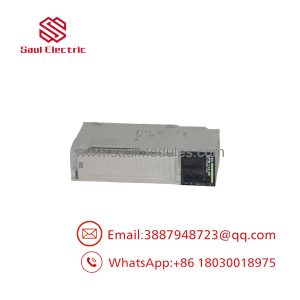
140NOE77111
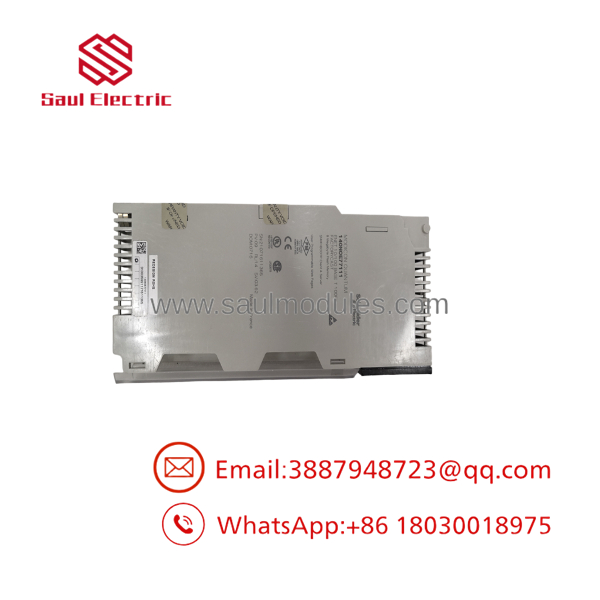
140NOE77111
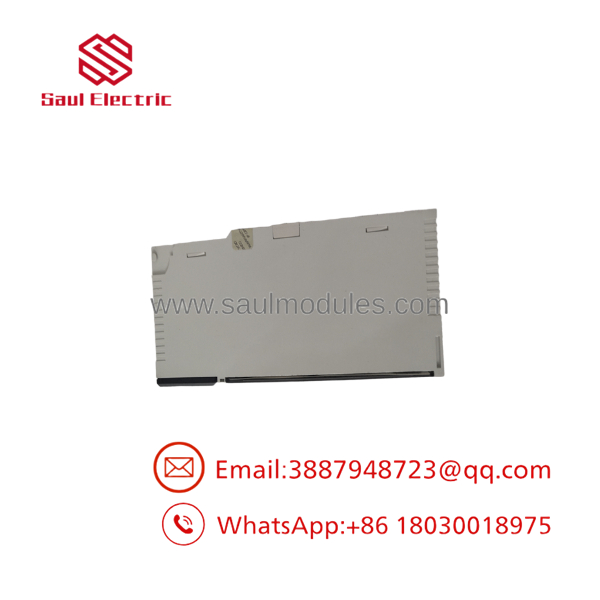
140NOE77111
Field Application & the “Trench” Experience
Consider a legacy process unit with two Quantum racks connected to a plant Ethernet backbone. The 140NOE77111 handles SCADA communications over copper while a fiber link connects the control cabinet to a remote network switch.
A network fault occurs. The PLC logic continues running, but the operator workstation loses several process values.
The maintenance technician checks the module and finds the copper link active. That initially points toward a healthy Ethernet connection. It is not conclusive.
The fiber path is checked next, followed by the module’s Ethernet diagnostics, IP configuration, Modbus TCP connections, and I/O Scanning configuration. The fault eventually turns out to be in the fiber network path rather than the PLC application.
This is a common distinction with legacy Ethernet modules: physical link status and application communication are separate troubleshooting layers.
Niche application scenarios:
- SCADA backbone connections for legacy Quantum process-control systems.
- Fiber-connected remote control cabinets where copper Ethernet cannot span the required distance.
- Modbus TCP data concentration between Quantum controllers and intelligent field equipment.
- Plant historian interfaces requiring structured PLC data over Ethernet.
- Redundant Quantum architectures where Ethernet communication participates in a hot-standby system.
Transparency SOP: QA & Testing
For New Surplus or refurbished 140NOE77111 inventory, testing should include both copper and fiber functionality where suitable equipment is available.
- Part-number verification — Confirm
140NOE77111on the physical label. - Hardware inspection — Examine the RJ45 connector, MT-RJ fiber connector, backplane interface, LEDs, housing, and labels.
- Quantum rack power-up — Install the module in a compatible test rack and verify module status.
- Copper Ethernet test — Establish a controlled 10/100 Mbps connection through the RJ45 interface.
- Fiber Ethernet test — Use compatible multimode fiber test equipment to verify the 100BASE-FX interface.
- IP communication test — Confirm network connectivity using a controlled test network.
- Modbus TCP test — Verify representative read/write transactions with an appropriate test client.
- Service verification — Where configured, check applicable FactoryCast, SNMP, NTP, or other supported services.
- Diagnostic review — Record module status and Ethernet diagnostic indicators.
- Final classification — Clearly identify the unit as New Surplus, Used, or Refurbished and document the test scope.
A power-up test alone is insufficient for an Ethernet communication module. A meaningful QA procedure should demonstrate actual network communication.
The Veteran’s Tech Trap Guide
⚠️ Trap #1 — Don’t confuse the 140NOE77111 with a standard dual-RJ45 NOE module.
The 140NOE77111 has a copper RJ45 interface and an MT-RJ 100BASE-FX multimode fiber interface. A visually similar Quantum Ethernet module with two copper ports is not automatically an equivalent replacement.
PRO TIP: Photograph and document the existing network connections before removing the module. The fiber connection can be particularly easy to overlook during an emergency replacement.
⚠️ Trap #2 — Preserve the FactoryCast configuration.
The module supports FactoryCast configurable functions, including web-based services. Replacing the hardware without preserving the configuration can restore basic Ethernet connectivity while leaving HMI or diagnostic functions unavailable.
⚠️ Trap #3 — Firmware matters.
Schneider has published multiple firmware releases for the 140NOE77111, including V7.3 Rev. 2. The official release documentation specifically addresses firmware installation for Unity and non-Unity users.
Do not assume two 140NOE77111 modules with different firmware revisions will behave identically in every legacy application.
⚠️ Trap #4 — Lost credentials can become a hardware-service issue.
Schneider states that if the username and password are lost, there is no Web Designer procedure for restoring the defaults; the module must be returned to the factory for repair to reset the credentials.
That makes configuration and credential documentation part of the spare-parts strategy.
Dynamic FAQ
Q: What is the Schneider 140NOE77111?
A: It is a Modicon Quantum Ethernet TCP/IP network module with FactoryCast capability, Transparent Ready Class C30 functionality, and copper/fiber Ethernet interfaces.
Q: What Ethernet ports does the 140NOE77111 have?
A: It provides an 10BASE-T/100BASE-TX copper interface and an MT-RJ 100BASE-FX multimode-fiber interface.
Q: What communication functions does it support?
A: Supported functions include Modbus TCP messaging, I/O Scanning, Global Data, NTP time synchronization, SNMP, SMTP email notification, FDR, Rack Viewer, Data Editor, and FactoryCast services.
Q: What should I back up before replacing a 140NOE77111?
A: Record the IP configuration, network topology, Modbus TCP connections, I/O Scanning configuration, Global Data settings, FactoryCast/Web Designer configuration, firmware revision, and any authentication credentials that are still available.
Q: Is the 140NOE77111 discontinued?
A: Yes. Schneider regional sites show different end-of-commercialization dates. The U.S. listing shows March 15, 2022, while the Canadian listing shows August 8, 2025. Schneider currently gives December 31, 2029 as the end-of-service date on these listings.
Q: What is Schneider’s recommended replacement?
A: Schneider’s India and Malaysia product pages identify the BMENOC0311 M580 three-port FactoryCast Ethernet communication module as a replacement. However, this is an M580 platform migration, not a simple plug-in Quantum replacement. Network architecture, rack hardware, application configuration, and PLC migration requirements must be evaluated.
Q: How should New Surplus 140NOE77111 inventory be verified?
A: Confirm the exact catalog number, inspect both Ethernet interfaces, verify the backplane connector and status indicators, and request actual communication-test evidence. For this model, a useful test should cover at least Ethernet connectivity and preferably a Modbus TCP transaction. The supplier should also state the New Surplus condition, firmware revision if known, warranty period, and return terms.

 Start Chat


