





Description
Product Introduction
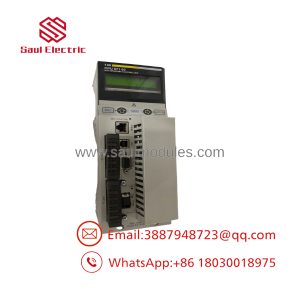
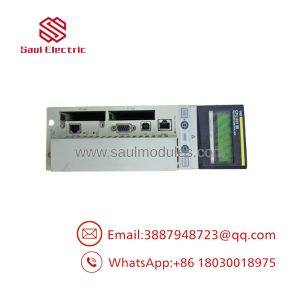
The Schneider Electric Modicon Quantum 140XBE10000 is a dedicated local backplane expansion module designed to extend the high-speed internal bus of a Quantum CPU rack to additional local racks. When a single Quantum rack runs out of physical slot capacity for I/O or communication modules, the 140XBE10000 allows engineers to expand the system footprint without incurring the latency or configuration complexity of a remote I/O (RIO) drop.
Installed directly into the main CPU rack (and paired with corresponding expansion modules/cables in secondary racks), the 140XBE10000 transparently passes addressing and data signals across backplanes at native bus speeds. This seamless hardware bridging ensures the central CPU treats all expansion rack modules as if they were seated on the primary backplane, maintaining fast scan times and deterministic performance.
Key Technical Specifications
| Parameter | Value |
| Manufacturer | Schneider Electric / Modicon |
| Part Number | 140XBE10000 |
| Platform | Modicon Quantum Automation Series |
| Module Type | Local Backplane Expansion Module |
| Maximum Local Racks | Supports expansion up to 2 secondary local racks |
| Interconnect Media | Dedicated DB25 Multi-Conductor Expansion Cable (140XCA7170x series) |
| Maximum Distance | Up to 100 ft (30 m) total expansion length |
| Addressing Topology | Direct CPU backplane extension (Transparent I/O addressing) |
| Bus Current Requirement | 300 mA maximum at 5 VDC |
| Diagnostics | Front panel LEDs for Module Ready, Active Status, and Cable Fault |
Application Scenarios & The “Trench” Experience
The Trench Story: It is 11:45 PM at a glass manufacturing plant during a major furnace control upgrade. The installation crew needs to add four new high-density thermocouple input cards and two 32-channel output modules, but the primary 16-slot Quantum rack is 100% full. Installing a remote drop would require re-architecting the PLC program network configuration under tight downtime deadlines. By mounting a secondary Quantum rack immediately below the main chassis and connecting a pair of 140XBE10000 expanders with a short DB25 interconnect cable, the controls engineer expands the backplane in 20 minutes with zero modifications to the existing CPU program structure.
Application Scenarios:
- High-Density Control Cabinets: Expanding local rack slot capacity from 16 slots to up to 48 slots within the same enclosure.
- Machine Upgrades & Retrofits: Adding extra discrete or analog I/O modules to an existing system without modifying network architecture.
- Turbine & Compressor Controls: Grouping high-speed local processing modules across adjacent rack chassis.
- Centralized Chemical Batching: Linking adjacent I/O racks directly to a central Quantum CPU while maintaining high-speed parallel bus speeds.
Transparency SOP: Quality Assurance & Testing
We do not just ship boxes; we test them on actual Modicon Quantum backplanes. Every 140XBE10000 expansion card undergoes a strict 5-step validation workflow prior to stocking:
- Inbound Physical Check: Inspection of backplane edge connectors, DB25 expansion port pins, plastic housing latches, and OEM serial tags.
- Dual-Rack Backplane Handshake: Seated in a primary Quantum rack (e.g., 140CPU65160) and cabled directly to a secondary Quantum rack via a 140XBE10000 interface.
- High-Speed Bus Data Transfer: Reading and writing continuous high-frequency digital and analog data across modules mounted in the secondary expansion rack to verify zero bit errors or dropping of bus clock cycles.
- Cable Flex & Signal Integrity Test: Wiggling and flex-testing the interconnect cable while under load to verify DB25 port connection stability and line fault LED responsiveness.
- ESD Clearance & Safe Packaging: Thoroughly cleaned, treated against static charge, sealed in static-shielding bags, and foam-packed to survive transit shock.
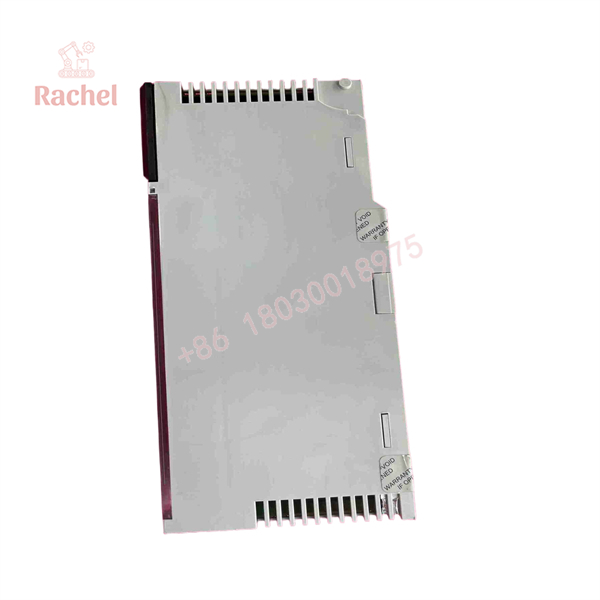
140XBE10000
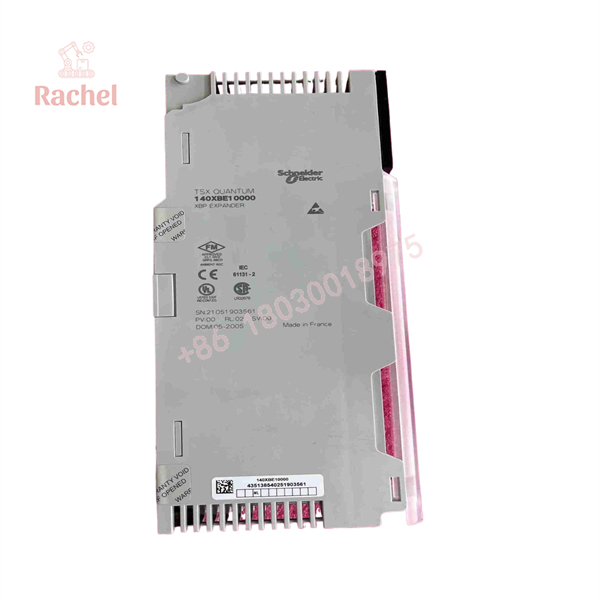
140XBE10000
The Veteran’s Tech Trap Guide
⚠️ Don’t confuse Local Expansion (XBE) with Remote I/O (CRP/CRA)! The 140XBE10000 is for local backplane extension over short distances using parallel DB25 multi-conductor cables. It cannot be used across long plant distances or over coaxial/Ethernet media—for long-distance distributed racks, use 140CRP/140CRA coaxial drops or Ethernet I/O modules.
❗ Always power down BOTH racks before connecting or disconnecting the expansion cable. While individual Quantum I/O cards support Hot Swap (RIOC), pulling or plugging the 140XBE10000 expansion cable while racks are powered can cause backplane bus corruption, triggering an immediate CPU hard crash or damaging backplane transceiver chips.
⚠️ Keep expansion cables within distance limits. Standard expansion cables (like the 140XCA71703 or 140XCA71706) are engineered for tight noise immunity over short runs (3 ft to 10 ft). Exceeding the maximum recommended length or routing expansion cables near high-voltage VFD lines will induce high-frequency electrical noise directly onto the CPU’s address and data bus.
❗ Verify rack address jumper/switch settings. When expanding to a secondary rack, ensure the expansion receiver rack’s address switches are correctly set according to the Quantum hardware manual. Incorrect rack numbering will prevent the CPU from recognizing modules in the secondary chassis.
Frequently Asked Questions
Q: Can I hot-swap the 140XBE10000 module or its interconnect cable while the PLC is running?
A: No. Unlike standard I/O modules, the 140XBE10000 directly extends the primary CPU backplane data and address lines. Unplugging the module or cable while live will cause an instant CPU bus fault and stop the controller.
Q: What cable is required to connect two 140XBE10000 modules together?
A: The module uses Schneider’s specialized multi-conductor expansion cables, such as the 140XCA71703 (3 ft / 1 m) or 140XCA71706 (6 ft / 2 m) DB25 expansion cables.
Q: How many expansion racks can a single CPU manage using the 140XBE10000?
A: Depending on the specific Quantum CPU model and configuration, the local expansion bus typically supports extending the system up to 2 secondary local racks.
Q: Do I need to configure the 140XBE10000 in Unity Pro / EcoStruxure Control Expert?
A: Yes, you must define the local rack expansion topology in your hardware configuration editor so the programming software correctly maps the I/O addresses of modules residing in the secondary racks.
Q: What warranty coverage is provided on these discontinued Quantum expansion modules?
A: Every 140XBE10000 module is backed by our full 12-month operational warranty. We bench-test each unit in a dual-rack Quantum test rig to guarantee backplane data integrity before dispatch.

 Start Chat


