





Description
Product Introduction
The Schneider Electric Magelis XBTGK2330 is a versatile 5.7-inch color graphic operator terminal engineered for hybrid control applications that require both direct touchscreen manipulation and tactile physical button entry. Belonging to the robust Magelis XBTGK family, it allows machine operators to navigate complex process screens via the touchscreen while using physical keys for gloved entry, high-frequency actions, or precise numeric data adjustments.
Featuring a 65,536-color TFT LCD display, integrated Ethernet, dual serial ports, and USB expansion, the XBTGK2330 connects effortlessly to Modicon PLCs (M340, Premium, Quantum, Twido) as well as major third-party industrial automation controllers.
Key Technical Specifications
| Parameter | Specification Details |
| Component Type | Combined Keypad & Touchscreen Operator Interface (HMI) |
| Part Number | XBTGK2330 |
| Manufacturer | Schneider Electric / Telemecanique / Magelis |
| Display Type & Size | 5.7-Inch TFT Color LCD Display (65,536 colors) |
| Resolution | QVGA 320 \times 240 Pixels |
| Operator Inputs | Analog Touchscreen + 14 Re-legendable Function Keys + Full Alphanumeric Keypad |
| Supply Voltage | 24V DC (19.2 to 28.8V DC range) |
| On-Board Memory | 32 MB Application Flash + 512 KB SRAM (battery backed) |
| Ethernet Port | 1 x RJ45 10BASE-T/100BASE-TX (Modbus TCP/IP, EtherNet/IP) |
| Serial Ports | COM1 (RS-232C/RS-485 Sub-D 9) + COM2 (RS-485 RJ45 Uni-Telway/Modbus) |
| USB Interfaces | 1 x USB Type A (Host – memory stick/barcodes) + 1 x USB Type B (Device – transfer) |
| Configuration Software | Vijeo Designer (v4.6 or higher) |
| Protection Rating | IP65 / NEMA 4X (front panel when mounted) |
Application Scenarios & Field Experience
The dual input layout of the XBTGK2330 makes it ideal for dirty, greasy, or demanding manufacturing setups where operators frequently wear thick protective gloves.
- Heavy OEM Machine Control: Executing rapid key-driven jog commands using physical function keys while viewing batch status graphs on the touch screen.
- Chemical & Food Batching: Entering precise numeric setpoints on the physical keypad without smudging the display screen during messy filling operations.
- Conveyor & Material Handling: Triggering manual overrides, clearing sensor jam alarms, and managing line recipes across distributed plant floors.
Field Case Study: A metal stamping plant experienced frequent touchscreen failures on standard HMI panels because technicians entered die calibration parameters while wearing heavy grease-covered work gloves. Swapping to an XBTGK2330 allowed operators to use the tactile physical keypad for numerical entries, eliminating screen damage while preserving the color graphic display for process feedback.
Quality Assurance & Testing Procedure
Every surplus or refurbished XBTGK2330 unit undergoes a hardware diagnostic routine prior to stock registration:
- Physical & Bezel Inspection: Inspecting front membrane keys, tactile dome switches, screen gasket seal, and checking the 5.7″ display for scratches or backlight dimming.
- 24V DC Boot Test: Powering the module with 24V DC to verify power regulation, internal flash memory integrity, and boot loader health.
- Dual Input Diagnostics: Calibrating all touch zones across the display and testing tactile feedback and signal response on all 14 function keys and keypad buttons.
- Communications Check: Verifying active communication handshakes across Ethernet (10/100), COM1 (RS-232/485), COM2 (RJ45), and USB ports.
- ESD-Safe Packaging: Fully static-shielded, cleaned, and packed securely in protective foam.
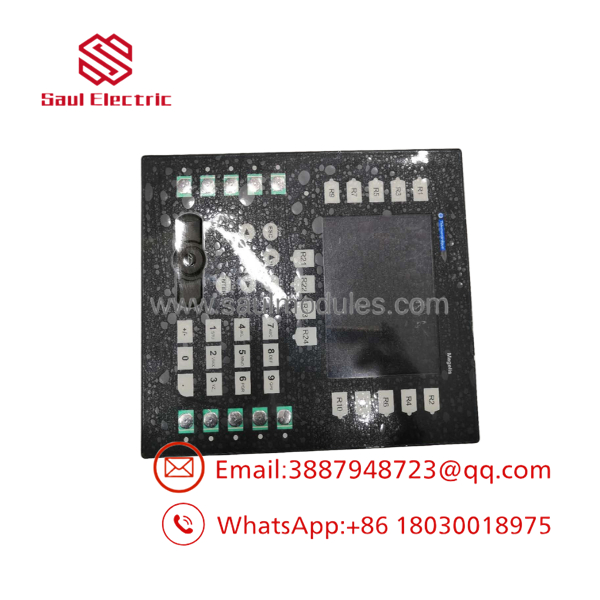
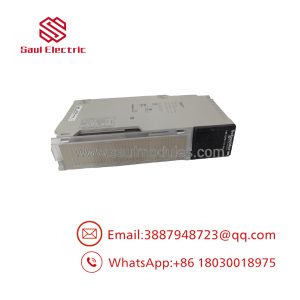
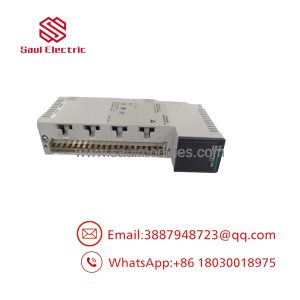
XBTGK2330
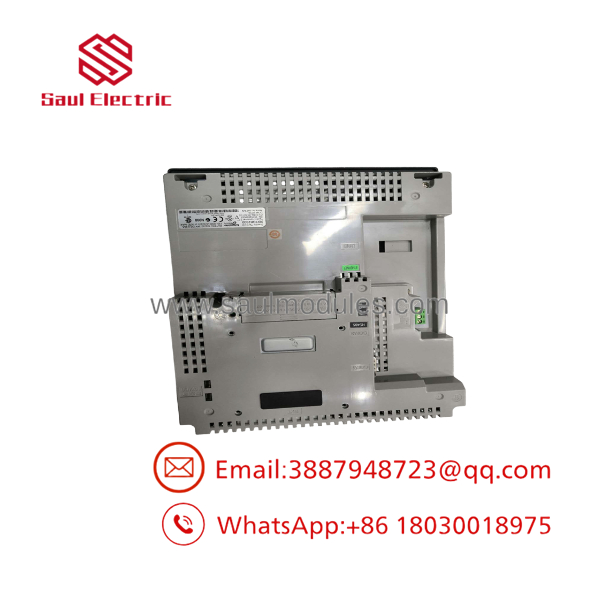
XBTGK2330
Technical Field Tips & Traps
- ⚠️ Power Connection: Verify +24V DC polarity on the removable terminal plug prior to energizing. Reversed polarity can damage the internal power stage.
- ❗ Programming Software: The is configured using Vijeo Designer (not the older XBTL1000). Ensure project files are compiled for the exact target part number before downloading.
- ⚠️ USB Application Download: You can transfer project files to the unit via a standard USB Type A to Type B cable or directly via an Ethernet connection using Vijeo Designer over TCP/IP.
- ❗ Modern HMI Migration Path: Because the Magelis XBTGK series is retired, Schneider Electric recommends migrating future installations to the Harmony GTO / STU or Harmony GTU / SCU series programmed via EcoStruxure Operator Terminal Expert or Vijeo Designer.
Frequently Asked Questions
Q: Can I replace an with an XBTGT2330?
A: The XBTGT2330 is the touch-only equivalent (no physical keypad). While internal electronics and screen resolution are nearly identical, panel cutout dimensions and user interaction differ due to the absence of the physical keypad on the XBTGT version.
Q: What memory expansion options are supported on the ?
A: You can use standard USB flash drives on the USB Type A port or install a Schneider Compact Flash (CF) card slot expansion adapter for recipe storage, alarm logging, and project backup.
Q: Does the support Allen-Bradley / Rockwell PLC communications?
A: Yes! Vijeo Designer includes native communication drivers for Allen-Bradley (ControlLogix, CompactLogix, SLC 500 via Ethernet/IP or DF1), Siemens S7 (MPI/Profinet), and Omron PLCs in addition to Schneider Modicon protocols.

 Start Chat


