





Description
Product Introduction & Engineering Value
The SST 5136-DNS-200S solves a specific integration problem: allowing Siemens SIMATIC ET 200S distributed I/O to operate as a node on a DeviceNet network. The adapter handles DeviceNet communications while providing the interface to the ET 200S backplane and connected I/O modules.
This is legacy communication hardware, so the replacement decision should be made from the complete network architecture. DeviceNet node address, baud rate, EDS revision, ET 200S configuration, and the connected master all matter. A module that simply powers up is not enough.
Technical Specifications
| Parameter | Specification |
|---|---|
| Part Number | 5136-DNS-200S |
| Module Type | DeviceNet Slave Adapter |
| Compatible I/O | Siemens SIMATIC ET 200S |
| Network Protocol | DeviceNet |
| DeviceNet Connector | 5-pin |
| Supply Voltage | 24 VDC, Class 2 |
| Supported Baud Rates | 125 / 250 / 500 kbaud |
| Maximum Input Data | 244 bytes |
| Maximum Output Data | 244 bytes |
| Maximum ET 200S Modules | 63 |
| Dimensions | Approx. 45 × 119.5 × 75 mm |
| Typical Power Dissipation | Approx. 3.8 W |
| Status Indicators | Module, network, and I/O status LEDs |
| Configuration | DIP switches for MAC ID and baud rate |
The published manual specifies DeviceNet Specification Volume I and II, Release 2.0 compliance, supports standard 125/250/500 kbaud rates, and identifies the adapter as a Group 2 Only Server.
Field Application & the “Trench” Experience
A packaging line has an older Siemens ET 200S remote I/O station connected to an Allen-Bradley DeviceNet scanner. The PLC is healthy, but the remote station disappears from the network after years of operation.
The technician replaces the communication adapter, only to find that the network still reports a node fault.
The culprit is configuration.
The MAC ID and DeviceNet baud rate are hardware-level settings, and the EDS/device revision also needs to agree with the network configuration. A replacement 5136-DNS-200S with different DIP-switch settings can be perfectly functional and still fail to communicate with the existing scanner.
Specific application scenarios
- Siemens ET 200S remote I/O on DeviceNet — Connecting distributed digital and analog I/O to a DeviceNet controller.
- Allen-Bradley DeviceNet master with Siemens I/O — Bridging an ET 200S station into a mixed-vendor control architecture.
- Legacy packaging equipment — Maintaining remote I/O communications without replacing an entire installed control system.
- Distributed machine panels — Providing DeviceNet access to up to 63 connected ET 200S expansion modules.
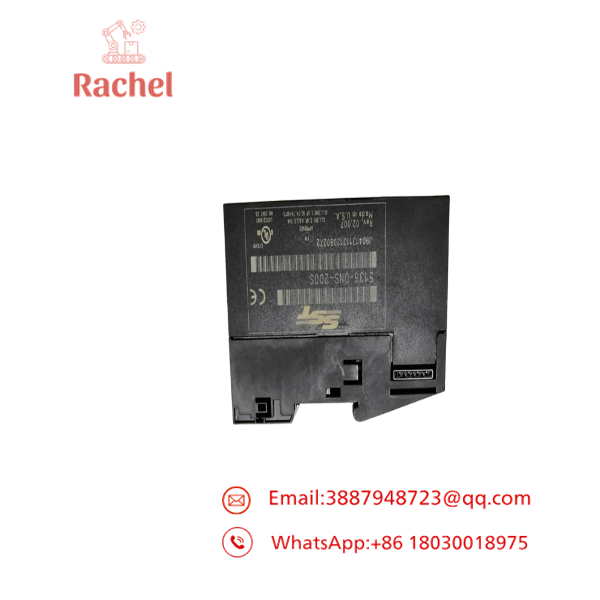
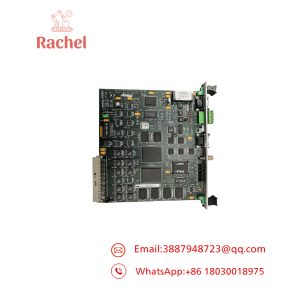
5136-DNS-200S
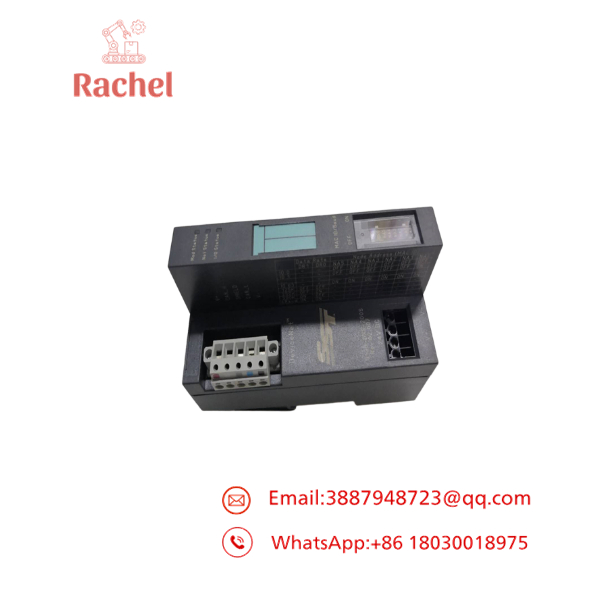
5136-DNS-200S
Transparency SOP: QA & Testing
For new-surplus or refurbished 5136-DNS-200S stock, the test should include actual DeviceNet communication.
- Part-number verification — Confirm the exact 5136-DNS-200S designation.
- Revision capture — Record the hardware/firmware revision shown on the module.
- Physical inspection — Check the DeviceNet connector, 24 VDC terminals, LEDs, DIP switches, and ET 200S interface.
- Power test — Apply the specified 24 VDC supply.
- Network test — Connect the adapter to a controlled DeviceNet test network.
- MAC ID test — Verify node-address configuration.
- Baud-rate test — Confirm operation at the intended DeviceNet speed.
- I/O test — Connect compatible ET 200S modules and verify data exchange.
- Diagnostic test — Check Module Status, Network Status, and I/O Status indications.
- EDS verification — Confirm that the EDS/device identity matches the actual hardware revision.
The EDS point deserves special attention. Field reports document revision-mismatch problems between the physical 5136-DNS-200S and EDS files used by RSNetWorx.
The Veteran’s Tech Trap Guide
⚠️ Trap #1 — Wrong MAC ID.
The DeviceNet node address is configurable through the module’s DIP switches. A replacement with a different address may appear dead to the PLC even though the hardware is working correctly.
PRO TIP: Photograph the original DIP-switch positions before removing the failed unit.
⚠️ Trap #2 — Wrong baud rate.
The 5136-DNS-200S supports 125, 250, and 500 kbaud. The replacement must match the existing DeviceNet network configuration.
⚠️ Trap #3 — EDS revision mismatch.
This is a real legacy-system headache. Device identity information and EDS revision data can prevent RSNetWorx from accepting an otherwise correct module.
⚠️ Trap #4 — Confusing 200S with other 5136-DNS variants.
The 5136- is associated with Siemens ET 200S. The related 5136-DNS-200X family is intended for ET 200X applications. Verify the suffix before purchasing.
⚠️ Trap #5 — Buying the adapter without the ET 200S terminal/power hardware.
The original DNH200S package can include the 5136-DNS-200S interface module, terminal module, and power module. Confirm which components are already installed at the site and which are included with the replacement.
Dynamic FAQ
What is the SST 5136-DNS-200S?
It is a DeviceNet slave adapter for Siemens SIMATIC ET 200S distributed I/O. It allows ET 200S expansion modules to exchange I/O data over a DeviceNet network.
Is the 5136-DNS-200S a DeviceNet master?
No. It is documented as a DeviceNet Slave Adapter. The DeviceNet master/scanner resides elsewhere in the control architecture.
What DeviceNet speeds does it support?
It supports 125, 250, and 500 kbaud.
How many ET 200S modules can it support?
The published documentation specifies support for up to 63 ET 200S modules, subject to the system’s overall configuration and data limitations.
What is the power supply requirement?
The interface module uses 24 VDC supply. The manual specifies a Class 2 power supply.
Why might a replacement fail EDS validation?
The physical module’s DeviceNet identity/revision can differ from the EDS file being registered. This has been reported with older 5136-DNS-200S installations, so the exact hardware revision should be checked before selecting an EDS file.
How should refurbished 5136-DNS-200S stock be tested?
A proper test should include 24 VDC power-up, DeviceNet network communication, MAC ID and baud-rate verification, ET 200S I/O communication, and status diagnostics. A basic power-on test is not sufficient.
Is new-surplus 5136-DNS-200S still useful?
Yes, particularly for plants maintaining legacy Siemens ET 200S/DeviceNet installations. Because this is older communication technology, retaining a tested spare can be considerably easier than attempting an unplanned network migration during a production outage.
What warranty should I request?
For refurbished or surplus units, obtain written warranty coverage and ask whether the supplier has tested actual DeviceNet communication, not just power and LEDs.


 Start Chat


