





Description
Product Introduction
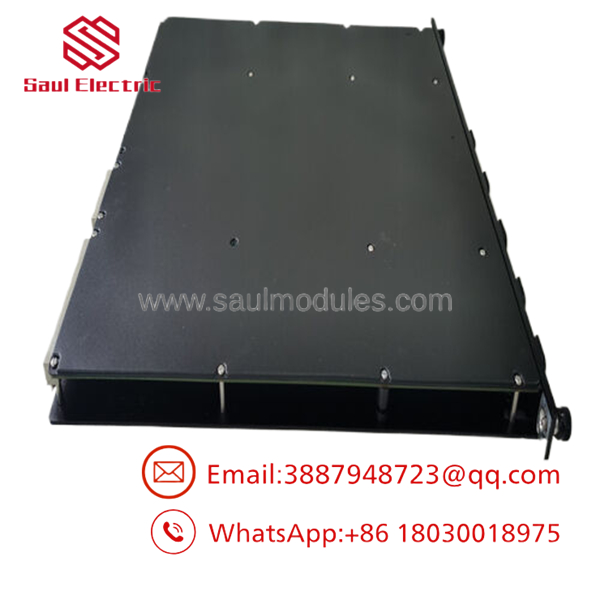
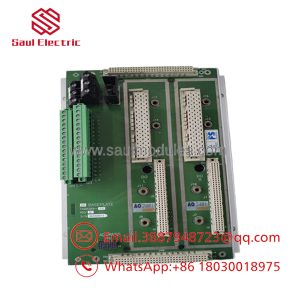
The Triconex 4351B Communication Module (TCM) is an industrial communication interface module designed for Tricon safety controllers. It provides connectivity between Tricon systems, TriStation engineering stations, DCS platforms, SCADA systems, HMIs, and Modbus devices through Ethernet and serial communication channels. The module is typically installed in Tricon v10.3 or later architectures.
The 4351B separates process safety logic from external communication networks while maintaining controlled data exchange. Compared with earlier 4351 and 4351A modules, the 4351B belongs to the later TCM revision family used in newer Tricon v10 systems. Verify firmware compatibility and chassis configuration before replacement.
Key Technical Specifications
| Parameter | Value |
|---|---|
| Manufacturer | Triconex (Schneider Electric) |
| Model Number | 4351B |
| Product Type | Tricon Communication Module (TCM) |
| Compatible System | Tricon v10.3 and later systems |
| Serial Interfaces | 4 × RS-232/RS-485 ports |
| Serial Connector | DB-9 |
| Ethernet Interfaces | 2 × 10/100Base-T Ethernet ports |
| Ethernet Connector | RJ-45 |
| Port Isolation | 500 VDC |
| Serial Communication Speed | Up to 115.2 Kbps per port |
| Supported Protocols | TriStation, Modbus, Modbus TCP/IP, TCP/IP, ICMP, SNTP, TSAA |
| Time Synchronization | Triconex Time Sync / SNTP / Trimble GPS support |
| Network Functions | Peer-to-Peer UDP/IP communication |
| Status Indicators | PASS, FAULT, ACTIVE, FIRM, LINK, TX/RX |
Application Scenarios & The “Trench” Experience
A shutdown happens at 2:17 AM.
The operator screen shows missing SIS data. The safety controller is still running, but the DCS suddenly loses communication with the Tricon rack. The maintenance team checks cables, switches, and configuration files. Everything looks normal.
The failed component is not the processor. It is the communication module.
This is a common situation with aging Tricon installations. Plants often keep running for 15–20 years, but communication hardware becomes the weak point because OEM availability decreases.
The Triconex 4351B is used in applications where maintaining communication paths around a safety controller is critical.
Typical Applications
- Oil & Gas – Emergency Shutdown Systems (ESD) – Required for transferring SIS status data to DCS and SCADA networks without modifying safety logic.
- Chemical Processing – Safety Instrumented Functions (SIF) – Used for communication between Tricon controllers and supervisory systems.
- Power Generation – Turbine Protection Interfaces – Provides Modbus and Ethernet communication between protection systems and plant networks.
- Refineries – Fire & Gas Systems – Supports external monitoring systems while maintaining separation from the safety application.
- Marine / Offshore Platforms – Integrated Control Systems – Provides communication links where downtime carries high operational cost.
Field Replacement Example
A refinery operating a Tricon v10.3 SIS system experienced intermittent Modbus communication failures after years of operation. The failed 4351B module caused loss of diagnostic data transmission to the DCS.
The plant could not simply replace it with an older 4351A because firmware and system compatibility restrictions applied. After installing a tested 4351B replacement and verifying network parameters, communication returned without modifying the safety application.
The lesson is simple.
The cheapest module is not always the lowest-cost solution. A wrong revision can create days of troubleshooting.
- 4351B
Transparency SOP: Quality Assurance & Testing
We don’t just ship boxes; we test them on actual Triconex racks.
Every Triconex 4351B module should pass:
- 1. Inbound Inspection
- Check OEM labels, serial numbers, and manufacturing markings.
- Inspect enclosure condition and connector integrity.
- Verify anti-counterfeit indicators and sourcing records.
- 2. Live Rig Testing
- Power-up diagnostic verification.
- Confirm PASS/FAULT LED behavior.
- Test Ethernet communication handshake.
- Verify serial port communication functions.
- 3. Electrical Parameter Checks
- Check power consumption and operating voltage.
- Verify isolation performance where applicable.
- Inspect communication port electrical behavior.
- 4. Firmware Verification
- Record firmware revision information.
- Confirm compatibility with Tricon system version.
- Check configuration requirements before shipment.
- 5. Final QC & Anti-static Packaging
- Clean module contacts.
- Apply ESD protection packaging.
- Record test results with shipment documentation.
The Veteran’s Tech Trap Guide
⚠️ Do not assume every Tricon communication module is interchangeable.
A 4351B is not simply a plug-in replacement for every older TCM.
Check the system version first.
❗ Firmware revision mismatch can create communication problems.
Before installation, confirm the Tricon controller version and TCM compatibility table. A module that powers up can still fail network communication.
⚠️ Take a photo of the existing configuration before pulling the old card. Trust me.
Record:
- Ethernet IP settings.
- Serial port assignments.
- Modbus addressing.
- Cable routing.
❗ Do not ignore chassis slot restrictions.
Different TCM generations may have installation limitations. Verify logical slot requirements before replacement.
⚠️ ESD damage is real.
The front connector pins and internal electronics are sensitive. Use a grounded wrist strap during handling.
Frequently Asked Questions (FAQ)
Q1: Is the Triconex 4351B hot-swappable?
Yes, the TCM can be replaced while the controller remains online according to Tricon documentation. However, always follow site maintenance procedures and confirm your exact chassis configuration before removal.
Q2: Can I replace a 4351A with a 4351B?
Not automatically.
The 4351B belongs to the later TCM generation used with Tricon v10.3 and later systems. Check controller firmware, system version, and installed TCM configuration before replacement.
Q3: Does the 4351B support Modbus TCP/IP?
Yes. The module supports Modbus communication through its serial and Ethernet interfaces, including Modbus TCP/IP functions.
Q4: Does the 4351B include an embedded OPC server?
No.
The embedded OPC server capability applies to specific models such as 4353 and 4354, not the 4351B.
Q5: Why is a surplus 4351B cheaper than buying directly from OEM channels?
Because many industrial automation suppliers source unused inventory, plant spare stock, and certified refurbished units from global supply networks.
The price difference does not automatically mean counterfeit.
The important checks are:
- Serial verification.
- Hardware inspection.
- Functional testing.
- Traceable sourcing.
Q6: What warranty is normally provided?
Industrial surplus and refurbished automation modules are commonly supplied with a 12-month warranty period, depending on supplier testing and stock condition. Confirm warranty terms before purchase.
Q7: Can I install a 4351B without checking pinouts and documentation?
No.
Always verify exact pinouts, firmware compatibility, and communication settings with OEM documentation before installation. A communication module replacement can affect plant monitoring and control data paths.

 Start Chat


