





Description
Core Product Summary
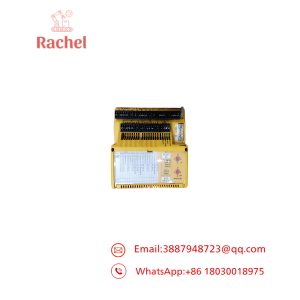
The Yamatake EST0240Z05WBX00 is a white-model EST240Z Smart Terminal, a programmable human-machine interface (HMI) designed to display operating information and provide touch-based operator interaction with compatible industrial control equipment. It features a color STN LCD with a resolution of 320 × 240 pixels, a 256/64-color display specification, and 1 MB of memory.
The terminal operates from a 24 VDC supply and supports serial communication through RS-232C and RS-485 interfaces, with additional front infrared communication. Its analog touch switches can be arranged within application screens to suit the intended operator workflow. For replacement projects, the complete model number, controller interface, existing application data, mounting arrangement, and communication settings should be checked before installation.
Key Technical Specifications
| Parameter | Specification |
|---|---|
| Manufacturer | Yamatake |
| Model | EST0240Z05WBX00 |
| Product family | EST240Z |
| Product type | Programmable HMI / Smart Terminal |
| Housing color | White |
| Display technology | Color STN LCD |
| Display size | 5.7 inches |
| Display resolution | 320 × 240 pixels |
| Display colors | 256 colors for BMP images; 64 colors for smart objects |
| Memory | 1 MB |
| Power supply | 24 VDC ±15% |
| Serial interfaces | RS-232C and RS-485 |
| RS-485 channels | CH2, CH3, and CH4 |
| Additional interface | Front infrared communication |
| Programming software | AP Editor |
| Overall dimensions (H × W × D) | 140 × 210 × 71.2 mm |
| Weight | Approximately 1.3 kg |
| Mounting | Vertical panel mounting with rear mounting brackets |
| Cooling | Natural convection |
Engineering Selection Highlights
- Exact model identification: The
Wdesignation identifies the white housing. Do not confuse this version with the black-modelEST0240Z05BBX00. - Display resolution: The 320 × 240 pixel LCD determines the display area available for the existing operator screens.
- 24 VDC supply: The specified tolerance is ±15%, so the power supply must remain within the permitted operating range.
- Serial connectivity: RS-232C and RS-485 support different controller connection arrangements. Match the existing interface, wiring, and communication settings.
- Application dependency: AP Editor is the associated application preparation software. Existing project data is an important consideration when replacing a terminal.
- Panel installation: The 210 × 140 mm front dimensions and 71.2 mm overall depth should be considered when checking cabinet clearance and mounting arrangements.
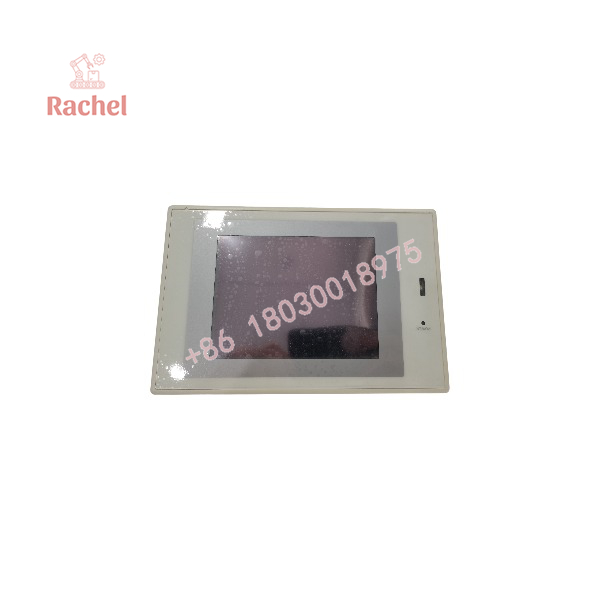
EST0240Z05WBX00
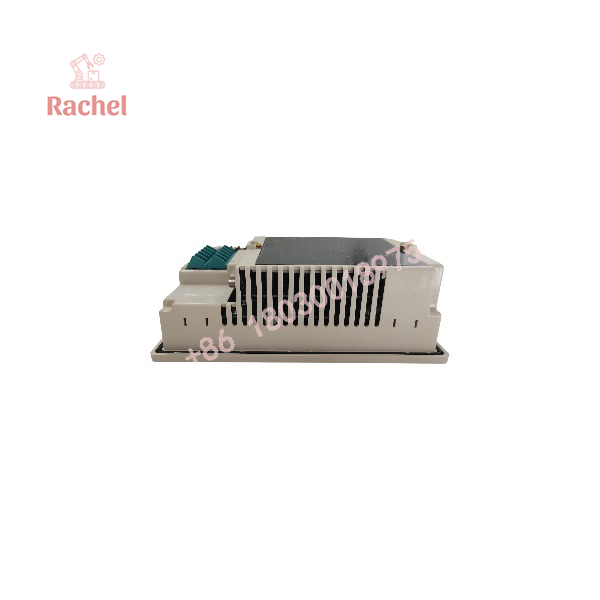
EST0240Z05WBX00
System Compatibility & Integration Requirements
| Item | Requirement | Practical consideration |
|---|---|---|
| Power supply | 24 VDC ±15% | Verify supply voltage and wiring polarity. |
| RS-232C | Serial communication interface | Match the controller port, cable, and communication configuration. |
| RS-485 CH2 | Full- or half-duplex communication | Confirm the wiring arrangement and controller communication mode. |
| RS-485 CH3 and CH4 | Half-duplex communication | Check channel assignment and applicable communication settings. |
| Programming environment | AP Editor | Confirm access to the application project and a compatible programming environment. |
| Mounting hardware | ESTX939FB00 mounting bracket | Check bracket condition and mounting compatibility. |
| Optional serial cables | CBL232AFT02 or CBL232FFT02 | Select the cable according to the required connector arrangement. |
Detailed Product Overview
Display and operator interaction
The EST240Z uses a 5.7-inch color STN LCD with a resolution of 320 × 240 pixels. The display specification distinguishes between 256-color bitmap images and 64-color smart objects. This distinction matters when reviewing legacy application graphics or transferring screen designs between terminals.
The analog touch switches can be positioned within application screens. Their behavior depends on the configured application, including the associated screen elements and communication with the controller.
Communication architecture
The terminal provides an RS-232C interface and three RS-485 communication channels. CH2 supports full- or half-duplex communication, while CH3 and CH4 are intended for half-duplex operation. The terminal also includes a front infrared interface.
These connections allow the HMI to exchange information with compatible external equipment. However, interface availability does not establish universal protocol compatibility. Before replacement, identify the controller model, active communication channel, cable pinout, and serial settings used by the original installation.
Power, mounting, and maintenance
The unit operates on 24 VDC with a tolerance of ±15%. Its natural-convection cooling arrangement means that installation should preserve the space required around the enclosure and avoid obstructing heat dissipation.
The panel-mounted construction uses rear mounting brackets. Appropriate grounding, secure terminal connections, and separation of signal wiring from power wiring are important installation considerations.
The EST240Z documentation also identifies service components such as the LCD backlight, panel protective sheet, and battery. Maintenance should follow the procedure applicable to the installed version, particularly when stored data or application settings could be affected.
Replacement and procurement considerations
When sourcing the EST0240Z05WBX00, retain the full model number and confirm the white housing variant. Check the mounting arrangement, serial interfaces, power supply, application files, and any required cables or brackets.
If the original terminal is still operational, preserving its application data and communication configuration before removal can simplify commissioning. If those files are unavailable, confirm how the required operator screens and controller communications will be restored before scheduling the replacement.
Dimensions, Mounting & Connection Notes
The EST0240Z05WBX00 measures 210 mm wide, 140 mm high, and 71.2 mm deep. It is designed for vertical panel mounting and is secured from the rear using auxiliary mounting brackets.
Installation considerations include:
- Allow sufficient clearance behind the panel for the enclosure, terminals, and connected cables.
- Mount the terminal on a flat panel and secure it using the designated mounting hardware.
- Switch off the power before wiring, assembly, or disassembly.
- Connect the frame-ground terminal according to the installation instructions.
- Route power and signal wiring separately from motor and other power cables. Where separation is impractical, follow the specified shielding and grounding precautions.
- Use an appropriately protected DC supply or a current-limited supply as required by the installation instructions.
The published terminal-block screw tightening torque is 0.5 N·m maximum. The rear-cover screw torque is specified separately at 1.2 N·m maximum. Apply the correct value to the corresponding fastener.
Applications & System Role
The Yamatake EST0240Z05WBX00 serves as the operator-facing interface in an industrial automation system. It presents configured screens and accepts operator input, while the connected controller remains responsible for the underlying machine or process control logic.
The terminal’s programmable display allows operating information, text, graphics, and touch switches to be arranged according to the application. This makes the HMI application itself an important part of the overall system configuration.
The serial interfaces provide communication paths to compatible control equipment. The choice of RS-232C or RS-485 depends on the controller’s available ports, the wiring arrangement, and the communication method configured in the application.
For maintenance and replacement work, the terminal should be evaluated as both a hardware component and an application-dependent interface. Matching the display and power specifications alone does not ensure that existing screens and controller communications will function correctly.
FAQ
1. What is the Yamatake EST0240Z05WBX00?
It is a white-model EST240Z Smart Terminal, a programmable HMI with a color STN LCD and serial communication interfaces.
2. What is the display resolution?
The display resolution is 320 × 240 pixels, with 256 colors for BMP images and 64 colors for smart objects.
3. What power supply does the terminal require?
It requires 24 VDC ±15%.
4. Which communication interfaces does it support?
The terminal supports RS-232C, three RS-485 channels, and front infrared communication. The required interface depends on the connected equipment and application configuration.
5. Which software is used to prepare HMI applications?
AP Editor is the associated application preparation software for the EST240Z family.
6. What are the dimensions of the EST0240Z05WBX00?
The overall dimensions are 210 mm wide, 140 mm high, and 71.2 mm deep. The specified weight is approximately 1.3 kg.
7. What should be checked before replacing this terminal?
Confirm the full model number, housing color, mounting dimensions, power supply, controller interface, communication settings, cable arrangement, and availability of the original application data.
8. Can the terminal be used as an emergency-stop device?
No. Emergency-stop and other safety-related functions require appropriately designed, independent safety circuits. The HMI must not replace dedicated safety devices.

 Start Chat


