





Description
Key Technical Specifications
| Parameter | Value |
|---|---|
| Manufacturer | ABB |
| Product Series | AC500 PLC |
| Model | EC581-ARCNET |
| Order Number | 1SAP140500R3260 |
| Power Supply | 24 V DC |
| User Memory | 256 KB |
| Communication | ARCNET |
| Serial Interfaces | 2 × RS232/RS485 |
| Expansion | FBP Interface |
| Memory Expansion | SD Card Slot |
| Display | Integrated LCD Display |
| Application | Industrial PLC Controller |
| Approximate Weight | 0.2 kg |
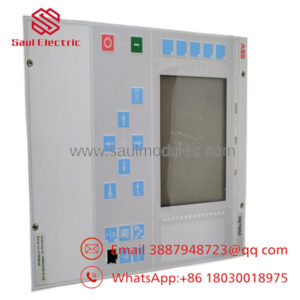
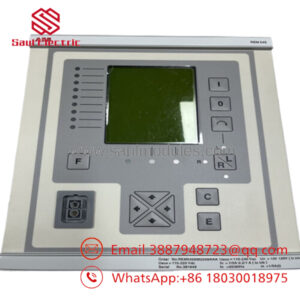
The EC581-ARCNET is designed as an AC500 PLC controller with integrated ARCNET networking, dual serial interfaces, FieldBusPlug support, SD card expansion, and LCD diagnostics.
Product Introduction
The ABB 1SAP140500R3260 EC581-ARCNET is an AC500 programmable logic controller CPU designed for industrial automation systems requiring deterministic ARCNET communication. It combines PLC processing, fieldbus connectivity, dual serial communication, and local diagnostics in one compact controller.
Engineers typically choose this controller when maintaining or expanding legacy AC500 systems that still rely on ARCNET networks. The integrated LCD display, SD card slot, and dual RS232/RS485 interfaces simplify commissioning, diagnostics, and maintenance while maintaining compatibility with existing installations.
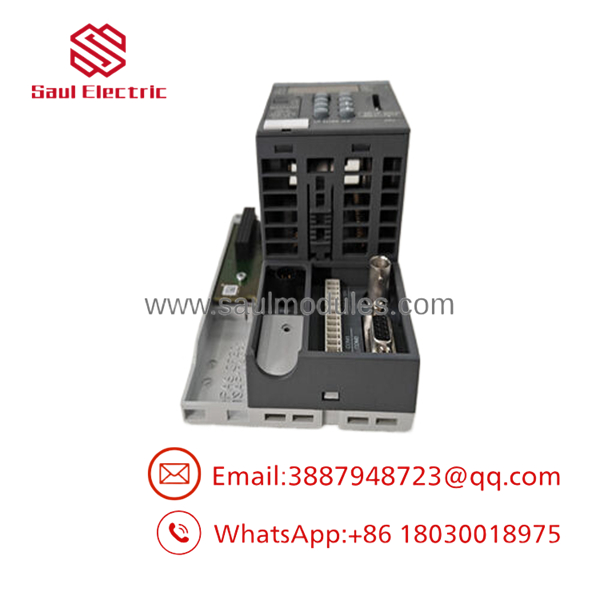
- 1SAP140500R3260 EC581-ARCNET
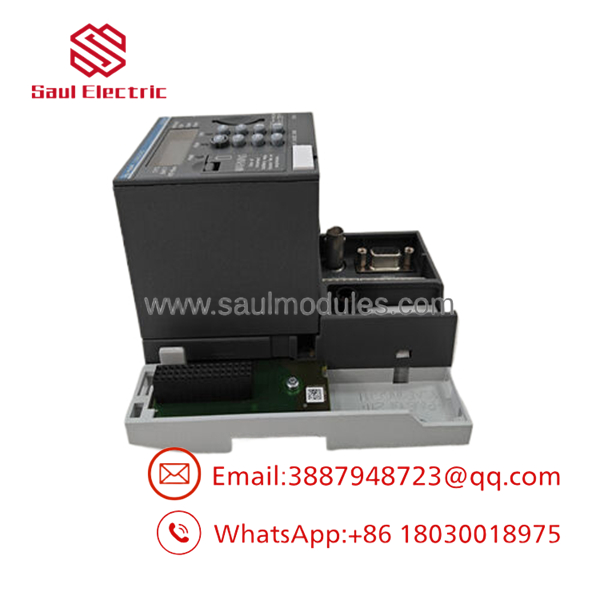
- 1SAP140500R3260 EC581-ARCNET
Troubleshooting Quick Reference
| Symptom | Possible Cause | Relevance to this Part | Quick Check Method | Recommendation |
|---|---|---|---|---|
| No power LED | Missing 24 V DC supply | ❌ Low | Measure 24 V DC at the power terminals using a multimeter | Verify power supply and wiring before replacing CPU |
| CPU remains in STOP | Configuration or firmware issue | ✅ High | Connect programming software and read diagnostics | Verify firmware and project compatibility |
| ARCNET communication lost | Network cable or node configuration | ✅ High | Check ARCNET node address, BNC termination, and network status LEDs | Verify network configuration before replacing hardware |
| Serial communication failure | Incorrect baud rate or wiring | ⚠️ Medium | Confirm COM port parameters and cable pinout | Compare settings with existing installation |
| PLC does not boot | Hardware fault or corrupted firmware | ✅ High | Observe LCD startup sequence and diagnostic LEDs | Hardware replacement may be required |
| SD card not recognized | Unsupported or damaged card | ⚠️ Medium | Test with a known compatible SD card | Reformat or replace SD card |
| Random communication errors | Firmware revision mismatch | ✅ High | Compare firmware revisions with other PLCs in the system | Match firmware versions whenever possible |
Technical Note: Most field failures are caused by power quality, communication wiring, firmware mismatch, or incorrect ARCNET node configuration rather than CPU hardware failure. If the problem persists, collect LED status photos, LCD messages, diagnostic logs, and wiring information before requesting technical support.
Frequently Asked Questions (FAQ)
Q1. Is the EC581-ARCNET still available?
Yes. The standard 1SAP140500R3260 version replaced an earlier customer-specific version (1SAP140500R3160). Availability today is generally through OEM surplus inventory or industrial automation suppliers rather than new factory production.
Q2. Can I replace another directly?
Usually yes, provided the firmware revision, hardware revision, and application program are compatible. Always back up the PLC application and configuration before replacement.
Q3. Does this controller support hot swapping?
No. Power down the PLC rack before removing or installing the controller. Installing the CPU under power can damage the backplane or corrupt the controller.
Q4. Why does ARCNET communication fail after replacement?
The most common causes are incorrect node address settings, improper cable termination, damaged coaxial wiring, or firmware incompatibility. Verify these items before assuming the CPU is defective.
Q5. Will my PLC program remain after replacement?
Not automatically. Back up the application to your engineering workstation or SD card before replacing the controller, then restore the project after installation.
Q6. Is this a refurbished product?
That depends on the supplier. Units are commonly sold as New Original (New Surplus) or Refurbished (Fully Tested). Always request the inspection report, functional test results, firmware revision, and photos of the actual unit before purchase.
Q7. What should I verify before ordering?
Confirm:
- Complete part number (1SAP140500R3260)
- Hardware revision
- Firmware revision
- ARCNET network configuration
- Required communication interfaces
- Power supply compatibility (24 V DC)
Taking five minutes to document the existing controller before removal can eliminate hours of troubleshooting during startup.

 Start Chat


