





Description
Key Technical Specifications
| Parameter | Value |
|---|---|
| Manufacturer | ABB |
| Model | 3BDH000730R1 |
| Product Name | CBI 20-P |
| Product Type | Binary Input Module |
| System Platform | Symphony Plus |
| Input Channels | 32 digital inputs |
| Supported Signal Types | Standard binary contacts, NAMUR sensors, 3-wire/4-wire initiators |
| Nominal Input Voltages | 8.2 V, 24 V, 48 V |
| Isolation | Electrically isolated input circuitry |
| Auxiliary Supply | Integrated transmitter power supply |
| Mounting | Symphony Plus I/O rack |
| Operating Temperature | −20 °C to +60 °C |
| Lifecycle Status | Legacy industrial automation product |
| Condition | New Original (New Surplus) |
| Recommended Stocking Policy | Maintain 1–2 units for critical process systems |
| Warranty | 12–24 months depending on supply agreement |
Product Introduction & Supply Chain Strategy
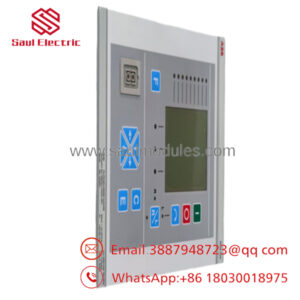
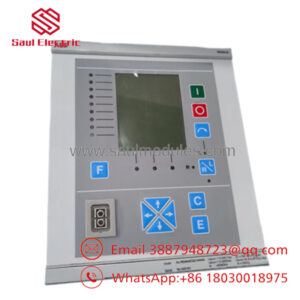
The ABB 3BDH000730R1 (CBI 20-P) is a binary input module designed for the Symphony Plus control system. It acquires digital signals from switches, limit switches, relays, and NAMUR field devices, providing reliable input processing for power generation, process automation, and industrial control applications.
This product is a Brand New Surplus unit. It is not used, not pulled from a decommissioned plant, and not refurbished. All modules undergo rigorous quality verification to ensure OEM-level reliability. Maintaining New Surplus inventory reduces Total Cost of Ownership (TCO), minimizes Lead time variability, supports Last-time-buy planning, and protects facilities from unexpected downtime caused by obsolete I/O hardware. Refurbished modules may contain aging optocouplers, relays, or repaired PCB traces that are difficult to detect during visual inspection. A modest procurement saving can quickly become a costly production outage. Every module includes serial number verification, QC documentation, and warranty coverage.
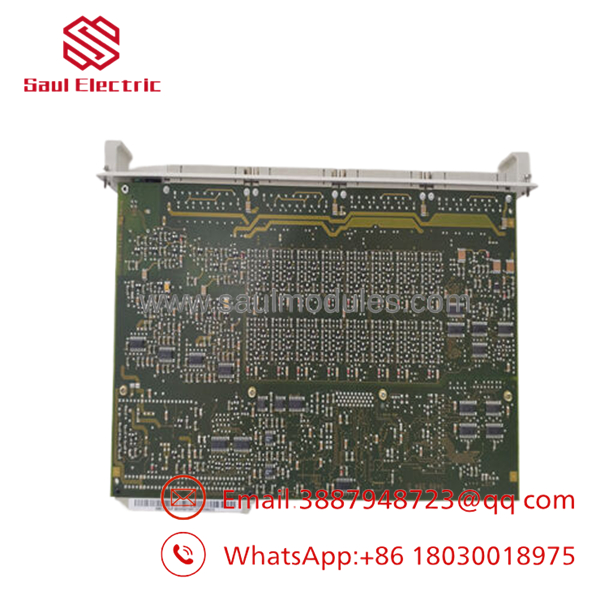
- 3BDH000730R1
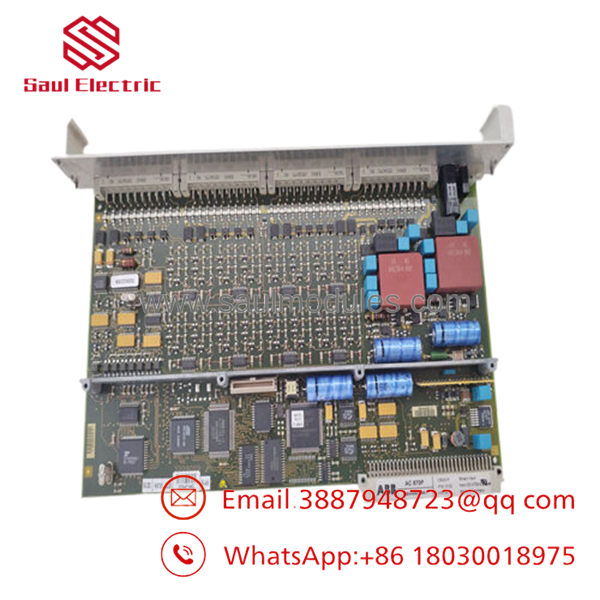
- 3BDH000730R1
Installation & Configuration Guide
Stage 1 – Pre-Installation (Prep & Safety)
- Perform Lock-Out/Tag-Out (LOTO).
- Remove cabinet power before servicing.
- Wear a grounded ESD wrist strap.
- Photograph all terminal wiring.
- Record channel assignments and hardware configuration.
- Document controller firmware and I/O configuration.
- Verify the 24 V DC control supply maintains at least a 20% capacity reserve.
Stage 2 – Removal
- Label all field wiring before disconnecting.
- Remove the terminal block if applicable.
- Release the module retaining hardware.
- Extract the module evenly without twisting.
- Avoid bending backplane connector pins.
- Place the removed module into an ESD-safe bag.
Stage 3 – Installation (Clone & Seat)
- Verify the replacement part number is ABB 3BDH000730R1.
- Replicate all hardware and software configuration exactly.
- Insert the module squarely into the rack.
- Confirm full backplane engagement.
- Reconnect field wiring according to the recorded terminal layout.
Stage 4 – Power-On & Testing
- Verify the 24 V DC rail for shorts before energizing.
- Restore cabinet power.
- Confirm the module initializes without diagnostic faults.
- Verify RUN/STATUS LEDs indicate normal operation.
- Test each digital input using field devices or simulation.
- Confirm controller diagnostics report healthy communication.
- Validate all process signals before returning the system to production.
Firmware/Software Versions & Upgrade Notes
- Record the existing controller firmware revision before replacing the module.
- Install the replacement using the same validated Symphony Plus software revision whenever practical.
- Verify compatibility between the controller firmware, engineering workstation, and installed I/O modules.
- New firmware revisions may require updated hardware definition files.
- Avoid firmware upgrades during emergency maintenance unless approved under the site’s Management of Change (MOC) procedure.
- Downgrading firmware without validation may result in I/O mapping errors or communication faults.
- Back up the controller database, I/O configuration, and application logic before replacement.
- After installation, perform complete channel diagnostics and input validation.
Frequently Asked Questions (FAQ)
Q1. Are these genuinely New Original modules?
Yes. We exclusively supply New Original (New Surplus) inventory. These modules are not used, not repaired, and not refurbished. Every unit undergoes OEM traceability verification, serial number authentication, functional testing, electrical inspection, and final QC approval before shipment.
Q2. Why is New Surplus priced higher than refurbished modules?
Our pricing reflects the cost of sourcing genuine New Surplus inventory globally. It is typically 20–30% higher than refurbished alternatives but remains below many OEM list prices while providing documented quality verification, warranty protection, and substantially lower operational risk.
Q3. Is ABB 3BDH000730R1 an obsolete product?
The CBI 20-P belongs to the mature Symphony Plus platform and should be managed as a lifecycle-controlled spare. Plants should maintain Buffer stock, monitor Lead time variability, and implement a Last-time-buy strategy to reduce future stock-out risk.
Q4. Can the module be hot-swapped?
Only follow hot-swap procedures if your Symphony Plus controller and plant maintenance standards explicitly support online replacement. Otherwise, isolate cabinet power before removing or installing the module.
Q5. Will replacing the module erase my application program?
No. The application logic is stored in the controller rather than the input module. However, always back up the controller project, I/O database, and hardware configuration before replacement.
Q6. What quality verification is completed before shipment?
Each New Surplus module follows a documented SOP including OEM packaging verification, serial number authentication, power-on functional testing, digital input verification, insulation resistance testing, communication checks, ESD-safe packaging, and final inspector sign-off.
Q7. What spare inventory strategy do you recommend?
Maintain 1–2 New Original ABB 3BDH000730R1 modules on-site for each critical Symphony Plus system. Apply ABC Analysis based on process criticality and failure impact, reduce procurement complexity through Vendor consolidation, monitor Lead time variability, use JIT replenishment for fast-moving standard I/O, and execute Last-time-buy purchases before End-of-Life inventory becomes unavailable.

 Start Chat


