





Description
Key Technical Specifications
- Manufacturer: ABB
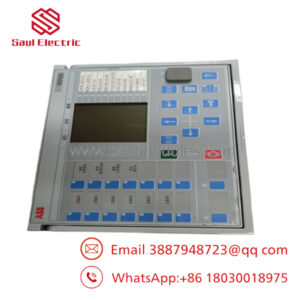
- Model: REM543
- Product Family: ABB Relion® 543 Machine Protection Relay
- Product Type: Multifunction Numerical Protection Relay
- Primary Application: Medium and large induction motors, synchronous motors, generator units
- Protection Functions: Overcurrent, earth fault, thermal overload, phase unbalance, under/over voltage, frequency protection, motor start supervision
- Current Inputs: CT inputs, typically 1 A / 5 A secondary current
- Voltage Inputs: VT measurement inputs (configuration dependent)
- Communication: RS-232/RS-485, Modbus, IEC protocol options depending on hardware variant
- Engineering Software: ABB CAP501 / PCM600 depending on configuration
- Mounting: Panel-mounted modular relay case
- Operating Temperature: Approx. −20 to +70 °C (verify exact variant datasheet)
- Standards: IEC 60255 protection relay standards
The ABB REM543 is a microprocessor-based protection relay from the Relion 543 family, designed for protection, control, monitoring, and disturbance recording of motors and generator-related applications.
Product Introduction
The ABB REM543 is a multifunction numerical protection relay designed for medium-voltage motor and generator protection applications. It monitors electrical conditions through CT and VT inputs and provides protection, control, measurement, event recording, and communication functions in industrial power systems.
This relay is commonly used in plants where critical motors, pumps, compressors, fans, or generators require dedicated protection. For replacement projects, verify the complete order code, hardware variant, firmware version, communication settings, and existing protection configuration before installation.
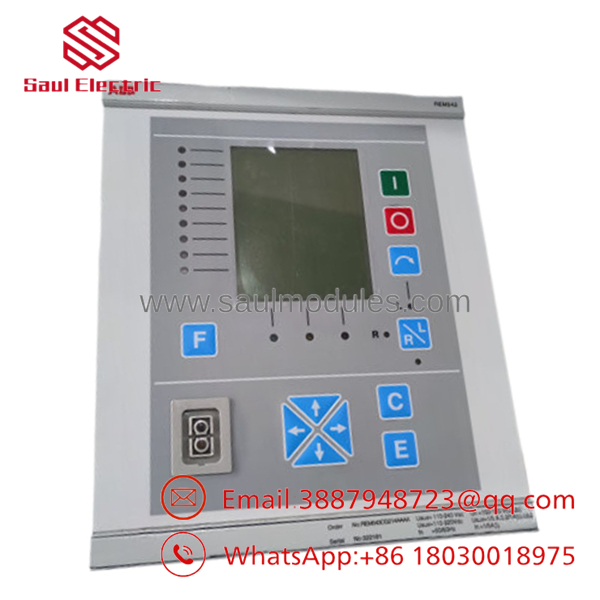
- REM543
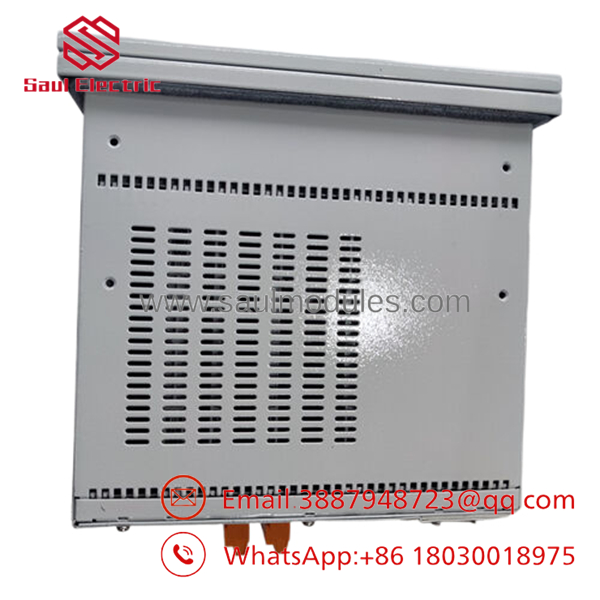
- REM543
Installation & Configuration Guide
Stage 1: Pre-Installation Preparation (Approx. 15 minutes)
⚠️ Safety First
- Notify operations about the planned maintenance window.
- Confirm the motor/generator is in a safe shutdown condition.
- Apply lockout/tagout procedures.
- Remove auxiliary power.
- Wait for stored energy discharge before touching wiring.
Tools Required
- ESD wrist strap
- PH1 screwdriver
- Digital multimeter
- Wire labels
- Smartphone/camera for photos
Data Backup
- Connect using ABB engineering software if available.
- Export the existing relay settings.
- Record:
- Protection parameters
- CT/VT ratios
- Communication settings
- Event configuration
- Photograph:
- Terminal wiring
- Front panel
- Relay labels
- Communication ports
Stage 2: Removing the Old Module (Approx. 15 minutes)
- Remove the relay front cover if required.
- Verify auxiliary power is isolated.
- Label all CT, VT, binary I/O, and communication wiring.
- Disconnect terminals carefully.
⚠️ Critical Warning
Never disconnect CT circuits incorrectly. Open CT secondary circuits can create dangerous voltage levels.
- Release the mounting mechanism.
- Remove the relay straight from the panel cutout.
Inspect:
- Terminal blocks
- Connector condition
- Panel wiring
- Ground connections
Keep the original REM543 until the replacement is fully commissioned.
Stage 3: Installing the New Module (Approx. 20 minutes)
- Wear ESD protection.
- Verify:
- Model: ABB
- Hardware order code
- Auxiliary voltage rating
- Communication option
Configuration Clone (Critical)
Restore:
- Protection settings
- Motor data
- CT/VT parameters
- Logic configuration
- Communication mapping
- Install relay into the panel.
- Secure mounting hardware.
- Reconnect wiring using the original labels.
Self Checklist
[ ] Correct variant installed
[ ] CT circuits verified
[ ] VT wiring checked
[ ] Communication settings restored
[ ] Mounting secured
Stage 4: Power-On & Testing (Approx. 30 minutes)
Pre-Power Check
- Verify auxiliary voltage.
- Check CT/VT wiring.
- Confirm grounding.
- Check for short circuits.
Power-On Steps
- Energize auxiliary supply.
- Observe LCD and LED status.
- Connect ABB configuration software.
- Verify:
- Firmware version
- Protection settings
- Communication link
- Perform secondary injection testing.
- Verify trip/alarm outputs.
⚠️ Troubleshooting Note
- Relay starts but trips incorrectly: Check CT polarity, motor data, and protection curves.
- No communication: Verify protocol settings, address, and interface module.
- Configuration rejected: Check firmware compatibility.
Frequently Asked Questions (FAQ)
Q1: Can I hot-swap the ABB ?
No. Do not remove the relay under energized conditions unless the specific switchgear documentation allows it. Protection relays connect to CT, VT, trip, and control circuits that require safe isolation.
Q2: Is the ABB obsolete?
The is a legacy ABB Relion 543 series relay. Availability is mainly through remaining inventory, surplus stock, and refurbishment channels. For long-term projects, confirm ABB lifecycle status and migration options.
Q3: Is this relay new original or refurbished?
Confirm the supply condition before purchase.
Typical categories:
- New Original / New Surplus: Unused OEM inventory.
- Factory Sealed: Original packaging condition.
- Refurbished (tested): Previously installed relay inspected and function tested.
Request serial number photos, test records, and firmware information.
Q4: Will I lose motor protection settings when replacing ?
Yes, if the settings are not backed up. The replacement relay does not automatically know your motor parameters, CT ratios, trip logic, or communication configuration.
Always export the relay settings before removal.
Q5: What should I verify before ordering ABB ?
Check:
- Exact order code
- Hardware version
- Auxiliary voltage
- CT/VT configuration
- Communication option
- Existing protection scheme
Different variants may look identical but have different I/O and communication hardware.
Q6: What software is used to configure ?
Configuration depends on the relay generation and installed tools. ABB CAP501 and later ABB engineering environments such as PCM600 are used with compatible ABB protection devices.
Q7: What inspection should be performed before installation?
Recommended checks:
- Part number verification
- Serial number inspection
- Visual inspection for corrosion or repair marks
- Power-up self-test
- Communication test
- Secondary injection protection test
- Final commissioning report
For critical motor and generator protection systems, verify the relay under test conditions before returning equipment to service.


 Start Chat


