





Description
3. Key Technical Specifications
- Communication Protocol: INSUM TCP/IP (Ethernet)
- Transmission Speed: 10 Mbit/s, half duplex
- Connector: RJ-45 female (8-pin)
- Max Units on CEX Bus: 6
- Max INSUM Devices per CI857: 128
- Max INSUM Devices per AC800M: 256 (with PM864/PM866)
- Power Consumption: Typ. 150 mA at 24 V (powered via CEX bus)
- Operating Temperature: 0 to +55 °C
- Storage Temperature: -40 to +70 °C
- Dimensions (W x H x D): 59 mm x 185 mm x 127.5 mm
- Weight (including base): Approx. 700 g
- Protection Class: IP20
- Hot Swap: Supported
4. Product Introduction
The ABB CI857K01 (3BSE018144R1) is an INSUM Ethernet Interface module for the AC800M controller family. It connects the AC800M to INSUM motor control and switchgear systems over standard Ethernet TCP/IP, enabling data exchange for monitoring, control, and diagnostics.
In field deployments of AC800M systems, this module provides reliable integration with INSUM networks. It supports multidrop configurations and uses standard Ethernet for longer distances compared to legacy fieldbus options. Engineers choose it for its straightforward CEX bus mounting and proven performance in motor control center applications.
5. Installation & Configuration Guide
Stage 1: Pre-Installation Preparation (15-20 minutes) ⚠️ Safety First: Notify operations, verify safe state, lock out/tag out power, and wait 5 minutes for capacitor discharge. Tools Required: Grounded ESD wrist strap, PH1 screwdriver, multimeter, wire labels, smartphone for photos. Data Backup: Export current configurations, photograph existing DIP switches (if any), terminal wiring, and note network settings.
Stage 2: Removing the Old Module
- Remove the front cover.
- Label and disconnect field wiring carefully—do not force terminals.
- Release the locking tabs and pull the module straight out to avoid damaging CEX bus pins.
- Inspect the backplane for dust or bent pins.
⚠️ Keep the old module until the new one runs without issues.
Stage 3: Installing the New Module (10-15 minutes)
- Verify the new module matches CI857K01 (3BSE018144R1) exactly. Use ESD protection.
- Configuration Clone: Set any jumpers or addresses to match the old unit’s photo.
- Insert into the CEX bus slot until it seats firmly with an audible click.
- Reconnect wiring using proper torque. Secure all terminals.
Self-Checklist: [ ] Model verified, [ ] Configuration matches, [ ] Module seated and locked, [ ] Wiring secure.
Stage 4: Power-On & Testing (10-20 minutes) Pre-Power Check: Use a multimeter to verify no shorts on the 24 V rail. Power-On Steps:
- Apply power to the rack only.
- Check LEDs: Normal operation shows green status.
- Connect to Control Builder, verify module recognition and firmware.
- Download configuration if needed and perform dry-run I/O and communication tests.
⚠️ Troubleshooting Note: Solid red ERR LED often indicates a configuration mismatch or bus issue. No communication usually traces back to IP settings, cable, or gateway parameters. Test videos available upon request.
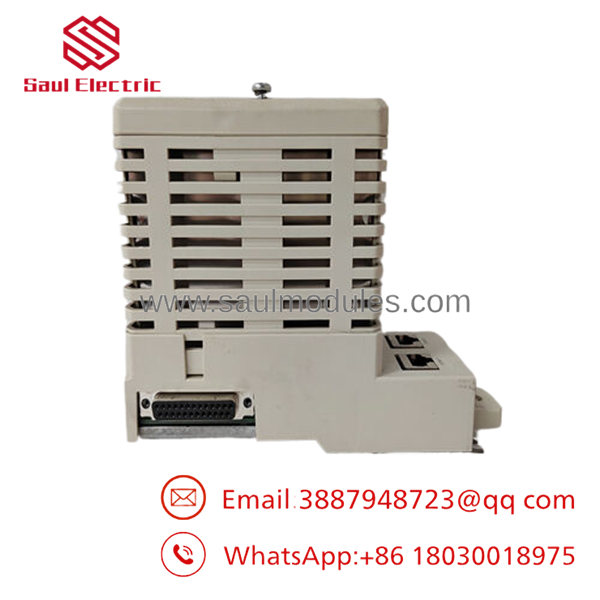
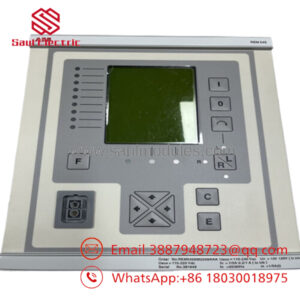
- CI857K01 3BSE018144R1
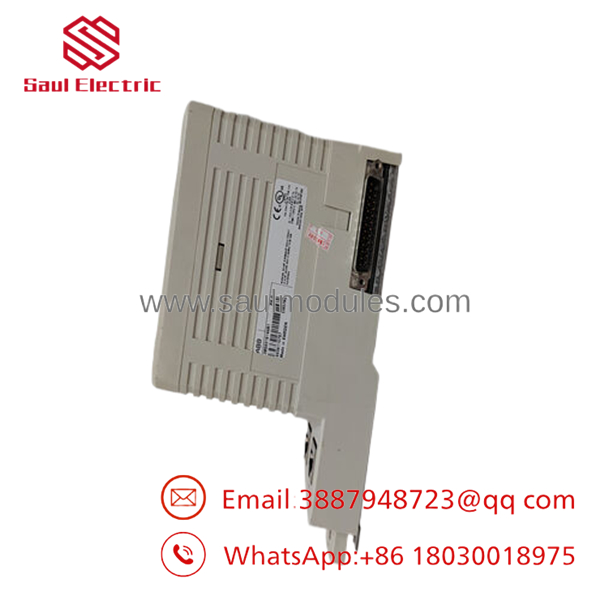
- CI857K01 3BSE018144R1
6. Frequently Asked Questions (FAQ)
Can this module be hot-swapped under power? No. Although the module supports hot swap capability in the AC800M architecture, best practice requires powering down the affected CEX bus segment first. Hot-swapping risks backplane damage or communication faults in live systems.
Is this model obsolete, and is the unit genuinely new? The CI857K01 remains available but is a mature product. Units offered as New Original come from verified surplus stock with full traceability. Each module undergoes inbound inspection, functional testing on an AC800M rack, and 24-hour load testing before shipment.
What is the direct replacement if this is out of stock? Check current ABB recommendations for INSUM integration. In many cases, the CI857K01 has no drop-in newer equivalent with identical form factor—verify exact requirements with your system configuration.
Will I lose my programming logic when replacing this communication module? No. The logic resides in the CPU. The handles only INSUM communication. After installation, reload the communication configuration in Control Builder.
Why is the price lower than current OEM list price? These are new surplus units from authorized channels or factory overstock. They carry the same specifications and undergo the same rigorous testing as current production without the premium of freshly manufactured items.
One CI857 supports up to 128 INSUM devices. The controller limit depends on the CPU (up to 256 with higher-end processors). Always confirm total network loading.


 Start Chat


