





Description
- Key Technical Specifications
- Model: DCF1061134R0001 YPP110A
- Brand: ABB
- Product family: APC2 application controller
- System compatibility: APC2 / Common Drive Control
- Primary use: AC and DC drive control logic
- Power supply: 24 V DC
- Memory: Battery-backed memory with flash storage
- I/O interface: Local I/O coordination via ribbon cable interface
- Communication: Optional communication boards
- Application: ACV700 and DCV700 drive platforms
- Weight: About 1.040 kg
- Condition: New Original / New Surplus
- Product Introduction
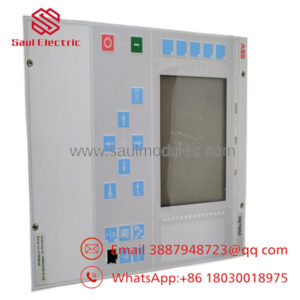
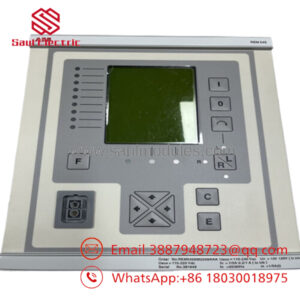
ABB DCF1061134R0001 YPP110A is an application controller board used in ABB APC2 / Common Drive Control systems. It executes drive application logic and coordinates local I/O in ACV700 and DCV700 platforms.
This unit is sourced for legacy drive maintenance and like-for-like replacement. The practical concerns are firmware compatibility, connector integrity, and preserving the existing drive configuration during a swap.
- Installation & Configuration Guide
Stage 1: Pre-Installation Preparation
⚠️ Safety first: Notify operations, verify the process is in a safe state, lock out/tag out power, and wait at least 5 minutes for capacitor discharge.
Tools required: ESD strap, PH1 screwdriver, multimeter, wire labels, smartphone for photos.
Data backup: Save the drive configuration, document the existing wiring, photograph jumpers or selector settings, and note any communication board details before removal.
Estimated time: 5-10 minutes.
Stage 2: Removing the Old Module
- Remove the front cover or access panel.
- Label and disconnect all wiring. Do not force ribbon or terminal connectors.
- Release the retaining hardware and pull the board straight out to avoid connector damage.
- Inspect the card cage, backplane, and connectors for bent pins, dust, or heat damage.
⚠️ Keep the old board until the new one is fully commissioned.
Estimated time: 5-8 minutes.
Stage 3: Installing the New Module
- Put on ESD protection and verify the exact model number.
- Clone the old configuration from the photo. Match any jumpers, selectors, or option settings exactly.
- Insert the board fully and secure the retaining hardware.
- Reconnect all cables using the original routing and connector order.
Self-checklist: [] settings match, [] connectors seated, [] hardware locked.
Estimated time: 8-10 minutes.
Stage 4: Power-On & Testing
- Use a multimeter to check for shorts on the supply rail before energizing.
- Power up the controller first, not the drive output stage.
- Watch the status indicators. Green RUN is expected; red ERR means stop and check configuration.
- Connect the service tool, confirm firmware and application data, and restore the backup if needed.
- Run a no-load functional test before returning the drive to service.
⚠️ Troubleshooting note: If the controller reports an error immediately after power-up, check firmware version, battery-backed memory state, and connector seating first.
Estimated time: 10-15 minutes.
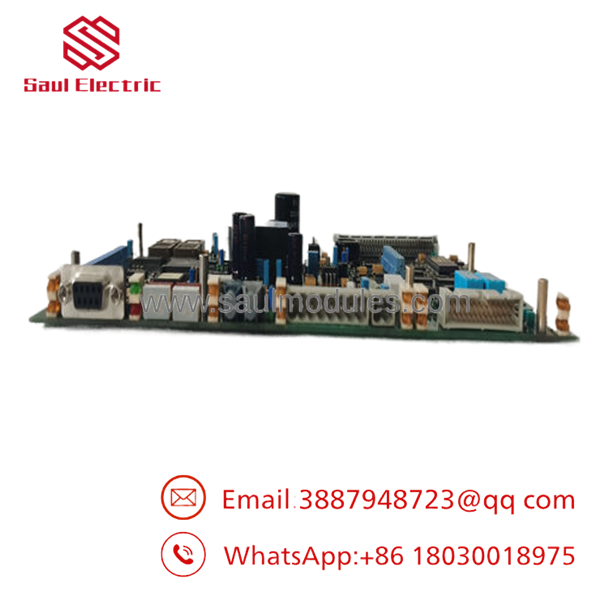
- DCF1061134R0001 YPP110A
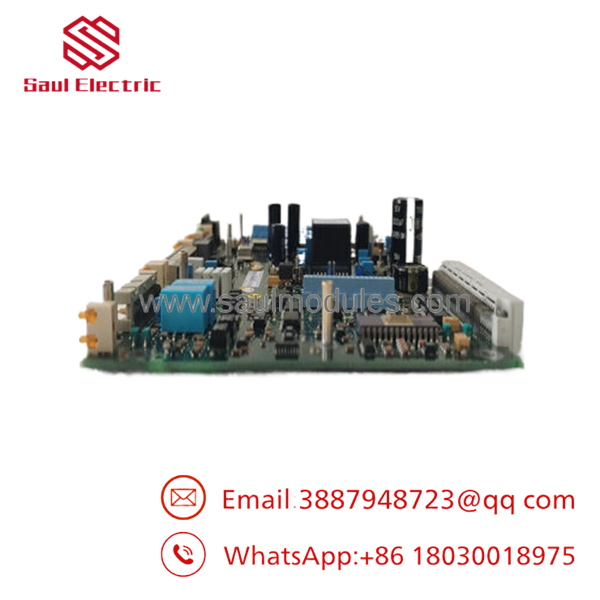
- DCF1061134R0001 YPP110A
- Frequently Asked Questions
Q: Can I hot-swap this board under power?
No. Treat it as a powered-down replacement unless the drive manual explicitly allows live insertion. Hot-swapping can damage the board or the backplane.
Q: Is this model obsolete?
Yes, it is a legacy ABB drive controller part. Stock is usually limited, so confirm condition and traceability before ordering.
Q: Will my drive programming stay intact?
Usually yes, if the backup memory and configuration data are preserved correctly. Still, save the full application before removing the old board.
Q: What is the direct replacement if this exact part is unavailable?
That depends on the exact APC2 drive platform, communication options, and installed hardware revisions. I would verify the original nameplate and wiring before selecting a substitute.
Q: Why is the price lower than OEM list pricing?
Legacy surplus and discontinued stock often sell below factory list price. The tradeoff is availability, warranty terms, and the need to verify condition.
Q: What condition should I expect?
Common offerings are New Original, New Surplus, or Refurbished. For procurement, insist on a clear condition statement and a test record.
Q: What usually causes replacement failure?
The usual causes are connector damage, missed configuration settings, and memory or firmware mismatch. Those are the issues that create the most rework in the field.

 Start Chat


