





Description
Key Technical Specifications
- Product Type: Flame analysis unit.
- Power Supply: 24 VDC, with redundant supply option.
- Communication: Redundant Profibus DP-V1 or standard Modbus.
- Channels: Two independent flame detector channels.
- Outputs: Three flame relays, one fault relay, and two 4-20 mA analog outputs.
- Mounting: DIN rail mounted.
- Operating Temperature: 0 to 60 °C.
- Power Consumption: Typically 6 W, maximum 10 W.
- Inrush Current: 6 A peak.
- Enclosure Size: About 13 cm high, 12 cm long, 11 cm wide.
- Application: ABB flame detector and burner management systems.
Product Introduction
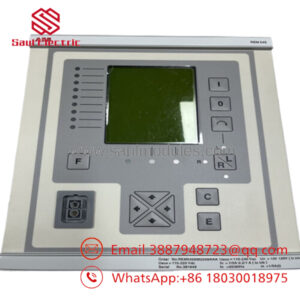
The ABB FAU810 is a flame analysis unit used with ABB flame detectors in burner and boiler applications. It processes two detector channels, provides relay and analog outputs, and supports redundant Profibus DP-V1 or Modbus for integration with control systems.
This is the kind of module engineers keep around to preserve an installed combustion system without changing the detector architecture. The main value is compatibility with legacy and current ABB flame sensing hardware, but exact detector pairing and communication setup still need to be confirmed before installation.
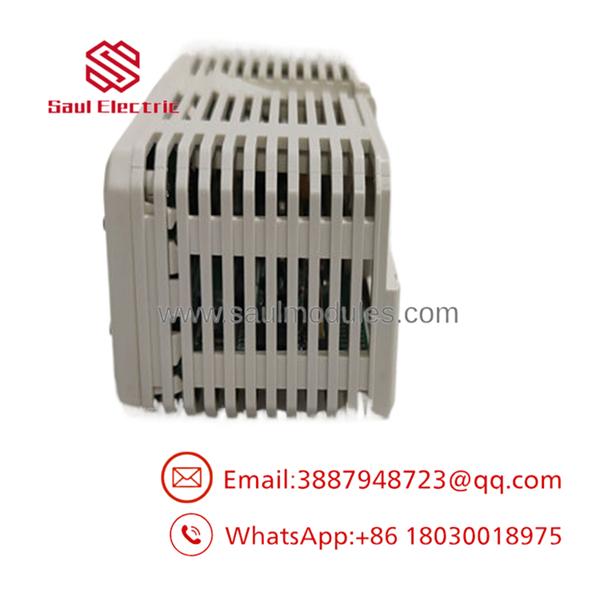
- FAU810
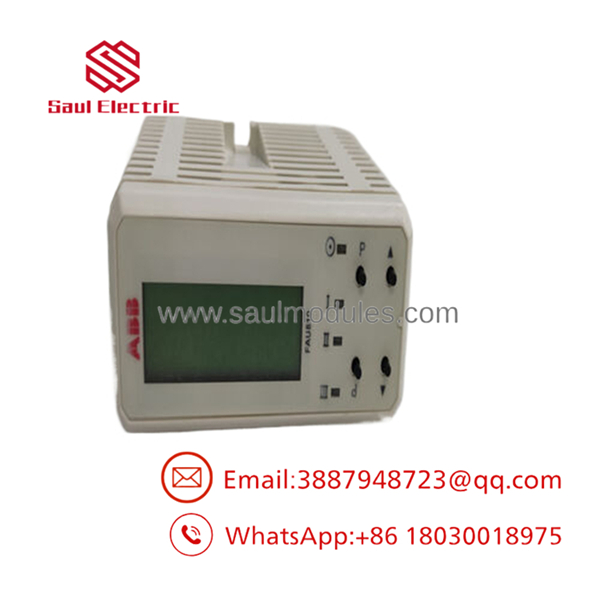
- FAU810
Installation & Configuration Guide
Stage 1: Pre-Installation Preparation
Time estimate: 5-8 minutes.
- ⚠️ Safety First: Notify operations of downtime, verify safe state, lock out/tag out power, and wait at least 5 minutes for capacitor discharge.
- Gather tools: ESD strap, PH1 screwdriver, multimeter, wire labels, fiber or signal cleaning materials if applicable, and a smartphone for photos.
- Back up the burner or flame system configuration, document detector assignments, and photograph terminal wiring, communication cabling, and parameter settings.
- Verify the replacement part is the exact FAU810 version before opening the package.
Stage 2: Removing the Old Module
Time estimate: 5 minutes.
- Remove the access cover or enclosure panel.
- Label and disconnect the detector, relay, and communication wiring carefully; do not force connectors.
- Release the module from the DIN rail or mounting point and pull it straight out.
- Inspect connectors, terminals, and the mounting area for dust, corrosion, bent pins, or heat damage.
- ⚠️ Note: Keep the old unit until the replacement is fully commissioned.
Stage 3: Installing the New Module
Time estimate: 8-10 minutes.
- Put on the ESD strap and confirm the model number matches the removed unit.
- Configuration clone is critical: copy detector assignments, Profibus or Modbus settings, and any parameter values from the old photos.
- Mount the unit securely on the DIN rail.
- Reconnect all wiring using the original labels and routing.
- Check the self-list: [] settings match, [] wiring secured, [] unit seated, [] terminals locked.
Stage 4: Power-On & Testing
Time estimate: 8-12 minutes.
- Pre-power check: use a multimeter to confirm there are no shorts and that the 24 VDC supply is correct.
- Power up the control cabinet first, not the burner load.
- Verify the status indicators and display if present.
- Confirm communication on Profibus or Modbus and check both detector channels.
- Run a dry test or simulated flame input check according to the site procedure.
- ⚠️ Troubleshooting Note: If the unit faults or no-flame logic appears unexpectedly, check wiring polarity, detector pairing, and communication settings before assuming module failure.
Frequently Asked Questions
Can this unit be hot-swapped under power?
No. Treat it as a powered-down replacement unless the exact ABB documentation says otherwise. In combustion service, live removal is not something I would recommend casually.
Is the FAU810 obsolete?
It is a legacy ABB spare in many supply channels, so stock is often limited. In practice, that means new surplus or refurbished tested units are common.
What is the direct replacement if this unit is unavailable?
The replacement has to match the same flame detector family, communication protocol, and system configuration. That is not the place to guess; verify the detector and controller compatibility first.
Will I lose my configuration when I replace the unit?
Usually no, if the settings are stored in the control system or can be backed up through the engineering tool. Still, back up the parameters first because a wrong setup can stop the burner from starting.
Why is your price lower than ABB list price?
Because this part is usually sourced from surplus channels or refurbished inventory rather than fresh OEM production. That is normal for industrial combustion spares, but condition and warranty still matter.
What condition should I expect?
Most available stock is new surplus or refurbished tested. Ask for photos, test status, and packaging details before you commit.
What is the most common installation mistake?
Skipping the parameter backup and detector assignment photo step before removal. That one mistake can turn a quick swap into a long commissioning problem.


 Start Chat


