





Description
Key Technical Specifications
| Parameter | Value |
|---|---|
| Manufacturer | ABB |
| Model | FPR3203526R1002A |
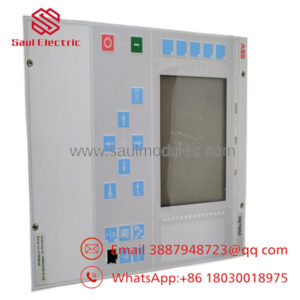
| Product Type | Remote Display / Operator Panel (HMI) |
| Product Family | Procontic CS31 |
| Power Supply | 24 VDC |
| Function | Local operator interface and process display |
| Communication | ABB CS31 Bus |
| Installation | Panel-mounted |
| Application | Machine control and process monitoring |
| User Interface | Display with operator keypad |
| Typical Environment | Industrial control cabinets |
| Lifecycle Status | Mature / Legacy automation platform |
Available technical documentation for this legacy product is limited. Verify hardware revision and system compatibility before procurement.
Product Introduction & Supply Chain Strategy
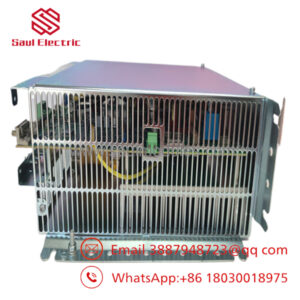
The ABB FPR3203526R1002A is a remote operator display designed for the ABB Procontic CS31 automation platform. It provides local visualization, operator interaction, alarm monitoring, and process control functions while communicating directly with CS31 PLC systems.
Selecting a New Surplus unit helps maintain OEM compatibility while avoiding the uncertainty associated with refurbished electronics. Since the CS31 platform has reached a mature lifecycle, maintaining buffer stock, reducing lead time variability, implementing vendor consolidation, and planning a last-time-buy strategy can reduce Total Cost of Ownership (TCO) and prevent costly production interruptions.
Installation & Configuration Guide
Stage 1 – Pre-Installation (Prep & Safety)
- Perform Lock-Out/Tag-Out (LOTO).
- Disconnect the 24 VDC power supply.
- Wear a grounded ESD wrist strap.
- Photograph:
- Communication cable connections
- Power wiring
- Panel mounting arrangement
- Record communication parameters and controller configuration.
Stage 2 – Removal
- Verify complete power isolation.
- Disconnect the CS31 communication cable.
- Remove panel mounting hardware.
- Carefully extract the operator panel.
- Inspect connectors and mounting surfaces for damage.
Stage 3 – Installation (Clone & Install)
- Confirm the replacement model is FPR3203526R1002A.
- Mount the operator panel securely.
- Reconnect power and communication cables.
- Verify connector engagement.
- Confirm proper grounding and cable routing.
Stage 4 – Power-On & Testing
- Restore 24 VDC power.
- Verify the display initializes correctly.
- Confirm communication with the controller.
- Test keypad functions and screen navigation.
- Verify alarm display and process values before returning the system to service.
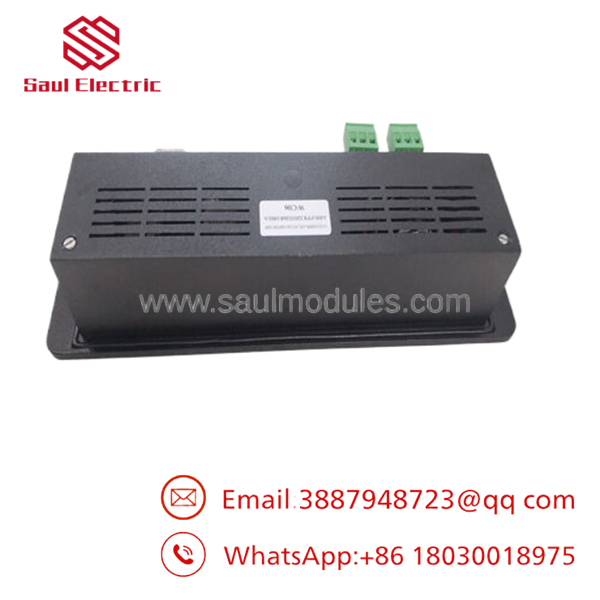
- FPR3203526R1002A
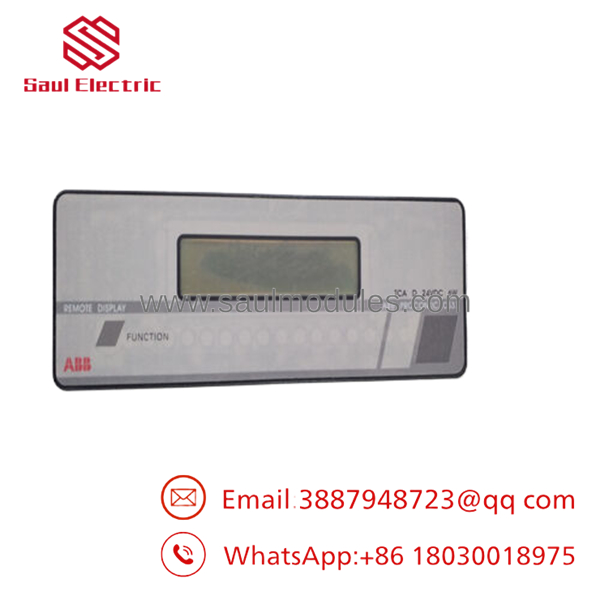
- FPR3203526R1002A
Firmware/Software Versions & Upgrade Notes
- Verify compatibility with the installed ABB Procontic controller software.
- Record display parameters before replacing the HMI.
- Back up application data where applicable.
- Avoid upgrading controller software during HMI replacement unless required by ABB documentation.
- Confirm communication settings after installation to prevent display synchronization issues.
- If multiple HMI revisions exist within the plant, standardize firmware where practical to simplify maintenance and spare parts management.
Frequently Asked Questions (FAQ)
Q1. Is this operator panel genuinely new?
Yes. This product is supplied as New Original / New Surplus inventory. It is not used, not removed from a decommissioned installation, and not refurbished. Every unit undergoes quality verification before shipment.
Q2. Why is New Surplus priced below OEM list price?
New Surplus inventory originates from excess project inventory and authorized surplus channels. It provides genuine OEM hardware at a lower acquisition cost while avoiding the reliability risks associated with refurbished equipment.
Q3. Is the FPR3203526R1002A considered obsolete?
The ABB Procontic platform is a legacy automation system. As global availability continues to decline, maintaining 1–2 operator panels as buffer stock and planning a last-time-buy strategy are recommended for critical production facilities.
Q4. Can the operator panel be replaced while the controller remains energized?
Power isolation is recommended before replacing the panel unless the specific system documentation explicitly permits online replacement. This minimizes the risk of communication faults and equipment damage.
Q5. Will replacing the panel affect the PLC application?
The PLC application normally remains stored in the controller. However, communication settings, display parameters, and project configuration should be verified after installation to ensure proper operation.
Q6. What quality inspections are completed before shipment?
Each New Surplus unit undergoes:
- OEM part number verification
- Serial number traceability
- Visual inspection
- Display and keypad inspection
- Connector integrity verification
- ESD-safe packaging
- Final QC approval documentation
Q7. What inventory strategy is recommended?
For facilities operating ABB systems:
- Maintain 1–2 operator panels as on-site buffer stock.
- Use vendor consolidation to improve procurement efficiency.
- Implement cross-site inventory sharing for multi-plant operations.
- Execute a last-time-buy before End of Life (EOL) inventory becomes difficult to source, reducing lead time variability and lowering long-term Total Cost of Ownership (TCO).

 Start Chat


