





Description
Key Technical Specifications
| Parameter | Value |
|---|---|
| Manufacturer | ABB |
| Model | NBIO-21C |
| Ordering Number | 64009141 / 3BSE017427R1 (varies by application) |
| Product Type | Basic I/O Unit |
| Supply Voltage | 24 V DC |
| Installation | Industrial Control Cabinet |
| Function | Digital and Analog I/O Interface |
| Application | ABB Drive & Industrial Automation Systems |
| Country of Origin | Sweden |
| Condition | New Original / New Surplus |
| Lifecycle Status | Mature / Obsolete spare; strategic inventory recommended |
| Warranty | Typically 12 months for New Surplus inventory |
Product Introduction & Supply Chain Strategy
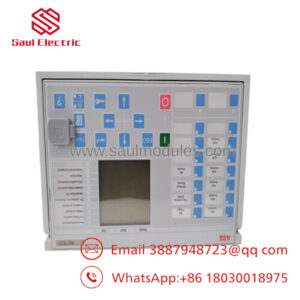
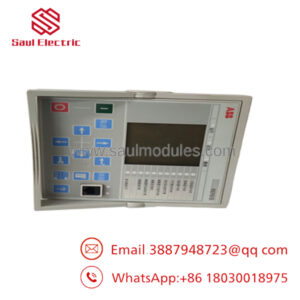
The ABB NBIO-21C Basic I/O Unit provides the interface between field devices and ABB industrial control or drive systems. It processes control signals for reliable machine operation and supports industrial automation applications requiring dependable digital and analog signal handling.
This product is a Brand New Surplus unit. It is not used, not pulled from a decommissioned plant, and not refurbished. Maintaining buffer stock of this mature spare helps reduce Total Cost of Ownership (TCO), avoids extended lead time variability, and minimizes the operational risks associated with refurbished electronic modules.
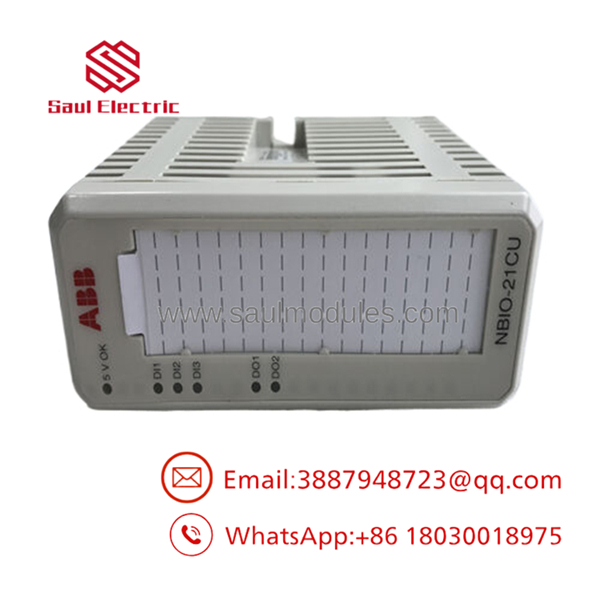
- NBIO-21C
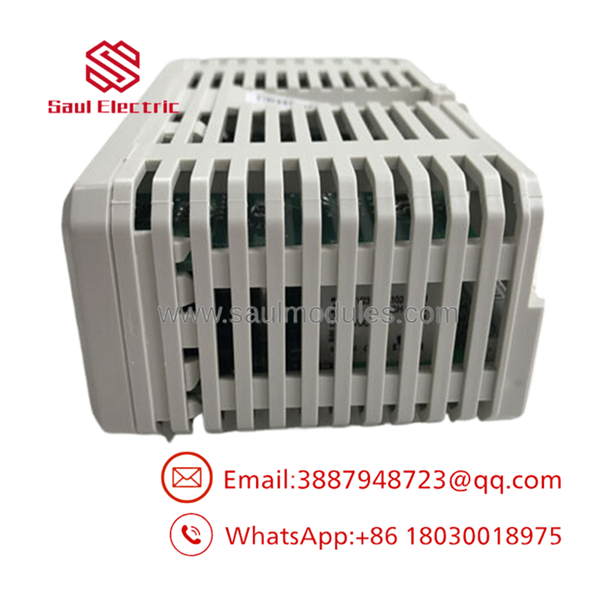
- NBIO-21C
Installation & Configuration Guide
Stage 1 – Pre-Installation (Preparation & Safety)
- Perform lock-out/tag-out procedures.
- Disconnect all control power.
- Wear a grounded ESD wrist strap.
- Photograph all wiring, connector positions, DIP switches, and jumper settings.
- Verify the replacement part number matches the installed module.
Stage 2 – Removal
- Disconnect all field connectors carefully.
- Release the retaining hardware.
- Remove the PCB evenly without twisting.
- Avoid bending backplane connectors or damaging edge contacts.
Stage 3 – Installation
- Duplicate every DIP switch and jumper exactly.
- Insert the module straight into its connector.
- Verify complete seating.
- Tighten retaining screws according to ABB service procedures.
- Reconnect field wiring exactly as documented.
Stage 4 – Power-On & Testing
- Check the 24 V DC supply before energizing.
- Observe status LEDs for normal operation.
- Confirm communication with the controller.
- Verify all digital and analog I/O channels.
- Restore the machine only after successful functional testing.
Firmware/Software Versions & Upgrade Notes
- Record the firmware version of the original controller before replacement.
- Match the replacement hardware with the firmware supported by the installed ABB drive or automation platform.
- Verify compatibility before upgrading firmware, especially in legacy installations.
- Avoid unnecessary firmware upgrades during emergency maintenance unless required to support replacement hardware.
- Keep a backup of controller parameters and I/O configuration before commissioning.
Frequently Asked Questions (FAQ)
Q1. Is this module really new?
Yes. This is a New Original / New Surplus ABB module. It is not refurbished, repaired, or removed from operating equipment.
Q2. Why is New Surplus priced below OEM list price but above refurbished products?
New Surplus inventory is genuine unused OEM hardware obtained through authorized surplus channels. It offers substantially lower lifecycle risk than refurbished equipment while remaining more economical than purchasing directly from the manufacturer.
Q3. Is the ABB NBIO-21C considered obsolete?
Yes. The NBIO-21C belongs to a mature product family, and some versions have been superseded by newer models. Many facilities maintain buffer stock or perform last-time-buy planning to ensure future maintenance availability.
Q4. Can the module be hot-swapped?
No. Unless the specific ABB system documentation explicitly permits online replacement, power should be removed before replacing the module to prevent equipment damage or communication faults.
Q5. Will replacing the module erase controller programming?
No. The module itself typically does not store the application program. However, always back up controller parameters and configuration before replacement.
Q6. What warranty is normally available?
New Surplus units commonly include a 12-month warranty together with quality verification and functional testing before shipment.
Q7. Why should critical facilities keep this spare in inventory?
For production-critical systems, maintaining 1–2 units as buffer stock reduces exposure to long procurement lead times, unexpected failures, and End-of-Life supply constraints. Strategic stocking also lowers the Total Cost of Ownership by preventing costly unplanned downtime.

 Start Chat


