





Description
Key Technical Specifications
| Parameter | Value |
|---|---|
| Manufacturer | ABB |
| Model | PM902F |
| Article Number | 3BDH001000R0001 |
| Controller Family | Freelance AC 900F |
| Product Type | Central Processing Unit (CPU) Module |
| Processor Type | PowerQUICC II Pro |
| CPU Clock Frequency | 800 MHz |
| Controller Memory | 24 MB |
| Battery Buffered SRAM | 8 MB |
| DRAM | 16 MB |
| Ethernet Interfaces | 4 × Ethernet RJ45 |
| Serial Interfaces | 3 × RS-232 (2 general + 1 service interface) |
| Communication Module Slots | 2 slots |
| Power Supply | 24 V DC |
| I/O Capacity | Up to 1,500 I/O points (typical application) |
| Redundancy Support | Yes |
| Operating Temperature | -20 to +70 °C |
| Protection Class | IP20 |
| Condition | New Original / New Surplus |
Product Introduction & Supply Chain Strategy
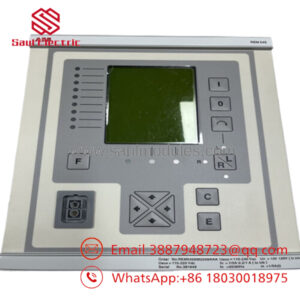
The ABB PM902F is the standard CPU module for the Freelance AC 900F distributed control system. It provides the processing platform for automation applications, with Ethernet communication, serial interfaces, SD card support, and connection capability for ABB communication modules and S700 I/O systems.
Maintaining PM902F units as New Original / New Surplus inventory supports long-term operation of installed ABB Freelance systems. Keeping one spare processor as buffer stock reduces emergency procurement exposure, protects production availability, and lowers Total Cost of Ownership (TCO) when compared with unplanned shutdown costs caused by controller failure.
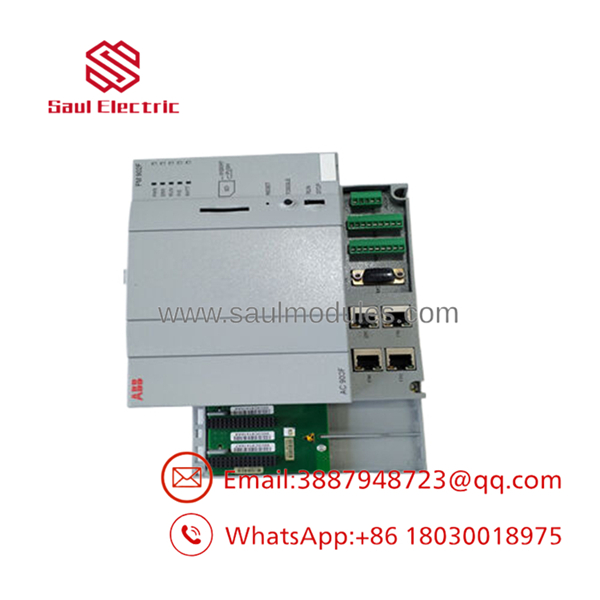
- PM902F
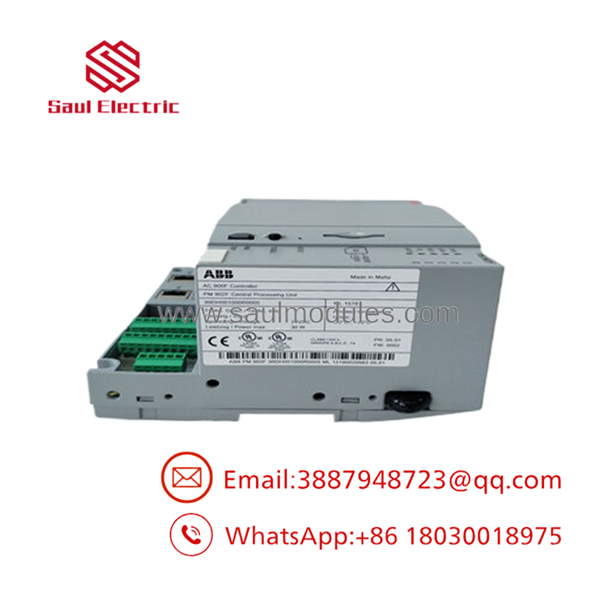
- PM902F
Installation & Configuration Guide
Stage 1 – Pre-Installation (Prep & Safety)
- Apply Lock-Out/Tag-Out procedures before opening the control cabinet.
- Confirm the replacement module is ABB PM902F 3BDH001000R0001.
- Wear a grounded ESD wrist strap.
- Back up the Freelance engineering project before replacement.
- Record:
- Controller firmware version
- Communication module configuration
- Ethernet IP settings
- Application software version
- LED diagnostic status
- Photograph all existing wiring and module positions.
Stage 2 – Removal
- Switch off the external 24 V DC power supply.
- Verify the controller is fully de-energized.
- Disconnect Ethernet and serial communication cables.
- Remove communication interface modules if installed.
- Release the mounting mechanism.
- Remove the CPU module carefully to avoid terminal or connector damage.
Stage 3 – Installation (Clone & Seat)
- Verify the replacement label and article number.
- Mount the onto the AC 900F assembly.
- Ensure the module is fully seated.
- Reinstall communication interface modules.
- Reconnect Ethernet and serial wiring.
- Restore original controller addressing and configuration.
Stage 4 – Power-On & Testing
- Check the 24 V DC supply voltage before startup.
- Energize the controller.
- Confirm CPU diagnostic LEDs show normal operation.
- Verify Ethernet communication with the engineering workstation.
- Load or confirm the correct Freelance application.
- Test connected I/O communication and process functions.
Firmware/Software Versions & Upgrade Notes
- Controller Platform: ABB Freelance AC 900F
- Required Engineering Software: Freelance Engineering software compatible with AC 900F hardware.
- Minimum Software Requirement: Software version 2013 or higher is required for operation.
- Firmware Storage: Firmware is loaded during software installation.
- Backup Method: Use SD card support for controller backup and firmware update procedures.
Compatibility Notes:
- Verify firmware compatibility before replacing a CPU in an existing Freelance project.
- Confirm communication interface modules match the existing configuration.
- Avoid upgrading firmware during emergency replacement unless required.
Upgrade Risks:
- Firmware upgrades may require project migration.
- Older libraries may not operate correctly with newer controller firmware.
- Downgrading firmware can create unsupported configuration states.
Frequently Asked Questions (FAQ)
1. Is ABB supplied as a genuine new product?
Yes. The unit is supplied as New Original / New Surplus. It is not refurbished, repaired, or removed from a decommissioned system.
2. Why is New Surplus more expensive than refurbished modules?
New Surplus provides unused OEM manufacturing condition and predictable service life. Refurbished units may carry unknown operating history and additional reliability risk.
3. Is ABB obsolete or still available?
is an AC 900F CPU module with an active lifecycle status in ABB’s Freelance hardware selector. Plants should still evaluate strategic stocking for critical control applications.
4. Can be hot-swapped during operation?
Do not assume hot-swapping is allowed. Processor replacement should follow ABB shutdown procedures unless the installed system has an approved redundancy replacement method.
5. Will replacing delete the DCS application?
The controller hardware replacement does not replace the engineering project itself. However, always back up the Freelance application and configuration before removing the original CPU.
6. What inspection process is completed before shipment?
New Original / New Surplus units are checked through:
- OEM part number verification
- Serial and label inspection
- Connector condition check
- Visual inspection
- Functional verification where applicable
- ESD-safe packaging
7. What warranty is recommended for ?
For a CPU module controlling industrial processes, a 12-month warranty is commonly recommended. Maintaining spare coverage reduces downtime risk and supports reliable plant operation.


 Start Chat


