





Description
Key Technical Specifications
| Parameter | Value |
|---|---|
| Manufacturer | ABB |
| Model | PP836A |
| Order Code | 3BSE042237R2 |
| Product Type | Operator panel / HMI |
| Product Family | Panel 800 |
| Display Type | Color TFT LCD |
| Display Size | 10.4 inch nominal |
| Resolution | 640 x 480 pixels |
| Touch Technology | Resistive touchscreen |
| Communications | Ethernet, RS-232 |
| Supply Voltage | 24 V DC nominal |
| Front Protection | IP65 front panel |
Product Introduction & Supply Chain Strategy
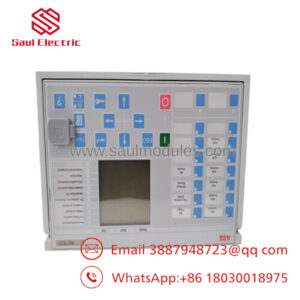
ABB PP836A 3BSE042237R2 is a color operator panel used as a local HMI for AC 800M and AC 800PEC control systems. It gives operators direct access to process graphics, alarms, trends, and setpoint handling at the cabinet or machine level.
Buying this as New Surplus makes sense when you need a reliable buffer stock position for an installed base without paying full OEM list price. It also reduces the risk of stock-outs on older HMI hardware, while avoiding the quality and lifecycle uncertainty that often comes with mixed-condition inventory.
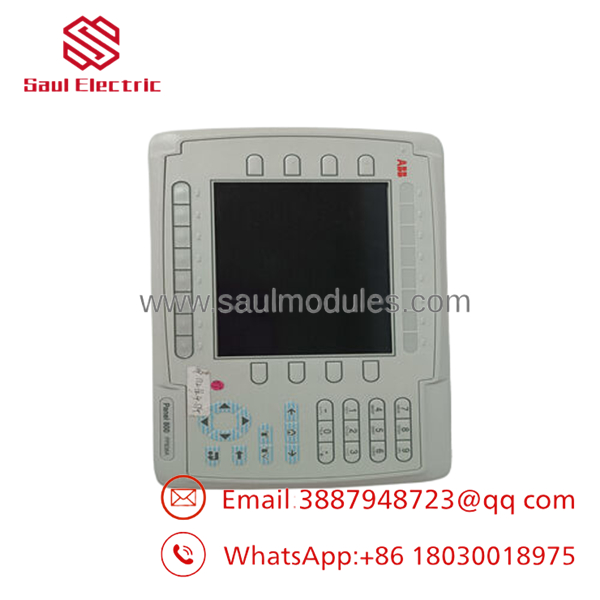
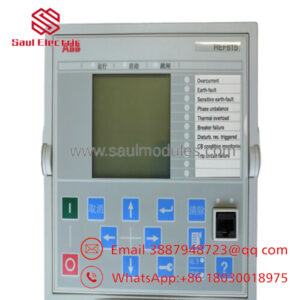
- PP836A 3BSE042237R2
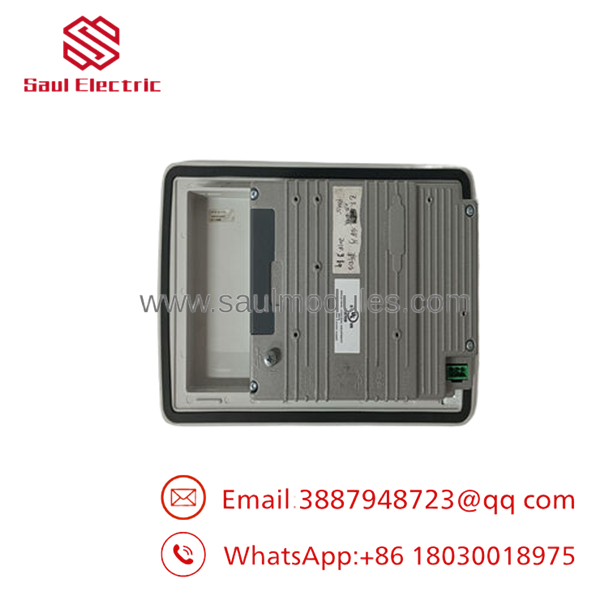
- PP836A 3BSE042237R2
Installation & Configuration Guide
Stage 1: Pre-Installation
Lock out and tag out the panel before any work begins. Use an ESD wrist strap, insulated tools, and a camera to record wiring, terminal positions, and any configuration labels. Confirm the panel cutout, cable types, and controller address before removal.
Stage 2: Removal
Power down the circuit unless your site procedure explicitly permits live replacement. Release the panel evenly and disconnect cables without pulling on the conductors. Avoid bending connector pins, stressing the bezel, or forcing the unit out of the cutout.
Stage 3: Installation
Clone the original configuration exactly, including any station or communication settings. Fit the panel fully into the cutout and secure it per the mounting hardware sequence. Reconnect Ethernet and serial wiring only after verifying label matches and connector orientation.
Stage 4: Power-On & Testing
Restore power and check the 24 V rail before start-up. Confirm display backlight, touch response, and communication with the controller. Load the correct project file only after the hardware type and network settings match the original panel.
Firmware/Software Versions & Upgrade Notes
The public sources reviewed confirm the PP836A platform, display family, and controller compatibility, but they do not provide one universally recommended firmware revision. The safest approach is to match the replacement panel to the firmware and engineering environment already used in the plant.
Do not upgrade or downgrade firmware during the hardware swap unless the project documentation and ABB compatibility matrix explicitly support it. A version mismatch can cause screen faults, communication errors, or a failed project download during commissioning.
Frequently Asked Questions
Is this really new?
Yes, the correct procurement position is New Surplus / Original New, not refurbished. That means traceable OEM stock, intact packaging, and QC verification before shipment.
Why is it cheaper than OEM new but higher than refurb?
New Surplus usually comes from excess OEM inventory or controlled release stock. It costs less than OEM list pricing, but it still carries much lower risk than bargain-condition inventory.
Is PP836A obsolete?
Treat it as lifecycle-sensitive and verify against your installed base before standardizing on it. For plants with active Panel 800 usage, it is worth carrying strategic spares.
Can I hot-swap it?
Only if your system architecture and site procedure explicitly allow it. For a non-redundant panel replacement, plan a controlled outage to avoid wiring damage or corrupted runtime behavior.
Will my configuration stay in the panel?
Do not rely on retention alone. Archive the application, firmware version, and communication settings before removal, then verify them after commissioning.
What warranty should I expect?
Warranty terms depend on the supplier and QC process. For New Surplus HMI hardware, ask for serial traceability, test records, and a written warranty period tied to shipment.

 Start Chat


