





Description
Key Technical Specifications
| Parameter | Value |
|---|---|
| Manufacturer | ABB |
| Model | PPC907BE101 |
| Order Number | 3BHE024577R0101 |
| Product Type | Application & Motor Control Board |
| ABB Type Designation | PP C907 BE: AMC34 |
| Primary Function | Drive application and motor control |
| Platform | ABB Medium Voltage Drive Systems |
| Installation | Internal Control Cabinet |
| Communication | Industrial control bus interfaces |
| Cooling | Natural cabinet airflow |
| Country of Origin | Thailand (ABB manufacturing record) |
| Replacement Part IDs | Replaces several HIEE300885 variants |
| Warranty | 12 Months (supplier dependent) |
ABB identifies 3BHE024577R0101 as PP C907 BE: AMC34; APPLIC&MOTORCTRL, an application and motor control board used in ABB drive systems.
Product Introduction
The ABB PPC907BE101 (3BHE024577R0101) is an Application & Motor Control Board used within ABB medium-voltage drive systems. It performs real-time processing for motor control, system logic execution, communication handling, and drive coordination inside industrial variable-speed drive cabinets.
This board is commonly installed in critical process industries including power generation, mining, cement, metals, marine, and oil & gas applications where continuous drive operation is essential. Its modular design allows replacement during planned maintenance while maintaining compatibility with ABB drive control architecture.
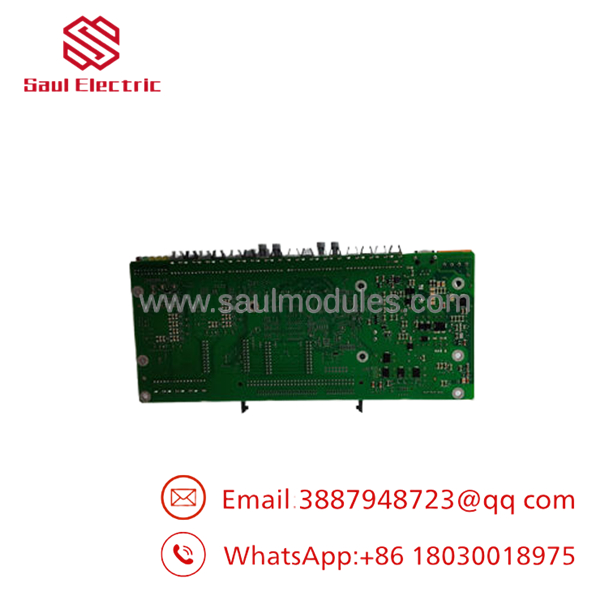
- PPC907BE101 3BHE024577R0101
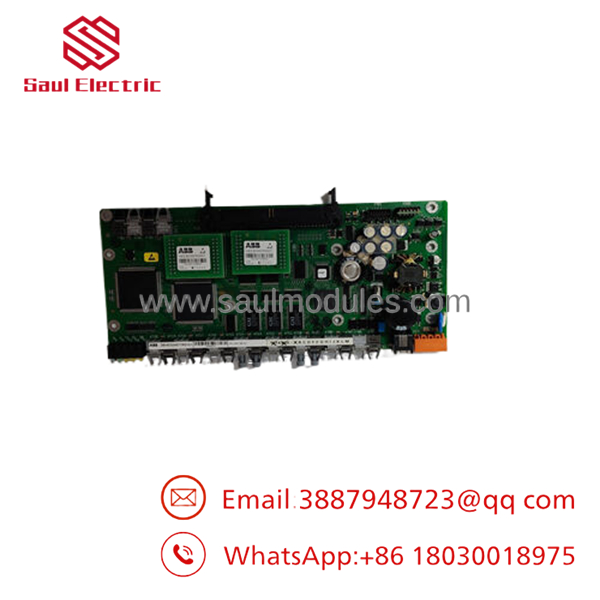
- PPC907BE101 3BHE024577R0101
Troubleshooting Quick Reference
| Symptom | Possible Cause | Relevance to this Part | Quick Check Method | Recommendation |
|---|---|---|---|---|
| Drive will not boot | Missing control power | ❌ Low | Measure controller supply voltage before the board | Verify power supply first |
| Drive reports CPU fault | Control board failure | ✅ High | Read drive diagnostic codes from HMI | Board replacement may be required |
| Communication with drive lost | Control board or communication bus issue | ✅ High | Check fiber or communication connectors and status LEDs | Verify cables before replacing board |
| Motor cannot start | External interlock or control logic | ⚠️ Medium | Review drive event history and digital inputs | Eliminate field interlocks first |
| Random drive resets | Unstable control voltage or processor fault | ✅ High | Monitor control power during operation | Check PSU before replacing board |
| Parameter download fails | Firmware mismatch | ⚠️ Medium | Compare firmware revisions with existing system | Match firmware before installation |
| Drive trips immediately after replacement | Configuration mismatch | ✅ High | Restore original backup parameters | Reload saved application |
Technical Note
In field service, these boards are replaced far less often than power supplies, cooling fans, fiber-optic communication modules, or I/O interfaces. Before condemning the PPC907BE101, collect diagnostic codes, event logs, firmware information, and photographs of all LEDs. Those records frequently identify the actual fault without replacing expensive hardware.
Frequently Asked Questions (FAQ)
Q1. Is the PPC907BE101 hot-swappable?
No. This board is installed inside the drive control cabinet and should only be replaced after isolating all control and power sources according to ABB maintenance procedures.
Q2. Which ABB systems use this board?
The is primarily used as an application and motor control board in ABB medium-voltage drive platforms. Compatibility depends on the drive model and firmware revision, so always verify the complete part number before ordering.
Q3. Can I install a replacement board without loading parameters?
Usually not. Before removing the original board, back up the complete drive configuration, firmware revision, and parameter set. After installation, restore the saved configuration and verify all application-specific settings.
Q4. Why won’t the replacement board communicate with the rest of the drive?
Firmware mismatches and incorrect hardware revisions are the most common causes. I’ve seen technicians replace a perfectly healthy board only to discover the replacement carried a different firmware release that the drive refused to recognize. Always compare firmware before installation.
Q5. Why is New Surplus inventory more affordable than factory supply?
New Surplus boards typically come from canceled projects, OEM spare inventories, or excess warehouse stock. They have not been used in production but are sold outside the standard manufacturer distribution channel, reducing procurement cost.
Q6. What should I verify before replacing the control board?
Before beginning the replacement:
- Record the existing firmware revision.
- Back up all drive parameters.
- Photograph every cable connection before removal.
- Label fiber-optic and communication connectors.
- Inspect cabinet cooling fans and air filters.
- Wear a grounded ESD wrist strap throughout the procedure.
One missing fiber connector or swapped ribbon cable can easily add several hours to commissioning. Taking photos beforehand is one of the simplest ways to avoid unnecessary rework.
Q7. How is each inspected before shipment?
A professional quality inspection typically includes:
- ABB part number and serial number verification
- Visual inspection for damaged PCB traces, connector wear, corrosion, and repair marks
- Component-level inspection under magnification
- Functional testing in a compatible ABB drive test platform where available
- Communication interface verification
- Firmware identification and documentation
- Anti-static ESD packaging
- Final QC approval before shipment
Test reports, inspection photographs, and packaging records should be available upon request from the supplier.

 Start Chat


