



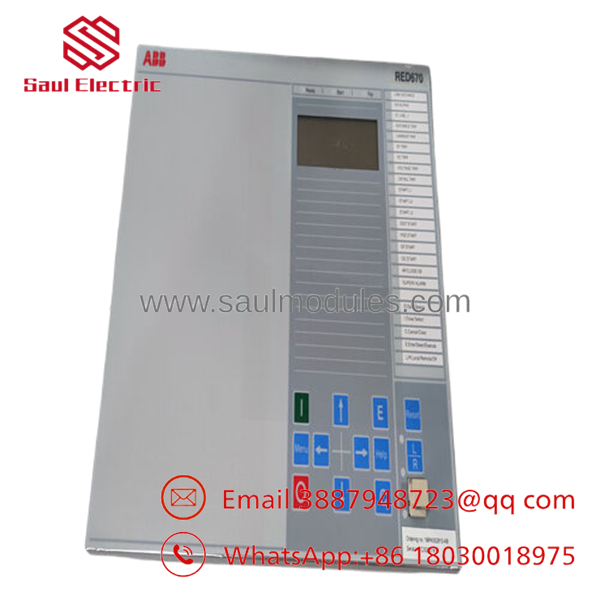


Description
Key Technical Specifications
| Parameter | Value |
|---|---|
| Manufacturer | ABB (Hitachi Energy) |
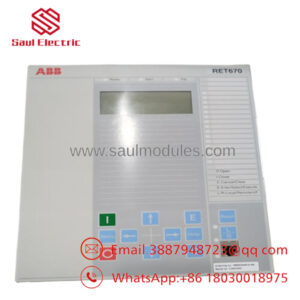
| Model | RED670 |
| Product Series | Relion® 670 |
| Product Type | Line Differential Protection Relay / IED |
| Primary Protection | Phase-Segregated Current Differential (87L) |
| Backup Protection | Distance (21), Overcurrent (50/51), Earth Fault, Breaker Failure, Auto Reclosing |
| Communication | IEC 61850, GOOSE, MMS, DNP3, IEC 60870-5-103/104, Modbus, IEEE C37.94 |
| Auxiliary Supply | 19–250 V AC/DC or model-dependent universal supply |
| CT Inputs | Configurable 1 A / 5 A |
| Frequency | 50/60 Hz |
| Multi-Terminal Protection | Up to 5 terminals |
| Fault Recording | COMTRADE disturbance recorder, event logs, fault locator |
| Operating Temperature | -40 °C to +70 °C |
| Installation | Substation Protection & Control Panels |
The RED670 is a Relion® 670 Intelligent Electronic Device designed for high-speed transmission line differential protection, digital substations, and IEC 61850 communication environments.
Product Introduction
The ABB RED670 is a digital line differential protection relay developed for transmission and sub-transmission networks. As part of the Relion® 670 family, it combines primary line protection, backup protection, fault recording, disturbance analysis, breaker control, and advanced communications in a single Intelligent Electronic Device (IED).
RED670 is widely deployed in utility substations, renewable energy interconnections, industrial power systems, and long-distance transmission lines. Support for IEC 61850, GOOSE messaging, and multi-terminal differential protection makes it suitable for modern digital substations requiring fast fault isolation and high system availability.
Troubleshooting Quick Reference
| Symptom | Possible Cause | Relevance to this Part | Quick Check Method | Recommendation |
|---|---|---|---|---|
| Relay does not power up | Auxiliary supply missing | ❌ Low | Measure auxiliary voltage at relay terminals | Verify control power before replacing relay |
| Differential protection unavailable | Fiber communication failure | ⚠️ Medium | Check optical transceivers and channel diagnostics | Inspect communication equipment first |
| Frequent differential trips | CT polarity or ratio error | ❌ Low | Verify CT wiring against drawings | Correct CT wiring before replacing relay |
| IEC 61850 communication offline | Network configuration issue | ❌ Low | Verify Ethernet link, IP address, GOOSE status | Check network switches and settings |
| Relay reports internal self-test failure | Hardware fault | ✅ High | Review self-diagnostic log and LEDs | Hardware repair or replacement may be required |
| Breaker fails to trip | Trip circuit fault | ❌ Low | Inject trip command and measure relay output contacts | Verify trip circuit before replacing relay |
| Incorrect fault location | Parameter mismatch | ⚠️ Medium | Compare line impedance and CT/VT settings | Restore correct protection settings |
Technical Note
RED670 hardware failures are relatively uncommon. Most commissioning problems originate from CT polarity errors, communication channel failures, incorrect IEC 61850 datasets, or protection setting mismatches. Before replacing the relay, export the disturbance records, event logs, protection settings, and self-diagnostic reports. Those files usually identify the actual cause much faster than replacing hardware.
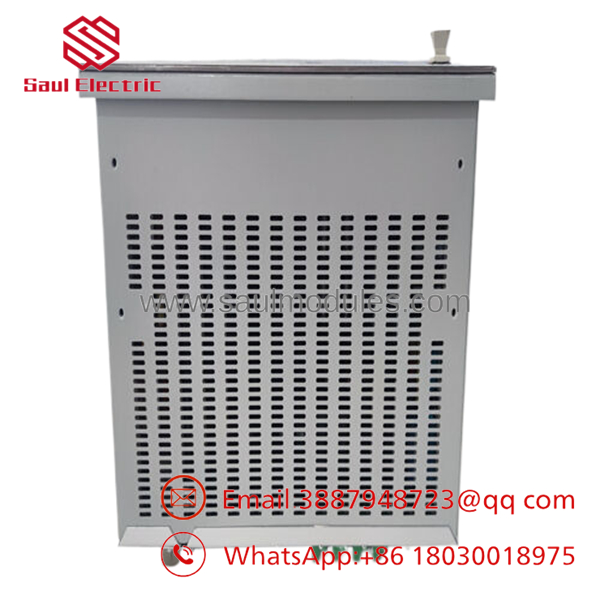
- RED670
Frequently Asked Questions (FAQ)
Q1. What is the primary application of the ?
The is designed for high-speed line differential protection of overhead transmission lines and underground cables. It also provides backup distance protection, breaker failure protection, automatic reclosing, fault recording, and system monitoring.
Q2. Does the support IEC 61850?
Yes. It supports IEC 61850 Edition 1 and Edition 2, including GOOSE messaging, MMS communication, disturbance recording, and integration into modern digital substations. Depending on the hardware configuration, it also supports protocols such as DNP3, Modbus, and IEC 60870-5-103/104.
Q3. Can I replace a without restoring the configuration?
No. Always back up the PCM600 project, relay configuration, protection settings, communication parameters, and disturbance records before replacement. Installing a new relay without restoring the engineering file will leave the protection functions incomplete.
Q4. Why won’t a replacement communicate with the station network?
In my experience, firmware revisions and IEC 61850 configuration files cause more problems than the hardware itself. I’ve seen relays appear completely healthy, but they wouldn’t exchange GOOSE messages because the CID file didn’t match the station configuration. Always verify the PCM600 project, firmware version, IP settings, and engineering files before energizing the relay.
Q5. Why is New Surplus equipment less expensive than buying directly from the manufacturer?
New Surplus units usually originate from canceled utility projects, unused substation spare inventories, or excess procurement stock. They have never been installed in service but are distributed through secondary industrial channels, resulting in lower acquisition costs.
Q6. What should I verify before installing the replacement relay?
Before installation:
- Export the complete PCM600 project.
- Save all protection settings and logic configurations.
- Record the firmware revision.
- Back up IEC 61850 CID/SCD files.
- Photograph every terminal connection.
- Verify CT and VT ratios.
- Label fiber-optic communication cables.
- Wear a grounded ESD wrist strap throughout installation.
One incorrect CT polarity or outdated CID file can easily consume an entire commissioning shift. Taking a complete backup beforehand is time well spent.
Q7. How is each inspected before shipment?
A professional inspection process typically includes:
- ABB model and serial number verification
- PCB inspection for corrosion, repair marks, and connector damage
- Relay self-diagnostic verification
- Digital input/output functional testing
- Communication port testing (Ethernet, IEC 61850, serial interfaces where configured)
- Protection logic verification on a relay test set
- Firmware version documentation
- ESD-safe packaging with anti-static protection
- Final QC inspection before shipment
Functional test reports, relay self-test results, communication test records, and inspection photographs should be available upon request from the supplier.

 Start Chat


