





Description
Key Technical Specifications
| Parameter | Value |
|---|---|
| Manufacturer | ABB |
| Model | REF610C11HCNN01 |
| Product Series | Relion® 610 |
| Product Type | Digital Feeder Protection Relay |
| Application | Medium-voltage feeder protection |
| Protection Functions | Overcurrent, Earth Fault, Thermal Overload, Phase Discontinuity |
| Auto-Reclosing | Supported (configuration dependent) |
| CT Input | 1 A / 5 A (configuration dependent) |
| Auxiliary Power Supply | 24–250 V DC / 110–240 V AC |
| Communication Protocols | IEC 61850, IEC 60870-5-103, Modbus, DNP3, SPA (configuration dependent) |
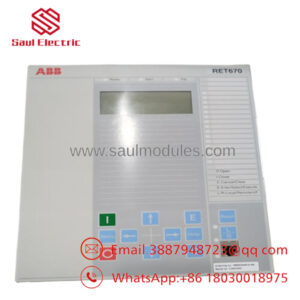
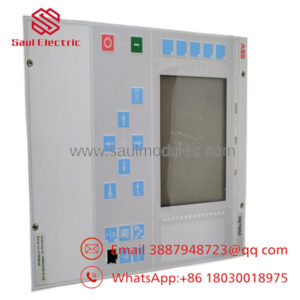
| HMI | LCD Display with Keypad and Programmable LEDs |
| Event Recording | Fault records and event logs |
| Mounting | Flush-mounted switchgear panel |
| Operating Temperature | Up to industrial substation specifications |
The REF610C11HCNN01 is part of ABB’s Relion® 610 family, designed for feeder protection in medium-voltage distribution systems with integrated protection, monitoring, and communication capabilities.
Product Introduction
The ABB REF610C11HCNN01 is a numerical feeder protection relay designed for utility substations, industrial power distribution systems, and critical electrical infrastructure. It continuously monitors feeder currents, detects abnormal operating conditions, and trips the associated circuit breaker when protection thresholds are exceeded.
As a member of the ABB Relion® 610 family, the relay combines feeder protection, measurement, event recording, self-supervision, and remote communication in a compact plug-in design. It is widely used for new switchgear installations as well as retrofit projects requiring dependable feeder protection with modern communication interfaces.
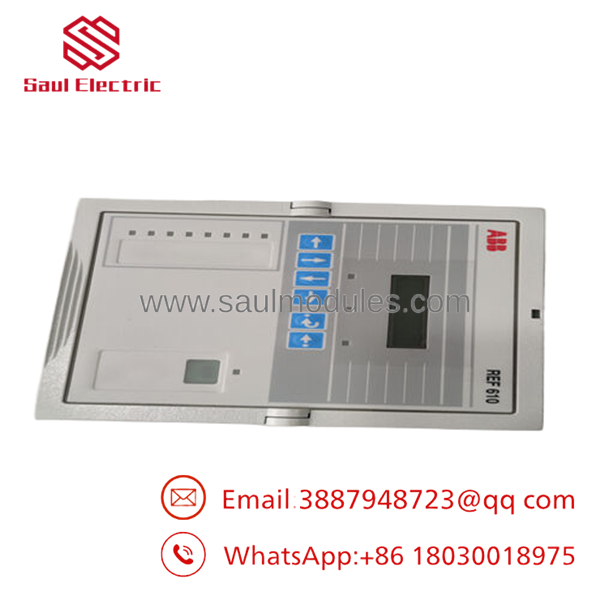
- REF610C11HCNN01
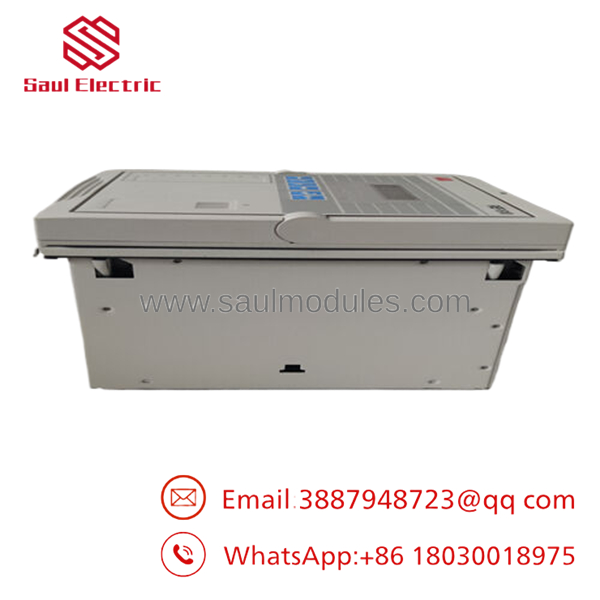
- REF610C11HCNN01
Troubleshooting Quick Reference
| Symptom | Possible Cause | Relevance to this Part | Quick Check Method | Recommendation |
|---|---|---|---|---|
| Relay completely dead | Auxiliary supply missing | ❌ Low | Measure auxiliary supply voltage at relay terminals | Verify control power before replacing relay |
| Self-supervision alarm | Internal hardware fault | ✅ High | Review self-diagnostic messages from HMI | Hardware repair or replacement may be required |
| Unexpected feeder trip | CT polarity or ratio error | ❌ Low | Verify CT wiring and protection settings | Correct wiring before replacing relay |
| Earth fault protection not operating | Incorrect parameter settings | ⚠️ Medium | Compare settings with protection study | Verify configuration |
| SCADA communication lost | Communication module or settings | ❌ Low | Check RS-485/Ethernet status and protocol configuration | Inspect communication network first |
| Circuit breaker fails to trip | Trip circuit fault | ❌ Low | Inject trip command and verify output contact | Test breaker circuit before replacing relay |
| Relay repeatedly resets | Auxiliary voltage instability | ⚠️ Medium | Monitor supply voltage under load | Inspect DC control power system |
Technical Note
From field experience, REF610 relays are generally reliable. Most service calls are traced to incorrect CT wiring, outdated protection settings, failed trip circuits, or unstable auxiliary power rather than relay hardware. Before replacing the relay, export the event log, disturbance records, and current configuration. Those files usually identify the root cause much faster than changing hardware.
Frequently Asked Questions (FAQ)
Q1. What is the REF610C11HCNN01 primarily used for?
It protects medium-voltage distribution feeders against overcurrent, earth faults, thermal overload, and other abnormal operating conditions. Typical applications include utility substations, industrial plants, mining facilities, and infrastructure projects.
Q2. Does this relay support modern SCADA communication?
Yes. Depending on the ordered hardware configuration, the REF610 supports communication protocols such as IEC 61850, IEC 60870-5-103, Modbus, DNP3, and SPA, allowing integration with modern substation automation systems.
Q3. Can I simply replace the relay and energize the feeder?
No. Always back up the relay settings before removal. After installing the replacement unit, restore the protection configuration, communication parameters, CT ratios, and logic settings. A factory-default relay should never be placed directly into service.
Q4. Why won’t the replacement relay communicate with my SCADA system?
The most common causes are protocol mismatches, incorrect communication addresses, baud rate settings, or incompatible engineering files. I’ve seen perfectly healthy relays appear “dead” simply because the communication configuration wasn’t restored after replacement.
Q5. Why is New Surplus inventory less expensive than ordering from the OEM?
New Surplus units generally come from canceled utility projects, unused maintenance inventory, or excess procurement stock. They have not been commissioned in service but are supplied through secondary industrial channels, resulting in lower procurement costs while retaining original ABB manufacturing quality.
Q6. What should I check before replacing the relay?
Before starting the replacement:
- Save the complete relay settings file.
- Export event logs and disturbance records.
- Record the firmware revision.
- Photograph every terminal connection.
- Verify CT and auxiliary supply wiring.
- Label all communication cables.
- Use a grounded ESD wrist strap during installation.
Five minutes spent documenting the original installation can prevent hours of recommissioning work.
Q7. How is each inspected before shipment?
A professional inspection process typically includes:
- ABB model and serial number verification
- Visual inspection for connector damage, corrosion, and repair marks
- Relay self-diagnostic verification
- Digital input and output functional testing
- Communication port verification
- Protection function simulation using a relay test set
- Firmware version documentation
- ESD-safe packaging
- Final QC inspection before shipment
Test reports, inspection photographs, and functional verification records should be available upon request from the supplier.

 Start Chat


