





Description
Key Technical Specifications
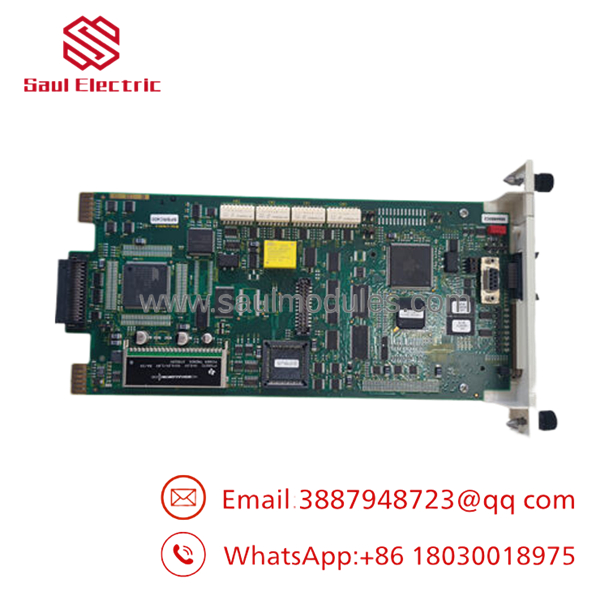
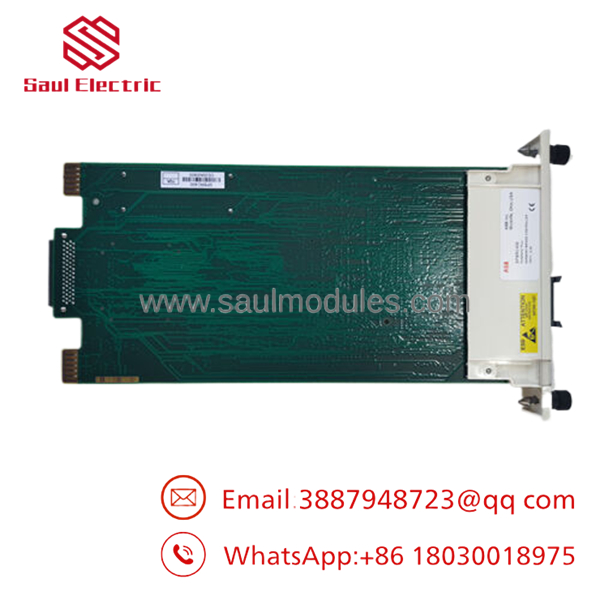
- ABB Type Designation: SPBRC400
- Description: Controller with Expanded Memory
- Platform: Symphony Plus (S+) / Bailey Infi 90 Harmony
- Function: Bridge Controller for multi-function process control
- Compatibility: Retains Network 90 and Infi 90 architectures
- Redundancy: Supports redundant controller pairs
- Memory: Expanded configuration
- Mounting: Harmony rack / backplane compatible
- Communication: Supports Modbus TCP and other interfaces
- Application: Power, process, and industrial automation
- Weight: Approximately 1.1 lbs
- Status: Discontinued by manufacturer — strategic spares critical
Product Introduction & Supply Chain Strategy
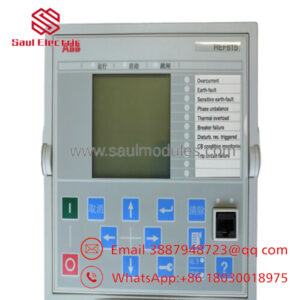
The ABB SPBRC400 is a Harmony Bridge Controller module for the Symphony Plus and Bailey Infi 90 systems. It delivers multi-function process control with expanded memory, enabling complex control strategies while maintaining compatibility with existing Network 90 and Infi 90 hardware and software.
Purchasing this as New Surplus makes strong supply-chain sense for plants running legacy Symphony systems. It mitigates EOL stock-out risks and avoids the failure modes of refurbished modules that can disrupt critical control loops. Keep 1-2 units in buffer stock to balance capital efficiency with plant reliability and reduce total cost of ownership through fewer emergency purchases.
- SPBRC400
- SPBRC400
Installation & Configuration Guide
Stage 1: Pre-Installation (Prep & Safety) Lock-out and tag-out the controller rack. Use a grounded ESD wrist strap. Photograph the old module’s wiring, address settings, and backplane connections. Document current firmware and control configurations.
Stage 2: Removal Power down the system. Carefully extract the old BRC module from the Harmony rack using proper tools to prevent bending pins. Label and disconnect all cables.
Stage 3: Installation (Clone & Seat) Mirror any switch settings or jumpers from the original. Firmly seat the new SPBRC400 into the slot until fully engaged. Reconnect all wiring exactly as documented.
Stage 4: Power-On & Testing Restore power and check module LEDs for normal operation. Verify communication links and controller diagnostics. Download or confirm the control application and test process loops.
Firmware/Software Versions & Upgrade Notes Ensure both modules in a redundant pair run the same firmware revision. Match the SPBRC400 firmware to your existing Symphony Plus or Infi 90 system requirements.
Firmware mismatches in redundant setups can cause synchronization failures. Document the current version before replacement. Upgrading may add features but requires full system validation. Downgrading carries risks of lost functionality or instability. Always use ABB-approved tools for firmware handling.
Frequently Asked Questions (FAQ)
Yes. These are original ABB unused units, not pulled from decommissioned plants or refurbished. They undergo full quality verification before shipping.
Why choose New Surplus over refurbished? Refurbished controllers often hide internal wear that leads to unexpected failures and high downtime costs. New Surplus units provide full expected lifespan and stronger warranty protection for your critical processes.
This controller is discontinued — what now? Exactly why strategic stocking matters. We recommend 1-2 units on-site as buffer stock before complete obsolescence hits your spare parts availability.
Does it support redundancy? Yes. The works in redundant pairs. Both modules must share identical firmware and hardware revisions for proper operation.
What warranty applies? We provide a 1-2 year warranty on these New Surplus modules, backed by traceability, serial numbers, and QC documentation.
Will it work with my existing Infi 90 system? It maintains full backward compatibility with Network 90 and Infi 90 architectures, allowing risk-free upgrades or replacements in legacy setups.
How do you ensure the module is ready for installation? Each unit receives inbound verification, functional testing in a rack environment, electrical checks, and ESD-safe packaging with inspector approval.


 Start Chat


