





Description
Key Technical Specifications
| Parameter | Value |
|---|---|
| Manufacturer | ABB |
| Model | SPBRC410 |
| Product Type | Process Controller with Modbus TCP Interface |
| Product Family | Symphony® Plus HR Series |
| Processor | Industrial-grade RISC Processor |
| Memory | 8 MB DRAM, 2 MB NVRAM |
| Ethernet | 1 × 10/100 Mbps |
| Serial Ports | 2 × RS-232-C or 1 × RS-232-C + 1 × RS-485 |
| Diagnostic Port | 1 × Mini-USB |
| Supported I/O | HR Series Rack I/O, SD Series I/O, S800 I/O (via IOR810) |
| Communication | Controller Peer-to-Peer, Controlway, HN800, Modbus TCP |
| Operating Temperature | 0 °C to +70 °C |
| Power Consumption | Controller: 10 W (5 VDC @ 2 A) |
| Redundancy | Controller Redundancy Supported |
The SPBRC410 supports Modbus TCP integration for intelligent field devices and can handle up to 4,000 Modbus TCP points through Symphony Gateway software licensing.
Product Introduction
The ABB SPBRC410 is a high-performance process controller designed for the Symphony Plus HR Series distributed control system (DCS). It combines advanced control processing with native Ethernet networking and Modbus TCP communication, making it suitable for power generation, oil and gas, chemical processing, pulp and paper, and other continuous process industries.
Compared with earlier BRC controllers, the SPBRC410 provides higher processing capacity, integrated Ethernet connectivity, controller redundancy, and expanded communication options while maintaining compatibility with existing HR Series, SD Series, and S800 I/O architectures. It is widely selected for both system upgrades and long-term maintenance of installed Symphony Plus systems.
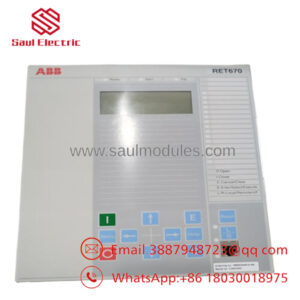
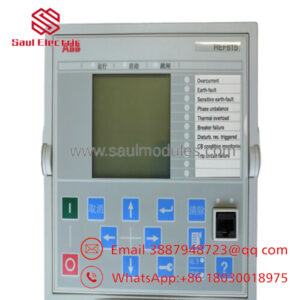
-
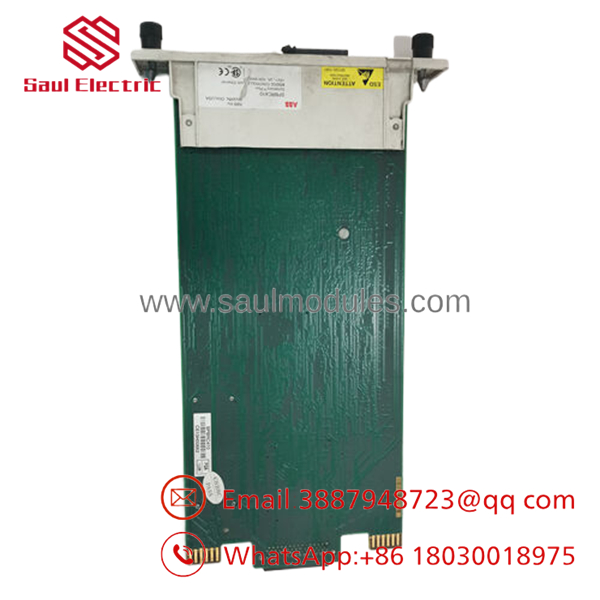
- SPBRC410
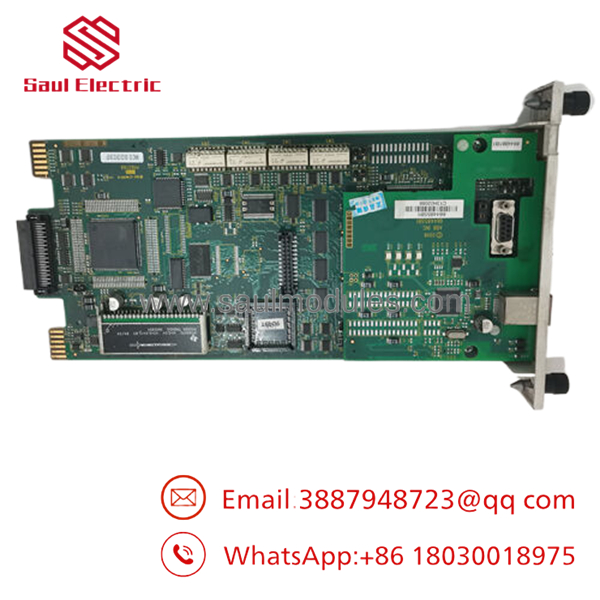
- SPBRC410
Troubleshooting Quick Reference
| Symptom | Possible Cause | Relevance to this Part | Quick Check Method | Recommendation |
|---|---|---|---|---|
| Controller fails to boot | Controller hardware fault or power issue | ✅ High | Measure 5 VDC supply and observe boot LEDs | Verify power before replacing controller |
| Ethernet communication unavailable | Network configuration or Ethernet port fault | ✅ High | Ping controller and inspect Ethernet LEDs | Check IP settings and network switch |
| Modbus TCP devices offline | Gateway configuration or license issue | ✅ High | Verify Gateway license and Modbus diagnostics | Confirm configuration before replacing hardware |
| Peer controller synchronization lost | Redundancy communication failure | ✅ High | Review redundancy diagnostics and HN800 status | Check redundancy links and firmware |
| I/O communication timeout | I/O bus or interface issue | ⚠️ Medium | Verify Controlway and I/O bus diagnostics | Inspect cables and interface modules |
| Random controller reboot | Power instability or hardware overheating | ⚠️ Medium | Measure power under load and inspect ventilation | Correct environmental issues first |
| Multiple field devices offline | External network failure | ❌ Low | Check switches, fiber links, and managed network logs | Network troubleshooting should precede controller replacement |
Technical Support Note: Before replacing the controller, collect diagnostic logs, controller event history, firmware revision, Ethernet configuration, and photographs of all LED indicators. In many cases, communication or configuration problems—not controller failure—are responsible for system downtime.
Frequently Asked Questions (FAQ)
Q1. Can the replace older Harmony or INFI 90 controllers?
Yes, in many Symphony Plus migration projects it serves as an upgrade path. Compatibility depends on the existing controller generation, installed firmware, I/O architecture, and engineering database. Verify the migration plan before installation.
Q2. Does the controller support Modbus TCP devices directly?
Yes. The supports Modbus TCP communication through Symphony Gateway software licensing and can integrate thousands of field points from ABB and third-party intelligent devices.
Q3. Can I replace the controller without downloading the configuration?
No. Always back up the control strategy, controller database, and firmware information before removing the existing unit. Losing the controller database can extend plant downtime considerably.
Q4. Is this controller hot-swappable?
No. Shut down the controller and follow the plant maintenance procedure before removal. Disconnecting the controller while it is operating can interrupt process control and communication with field I/O.
Q5. Why are New Surplus units available?
Many controllers were purchased as strategic spare inventory for power plants and process facilities. These unused OEM units remain factory original but were never commissioned, making them an economical choice for maintaining installed Symphony Plus systems.
Q6. What quality inspections should be completed before shipment?
A professional inspection process should include:
- OEM serial number and product label verification
- Anti-counterfeit inspection
- PCB inspection for corrosion, rework, and connector damage
- Functional testing on an ABB Symphony Plus HR Series test rack
- Ethernet, serial, and Modbus TCP communication verification
- Continuous operational burn-in with thermal monitoring
- Firmware revision documentation
- Electrical integrity testing
- ESD-safe packaging with QC approval and test documentation
Test reports, startup videos, and inspection photographs should be available upon request.
Q7. What installation mistakes cause the most downtime?
The most common field issues include:
- Firmware revision mismatch. Always record the original firmware before replacing the controller. I’ve seen redundancy pairs refuse to synchronize because one controller had a newer firmware revision.
- Incorrect communication settings. Don’t assume Ethernet or serial parameters match factory defaults. Save the existing configuration before removing the controller.
- Power budget oversight. Verify the controller chassis power capacity after upgrades. Leave at least a 20% power margin for reliable operation.
- ESD damage. Handle the controller only with a grounded wrist strap. Static discharge can damage processor boards before they’re ever powered on.
Keep these checks in mind and you’ll avoid the majority of unnecessary controller replacements and commissioning delays.

 Start Chat


