





Description
Key Technical Specifications
- Manufacturer: ABB
- Model: SPFEC12
- Product Type: Analog input module
- Series: Bailey INFI 90 / Harmony Rack I/O
- Channel Count: 15 input channels
- Supported Signals: 4-20 mA, 1-5 V
- Input Voltage Range: 24-60 VDC listed on reseller data
- Resolution: 14-bit
- Dimensions: 71.12 mm depth, 358.14 mm height, 269.24 mm width
- Weight: 0.8 kg
- Catalog Placement: Symphony Plus / HR Series / Harmony Rack I/O
Product Introduction
ABB SPFEC12 is a 15-channel analog input module for ABB Bailey INFI 90 and Symphony Plus systems. ABB’s product listing identifies it as an AI module supporting 4-20 mA and 1-5 V inputs.
In field use, this is the kind of module you replace when you need to keep an older ABB rack alive without changing the I/O architecture. The main checks are simple: confirm the exact rack family, confirm the signal type on each loop, and verify the physical slot and carrier arrangement before you pull the old card.
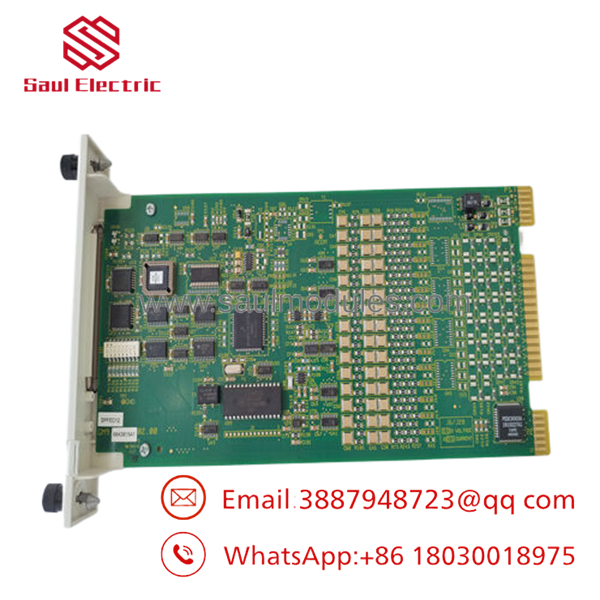
- SPFEC12
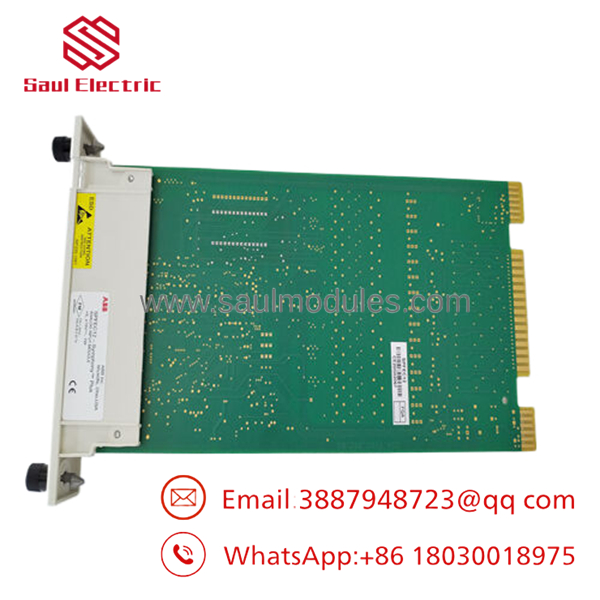
- SPFEC12
Installation & Configuration Guide
Stage 1: Pre-Installation Preparation
- Notify operations and create downtime. Verify the system is in a safe state, apply lockout/tagout, and wait 5 minutes for capacitor discharge.
- Gather an ESD strap, PH1 screwdriver, multimeter, wire labels, and a smartphone for photos.
- Back up the controller configuration, document the loop list, and photograph the existing module, carrier, and wiring layout.
- Confirm the exact model number and the required analog signal type before removal.
Stage 2: Removing the Old Module
- Remove the cabinet cover or access panel.
- Label every wire before disconnecting it. Do not force terminals or connector blocks.
- Release the mounting hardware and remove the module straight out to avoid connector damage.
- Inspect the slot, carrier, and wiring for heat damage, corrosion, bent pins, or loose terminals.
- Keep the old module until the replacement passes functional testing.
Stage 3: Installing the New Module
- Put on the ESD strap and verify the exact model match.
- No jumper cloning is usually needed on SPFEC12, but verify the rack wiring and carrier orientation.
- Seat the module fully and secure the mounting hardware.
- Reconnect all field wiring exactly as documented.
- Check off the install list: [] Model match, [] Wiring secure, [] Mounting locked.
Stage 4: Power-On & Testing
- Use a multimeter to verify input voltage and check for shorts before energizing.
- Power up the cabinet first, not the field devices.
- Confirm module recognition and channel status in the controller or maintenance software.
- Test a few representative analog loops, then verify all channels if time allows.
- Return the system to service only after the status map matches the wiring list.
- If a channel reads wrong, check loop polarity, signal type, and transmitter calibration first.
Frequently Asked Questions
Can I hot-swap the SPFEC12?
Do not assume so. It is a rack module, and pulling it live can drop the system or damage the connector path.
Is obsolete?
It is a legacy ABB Bailey INFI 90 / Symphony Plus part, so availability is usually limited. Exact-number sourcing matters.
What does the module do?
It reads 15 analog input signals and converts them for the controller. ABB identifies it as an AI module supporting 4-20 mA and 1-5 V inputs.
Will I lose logic when I replace it?
Normally no, because the control logic lives elsewhere in the system. Still, back up the configuration and document each loop before removal.
Is this a direct replacement for other ABB AI modules?
Not automatically. Signal range, rack family, and carrier style all matter, so verify the exact installed part and cabinet revision first.
What condition is it usually sold in?
Commercial stock is typically New Original or New Surplus. If someone offers refurbished stock, ask for test records and warranty terms.
Why is the price lower than ABB list price?
Because surplus inventory usually trades below OEM pricing. That lower price only makes sense if the module is the right variant and has real test history.

 Start Chat


