





Description
Key Technical Specifications
| Parameter | Value |
|---|---|
| Manufacturer | ABB |
| Model | SPIET800 |
| Product Type | Ethernet CIU Transfer Module |
| Product Family | Symphony® Plus |
| Primary Function | INFI-Net to Ethernet Transfer |
| Ethernet Ports | 2 × 10/100 Mbps |
| Communication Protocol | TCP/IP |
| Memory | 64 MB RAM, 2 MB NVRAM, 4 MB ROM |
| Supported Network | INFI-Net / Symphony Plus |
| Operating Temperature | 0 °C to +70 °C |
| Typical Power Requirement | +5 VDC @ 1.05 A (≈5.25 W) |
| Network Capacity | Up to 250 nodes per INFI-Net loop or PN800 segment |
| License Requirement | Ethernet transfer license purchased separately |
The SPIET800 functions as an Ethernet CIU Transfer Module that bridges legacy INFI-Net control networks with Ethernet-based Symphony Plus infrastructure. Some deployments require a separate software license (SSBIET80000000 or SSBIET800A0000).
Product Introduction
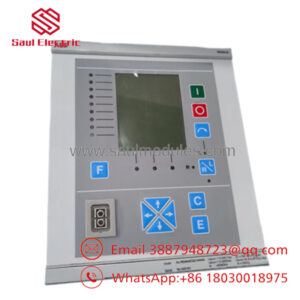
The ABB SPIET800 is an Ethernet CIU Transfer Module designed for Symphony Plus systems. It provides reliable communication between legacy INFI-Net controllers and Ethernet-based engineering or operator workstations using standard TCP/IP networking.
The module is commonly installed during Symphony Plus modernization projects where existing INFI-Net infrastructure must remain operational. Dual Ethernet ports, high network capacity, and compatibility with ABB control architectures make it an effective migration solution without replacing the complete control system.
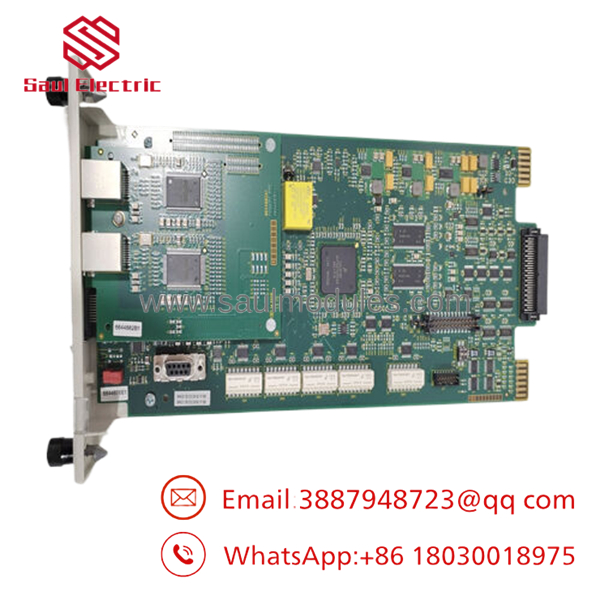
- SPIET800
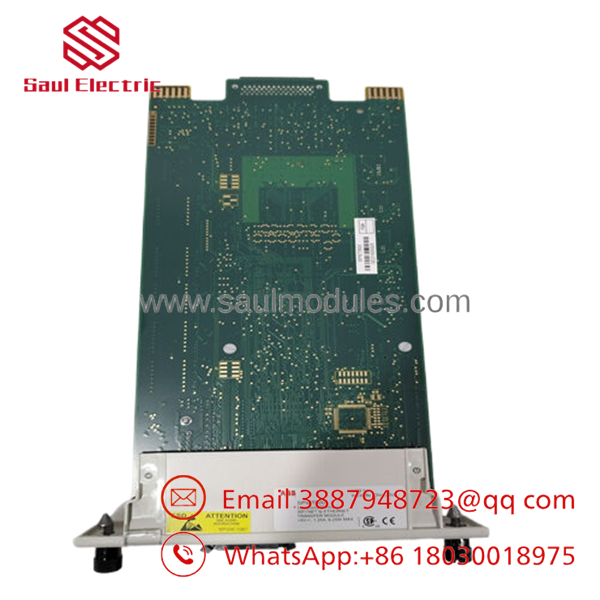
- SPIET800
Troubleshooting Quick Reference
| Symptom | Possible Cause | Relevance to this Part | Quick Check Method | Recommendation |
|---|---|---|---|---|
| Engineering station cannot reach INFI-Net | SPIET800 offline | ✅ High | Verify Ethernet LINK/ACT LEDs and controller diagnostics | Confirm module power and IP configuration |
| Ethernet communication lost | Network switch or cable fault | ✅ High | Ping module IP and inspect Ethernet LEDs | Test with known-good cable and switch port |
| Workstations cannot access controllers | Transfer module configuration error | ✅ High | Verify gateway configuration and routing | Reload configuration before replacing hardware |
| Intermittent communication | Duplex or network mismatch | ⚠️ Medium | Check switch port settings and packet errors | Verify Ethernet negotiation parameters |
| Module fails to boot | Power supply or hardware fault | ✅ High | Measure +5 VDC supply and monitor startup LEDs | Confirm stable chassis power first |
| INFI-Net devices continue operating but workstation loses access | Ethernet gateway unavailable | ✅ High | Check module diagnostics and event log | Replace only after excluding network failures |
Technical Support Note: Before replacing the , collect Ethernet diagnostics, IP configuration, controller event logs, firmware revision, and photographs of all status LEDs. In many cases, network configuration issues—not hardware failure—cause communication loss.
Frequently Asked Questions (FAQ)
Q1. What does the actually do?
The acts as a gateway between ABB INFI-Net control networks and Ethernet-based Symphony Plus engineering and operator systems. It allows control data to move between legacy controllers and modern TCP/IP infrastructure.
Q2. Does the module require additional licensing?
Yes. The hardware does not include the Ethernet transfer license. The appropriate license (such as SSBIET80000000 or SSBIET800A0000) must be purchased separately depending on the application.
Q3. Can I hot-swap the ?
No. Power down the communication chassis before replacing the module. Removing the gateway while energized can interrupt workstation communications and require network reinitialization.
Q4. Is this module compatible with older INFI 90 systems?
Yes. The was specifically developed to connect legacy INFI-Net-based systems with Ethernet infrastructure during Symphony Plus migrations. Compatibility should still be verified against the installed firmware and system architecture.
Q5. Why is New Surplus inventory available?
Many utilities and process plants purchased strategic spare parts during DCS upgrades. These factory-original modules remained in inventory and were never commissioned, making New Surplus units a cost-effective option for maintaining installed systems.
Q6. What quality inspections should be completed before shipment?
A qualified supplier should perform:
- OEM serial number and authenticity verification
- PCB inspection for corrosion, repairs, or connector damage
- Functional testing on an ABB Symphony Plus communication test platform
- Ethernet port communication verification
- INFI-Net communication testing
- 24-hour operational burn-in with thermal monitoring
- Firmware identification and documentation
- ESD-safe packaging with QC approval
Test reports, communication screenshots, and startup videos should be available upon request.
Q7. What installation mistakes create the most downtime?
The most common field issues are:
- Firmware revision mismatch. Record the existing firmware before replacing the module. Even small firmware differences can affect communication with legacy INFI-Net devices.
- Incorrect IP or network settings. Don’t rely on factory defaults. Save the original Ethernet configuration before removal.
- License omission. The hardware requires the correct software license for Ethernet transfer functionality. Verify licensing before commissioning.
- ESD damage. Handle the module only with a grounded wrist strap and keep it in its anti-static packaging until installation.
Keep these checks in mind and you’ll eliminate most communication-related commissioning problems while reducing unnecessary module replacements.


 Start Chat


