





Description
Key Technical Specifications
- Model: SPSED01
- Manufacturer: ABB
- Product type: Sequence of Events digital input module
- Channel count: 16 digital input channels
- Input types: 24 V DC, 48 V DC, 125 V DC, 120 VAC options
- Backplane power: +5 VDC, ±5%
- Typical current: 350 mA
- Ambient temperature: 0 to 70°C
- Mounting: INFI 90 rack / field terminal panel application
- Bus capacity: Up to 63 modules on one I/O expansion bus segment with one SPSET01
- Isolation: 16 optically isolated channels
Product Introduction
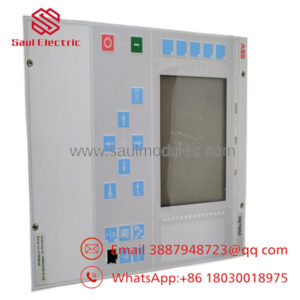
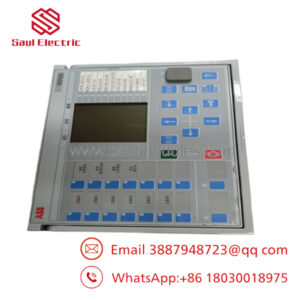
ABB SPSED01 is a 16-channel Sequence of Events digital input module for ABB Bailey INFI 90 systems. It captures field input status for event monitoring and control logic in industrial automation environments.
Engineers choose it when they need SOE-style input handling in a legacy ABB rack, especially where installed base compatibility matters more than a platform upgrade. The module uses +5 VDC backplane power and supports multiple field input voltage ranges, so replacement planning has to match the existing system architecture closely.
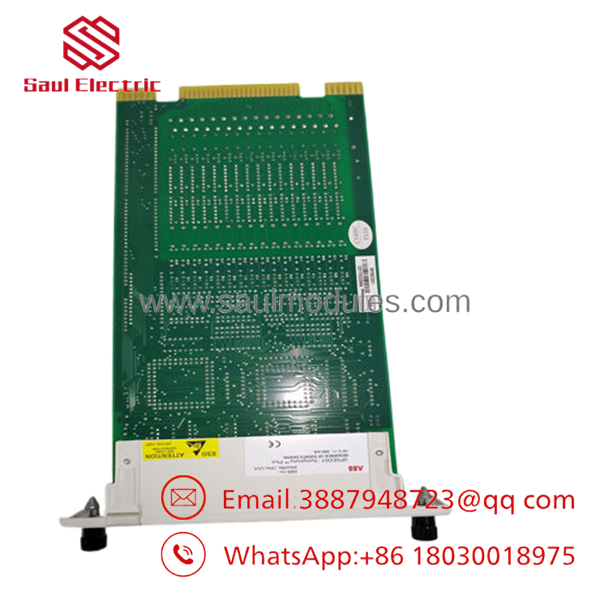
- SPSED01
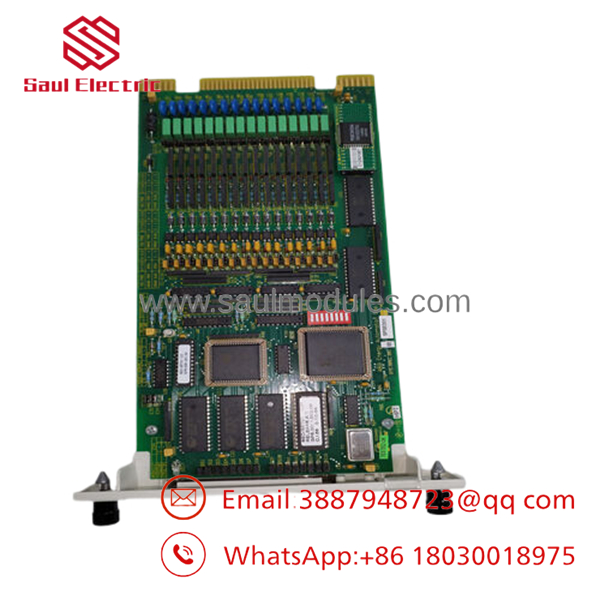
- SPSED01
Installation & Configuration Guide
Stage 1: Pre-Installation Preparation
- Notify operations and verify safe state. Lock out/tag out the rack power and wait at least 5 minutes for capacitor discharge.
- Gather tools: ESD strap, PH1 screwdriver, multimeter, wire labels, and a smartphone for photos.
- Back up the running logic, document cabinet IP settings if applicable, and photograph all DIP switches, jumpers, and terminal wiring before removal.
- Confirm the exact replacement part number and terminal arrangement against the old unit.
Stage 2: Removing the Old Module
- Remove the front cover or bezel.
- Label every wire before disconnecting it. Do not force terminal blocks.
- Release the rack or DIN mounting tabs and pull the module straight out to avoid backplane pin damage.
- Inspect the backplane and connector edge for bent pins, oxidation, or dust.
- Keep the old module on hand until the new unit passes functional checks.
Stage 3: Installing the New Module
- Put on the ESD strap and verify the replacement is the exact model.
- Clone the configuration exactly. Match every DIP switch and jumper position from the photo, especially node address and termination settings.
- Insert the module into the rack and confirm full seating and locking.
- Reconnect wiring with a torque-appropriate screwdriver.
- Verify the self-checklist: [] DIPs match, [] wiring secured, [] tabs locked.
Stage 4: Power-On & Testing
- Use a multimeter to check for shorts on the 24 V rail before energizing.
- Power up the rack first, not the field devices.
- Watch the LEDs: green RUN indicates normal operation; red ERR indicates a fault.
- Connect the engineering software, confirm the module address and firmware revision, and restore the backup if required.
- Run a dry test of the inputs before handing the rack back to operations.
- Time estimate: 10–15 minutes for mechanical swap, 10 minutes for checks, 5–10 minutes for commissioning.
- ⚠️ If the ERR LED stays solid red, suspect a firmware mismatch or a configuration mismatch. If there is no communication, recheck address settings and rack wiring.
Frequently Asked Questions
Q: Can I hot-swap the SPSED01 under power?
A: No, I would not treat this as a hot-swap part. Legacy INFI 90 racks and SOE input modules are not the place to get casual about live insertion. Kill power first, then swap it cleanly.
Q: Is the SPSED01 obsolete?
A: Yes, this is a legacy ABB Bailey INFI 90 module and stock is typically limited. That is exactly why condition and traceability matter more than brochure language.
Q: Will this keep my logic and sequence data?
A: The module itself does not hold your control logic the way a CPU does. Your application program stays in the controller or engineering backup, but you still need to document the I/O mapping before replacement.
Q: What is the direct replacement if I cannot get ?
A: In practice, replacement depends on the installed ABB rack architecture and terminal hardware, not just the module part number. Verify against the original INFI 90 BOM and the site’s SOE wiring scheme before ordering an alternate.
Q: Why is surplus pricing lower than OEM list price?
A: Because it is usually legacy inventory, not fresh factory production. That lower price only makes sense if the seller can prove condition, test status, and traceability.
Q: What should I verify before ordering one?
A: Check the exact model, rack compatibility, terminal arrangement, field voltage, and whether the site uses SPSET01 alongside . A mismatch in any one of those can turn a quick swap into a wasted shift.
Q: What condition should I ask for?
A: Ask for New Original or tested surplus, and request photos of the actual unit, label, and terminals. If a seller cannot show that, assume extra risk and plan for incoming inspection.

 Start Chat


