





Description
Key Technical Specifications
| Parameter | Value |
|---|---|
| Manufacturer | ABB |
| Model | UAC383AE01 |
| Part Number | HIEE300890R0001 |
| Product Category | Industrial automation control board/module |
| System Compatibility | ABB automation and control platforms |
| Application | Process control, industrial automation, plant control systems |
| Supply Voltage | 24 V DC control environment |
| Installation | Control cabinet / automation rack installation |
| Communication | Industrial control communication interfaces (system dependent) |
| Condition | New Original / New Surplus |
| Lifecycle Position | Legacy support item; suitable for EOL risk mitigation |
| Quality Verification | Serial verification, visual inspection, functional QC before shipment |
Specifications for this model vary across supplier references; confirm exact hardware revision and system compatibility before replacement.
Product Introduction & Supply Chain Strategy
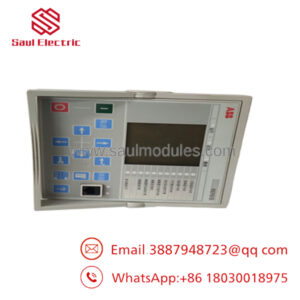
ABB UAC383AE01 HIEE300890R0001 is an industrial automation control module used in ABB control environments for process and plant automation applications. It is typically maintained as a critical spare where controller availability directly affects production continuity.
Sourcing this module as New Surplus provides a practical lifecycle strategy for legacy ABB systems. It reduces EOL stock-out exposure, avoids unknown history from non-original alternatives, and supports lower Total Cost of Ownership (TCO) through planned Buffer stock and Last-time-buy inventory decisions.
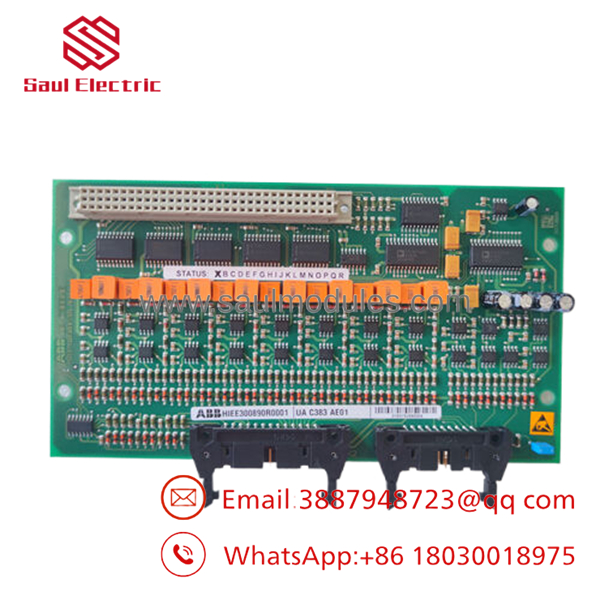
- UAC383AE01 HIEE300890R0001
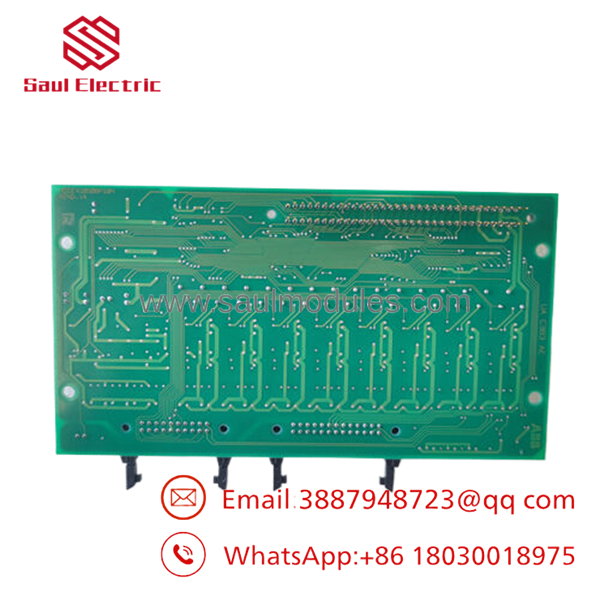
- UAC383AE01 HIEE300890R0001
Installation & Configuration Guide
Stage 1: Pre-Installation (Prep & Safety)
- Confirm the replacement part number: ABB UAC383AE01 HIEE300890R0001.
- Perform Lock-out/Tag-out procedures before cabinet access.
- Prepare required tools:
- ESD wrist strap
- Insulated hand tools
- Camera for wiring documentation
- Multimeter
- Record:
- Existing firmware/software version
- Module position
- DIP switch settings
- Terminal wiring layout
- Network addresses
Stage 2: Removal
- Power down the control rack according to site procedures.
- Verify absence of voltage before removing the module.
- Disconnect field wiring carefully and label all terminals.
- Release mounting hardware.
- Remove the module straight outward to avoid bending backplane pins.
Stage 3: Installation (Clone & Seat)
- Inspect the replacement module packaging and connectors.
- Verify connector condition and PCB integrity.
- Copy DIP switch and jumper settings from the original unit.
- Install the module into the identical rack position.
- Confirm full seating before securing hardware.
Stage 4: Power-On & Testing
- Check 24 V DC supply rails before energizing.
- Verify no short circuit condition.
- Power up the rack.
- Check LED indicators:
- RUN = normal operation
- ERR = investigate diagnostics
- Verify communication with the controller.
- Download or restore required configuration if needed.
Firmware/Software Versions & Upgrade Notes
- Recommended Firmware: Match the existing installed ABB system revision whenever possible.
- Compatibility Check: Confirm controller firmware, engineering software version, and module revision before replacement.
- Backward Compatibility Risk: Older ABB control projects may not accept newer firmware revisions without engineering validation.
- Upgrade Warning: Firmware upgrades during hardware replacement can introduce communication faults, parameter loss, or unexpected restart behavior.
- Downgrade Warning: Downgrading firmware may remove support for newer configuration features.
Before removing the original module:
- Save controller backups.
- Record firmware version.
- Archive configuration files.
- Photograph DIP/jumper settings.
Frequently Asked Questions (FAQ)
Q1: Is ABB UAC383AE01 HIEE300890R0001 really new?
Yes. The supplied condition should be verified as New Original / New Surplus. New Surplus means original OEM inventory stored for future maintenance demand, not repaired inventory.
Q2: Why is New Surplus pricing different from OEM supply and lower than some official channels?
Legacy automation parts often become difficult to source after production changes. New Surplus inventory provides access to original stock while avoiding full OEM replacement pricing.
Q3: Is this suitable for EOL ABB systems?
Yes. This type of spare is commonly maintained as lifecycle protection inventory. Plants should evaluate installed quantity, failure history, and Lead time variability to define Min/Max stocking levels.
Q4: Should this module be hot-swapped?
Only if the ABB system configuration explicitly supports hot swapping. Incorrect removal under power can damage hardware or interrupt plant operation.
Q5: Will the existing program remain in the module?
It depends on the system architecture. Always back up application data and verify configuration restoration procedures before replacement.
Q6: What QC documents should be requested?
Request serial number verification, inspection records, functional test reports, and packaging confirmation to support traceability.
Q7: How many units should be stocked?
For a production-critical ABB control module, maintaining 1–2 units on-site is a common Buffer stock approach. For lower-criticality installations, consider vendor-held inventory or shared cross-site stock.

 Start Chat


