





Description
Key Technical Specifications
| Parameter | Value |
|---|---|
| Manufacturer | ABB |
| Model | UAC389AE02 |
| Cross Reference | HIEE300888R0002 |
| Catalog Family | Advant OCS with Master SW |
| Product Type | PC board / control module |
| Supply Voltage | 24 V DC |
| Operating Temperature | -40 to +70 C |
| Storage Temperature | -40 to +85 C |
| Humidity | 5% to 95% non-condensing |
| Mounting | Control cabinet / rack installation |
| Origin | USA |
Product Introduction & Supply Chain Strategy
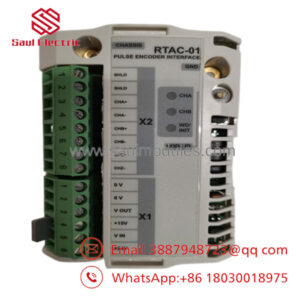
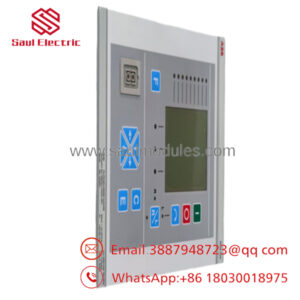
ABB UAC389AE02 is a legacy ABB control board used in industrial automation and process control environments. It supports signal handling and system-level interface functions in ABB-centric control architectures where uptime and exact part matching matter.
Buying this as New Surplus is the right TCO decision for an obsolete module. It protects you from stock-outs, reduces emergency sourcing risk, and avoids the failure uncertainty that often comes with non-original parts or poorly documented inventory.
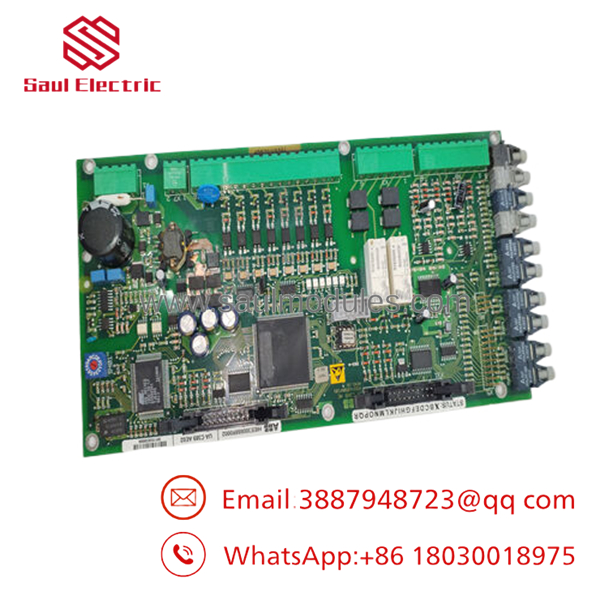
- UAC389AE02
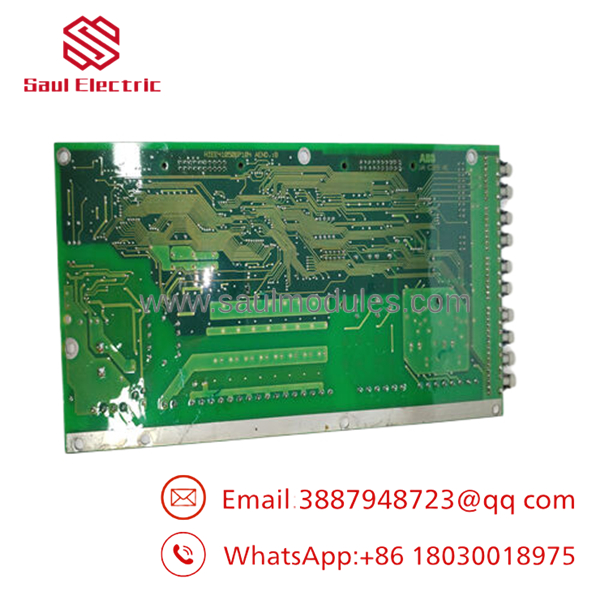
- UAC389AE02
Installation & Configuration Guide
Stage 1: Pre-Installation
Apply lock-out/tag-out before opening the cabinet. Gather an ESD strap, screwdriver set, camera, and replacement labels. Photograph the existing module, connector positions, wiring, and any DIP switch settings before removal.
Stage 2: Removal
Release the retention hardware carefully and pull the module straight out of the slot. Avoid side loading, twisting, or prying against the backplane. Inspect the connector pins and slot for wear, contamination, or bent contacts before installing the spare.
Stage 3: Installation
Copy the old configuration exactly, including DIP switch positions and address settings. Insert the board evenly until it seats fully in the backplane. Reconnect wiring only after confirming the physical orientation and terminal mapping.
Stage 4: Power-On & Testing
Check the 24 V rail for shorts before energizing the cabinet. Power up and verify normal LED behavior, especially RUN and ERR status indicators. Then confirm communications, validate I/O response, and restore control logic or configuration as required by the host system.
Firmware/Software Versions & Upgrade Notes
Keep the replacement on the same firmware or loader level as the removed unit whenever possible. Version drift can cause startup faults, communication mismatches, or unexpected diagnostics in older ABB systems.
Avoid upgrading during a straight hardware swap unless the site has already validated that firmware level in the same controller family. Downgrading can be just as risky if the target image is not accepted or if the host expects a different revision behavior. Record the existing version before replacement and mirror it exactly.
Frequently Asked Questions (FAQ)
Is this part really new?
Yes, the correct commercial position is New Surplus / Original New, not refurbished or repaired inventory.
Why is it cheaper than OEM new?
Because it comes from surplus channels, not direct factory list pricing. That lowers cost while keeping the original OEM part identity.
Why is it more expensive than questionable alternatives?
Because verified New Surplus inventory costs more to secure, inspect, and preserve than low-traceability parts. That premium buys lower failure risk.
Is UAC389AE02 obsolete?
Yes, treat it as an obsolete or end-of-life spare and stock it strategically with a controlled buffer.
Can I hot-swap it?
Do not assume hot-swap capability. Replace it only under proper lock-out, power isolation, and verified configuration control.
Will my programming be retained?
Programming is usually stored in the controller or system project, not in the spare board itself. Back up the application, parameters, and addressing before replacement.
What warranty should I expect?
For New Surplus ABB control hardware, a 1 to 2 year warranty is a common commercial target, depending on supplier QC terms.

 Start Chat


