





Description
Key Technical Specifications
| Parameter | Value |
|---|---|
| Manufacturer | ABB |
| Model | UAD142A01 |
| Part Number | 3BHE012551R0001 |
| Product Type | Excitation control board / automation module |
| Application | Generator excitation and industrial control systems |
| Primary Function | Control and signal processing within excitation architecture |
| System Area | Power generation and industrial automation |
| Compatibility | ABB control system environment |
| Installation Type | Control cabinet / system rack installation |
| Condition | New Original / New Surplus |
| Lifecycle Status | Legacy support spare; suitable for Last-time-buy planning |
| Quality Control | Serial verification, inspection, functional testing before shipment |
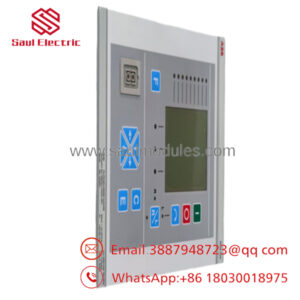
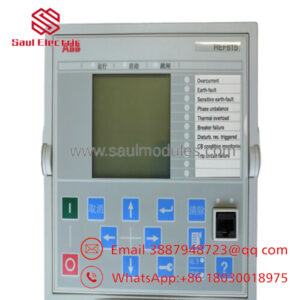
ABB UAD142A01 3BHE012551R0001 is commonly listed as an ABB excitation/control-related module, with supplier references also describing it as an input-output or power-related board depending on system application. Verify the installed system configuration before replacement.
Product Introduction & Supply Chain Strategy
ABB UAD142A01 3BHE012551R0001 is an industrial control module used in ABB automation and excitation system applications. It supports control functions in environments where generator stability, power regulation, and system availability are critical.
Maintaining this module as New Surplus helps protect aging ABB installations from EOL supply risks. A planned spare strategy reduces emergency procurement exposure, avoids uncertain-condition alternatives, and improves Total Cost of Ownership (TCO) through controlled Buffer stock.
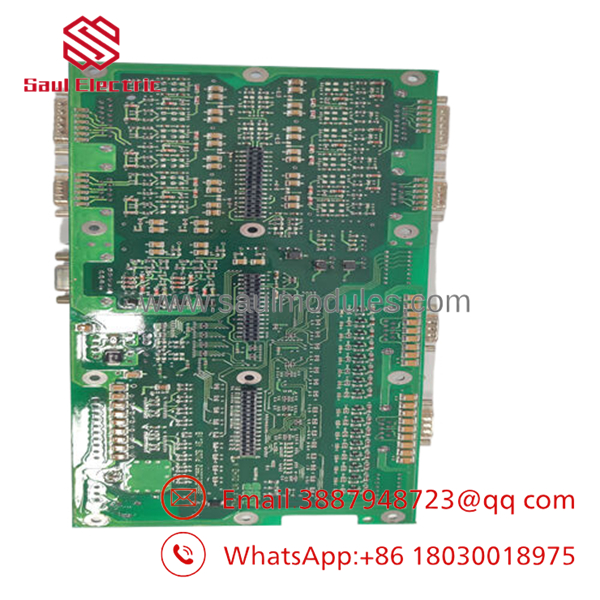
- UAD142A01 3BHE012551R0001
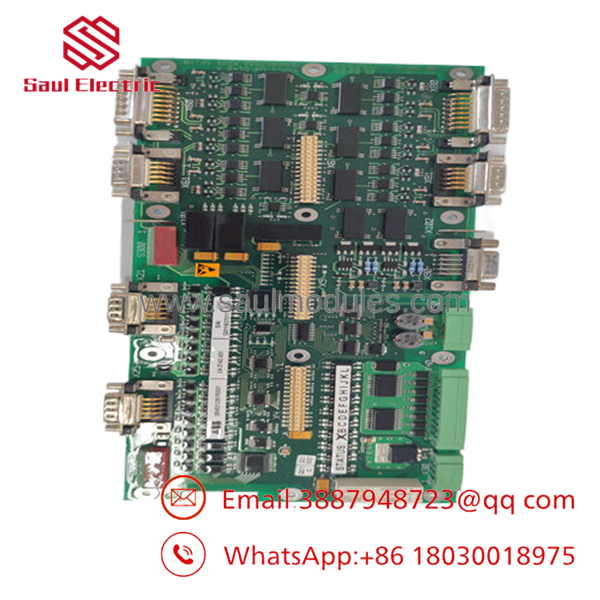
- UAD142A01 3BHE012551R0001
Installation & Configuration Guide
Stage 1: Pre-Installation (Prep & Safety)
- Confirm the replacement identification:
- ABB UAD142A01
- 3BHE012551R0001
- Perform Lock-out/Tag-out before opening the control cabinet.
- Prepare:
- ESD wrist strap
- Insulated tools
- Multimeter
- Camera for documentation
- Record before removal:
- Existing module position
- Wiring layout
- Connector locations
- Firmware/software version
- Parameter settings
Stage 2: Removal
- Shut down the system according to ABB procedures.
- Verify power isolation.
- Disconnect cables using proper terminal identification.
- Remove mounting hardware carefully.
- Pull the module straight out to prevent connector and backplane damage.
Stage 3: Installation (Clone & Seat)
- Inspect the New Original / New Surplus module.
- Confirm part number and hardware revision.
- Transfer configuration settings from the original module.
- Install into the same rack position.
- Ensure the module is fully seated.
Stage 4: Power-On & Testing
- Check supply voltage levels before startup.
- Verify no short circuit condition.
- Energize the control system.
- Monitor diagnostic indicators.
- Confirm communication with the excitation/control system.
- Verify operating parameters and alarms.
Firmware/Software Versions & Upgrade Notes
- Recommended Firmware: Match the existing ABB excitation/control system firmware revision.
- Compatibility Check: Confirm controller software, configuration database, and hardware revision before installation.
- Backward Compatibility Risk: Newer revisions may require updated engineering tools or modified configuration files.
- Upgrade Warning: Avoid firmware changes during emergency replacement unless required. Firmware mismatch can cause communication faults or parameter errors.
- Downgrade Warning: Returning to older firmware may remove support for newer configuration functions.
Before replacement:
- Save system backups.
- Record existing parameters.
- Capture diagnostic information.
- Document all communication settings.
Frequently Asked Questions (FAQ)
Yes. The correct supply condition is New Original / New Surplus. It refers to original ABB inventory stored for maintenance demand, not repaired inventory.
Q2: Why is New Surplus pricing different from OEM purchasing channels?
Legacy automation parts often become harder to source after production lifecycle changes. New Surplus inventory provides original hardware availability while reducing procurement delays.
Q3: Is this suitable for obsolete ABB systems?
Yes. This type of module is commonly maintained as lifecycle protection inventory. Plants should define Min/Max levels based on equipment criticality and Lead time variability.
Q4: Can this module be hot-swapped?
Only if the specific ABB system design supports hot replacement. Incorrect removal under power may damage the module or interrupt excitation control operation.
Q5: Does the module contain the complete control program?
System architecture determines this. Always confirm where application logic and parameters are stored before replacement.
Q6: What verification should be completed before installation?
Confirm part number, hardware revision, serial information, configuration compatibility, and system backup availability.
Q7: How many spare units should be stocked?
For critical generator or power-control applications, maintaining 1–2 units as on-site Buffer stock is a common approach. For lower-criticality assets, vendor-held stock or cross-site sharing may reduce carrying cost.

 Start Chat


