





Description
Key Technical Specifications
| Parameter | Value |
|---|---|
| Manufacturer | ABB |
| Model | UMC100 |
| Product Type | Universal Motor Controller |
| Application | Motor protection, monitoring, and control |
| Motor Type | Single-phase and three-phase AC motors |
| Rated Current Range | 0.24 A to 63 A (without accessories) |
| Protection Functions | Overload, phase failure, stall protection, PTC motor protection |
| Overload Classes | 5E, 10E, 20E, 30E, 40E |
| Communication Options | PROFIBUS DP, PROFINET, Modbus, DeviceNet, Ethernet interfaces (via modules) |
| Installation | Control cabinet / motor management system |
| Protection Rating | IP20 |
| Condition | New Original / New Surplus |
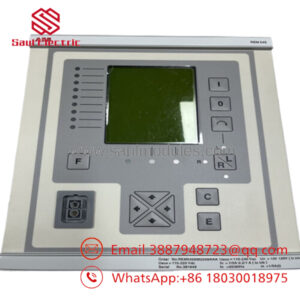
ABB UMC100 is an intelligent motor controller combining motor protection, control, diagnostics, and communication functions in one device. It is designed for industrial motor management applications where operational data and protection functions are required.
Product Introduction & Supply Chain Strategy
ABB UMC100 is a Universal Motor Controller used for industrial motor management applications such as pumps, fans, conveyors, and process equipment. It combines protection functions, control logic, diagnostics, and fieldbus communication capability in a compact automation device.
Maintaining ABB UMC100 as New Surplus supports lifecycle continuity for installed motor control systems. For production-critical motors, planned Buffer stock reduces unexpected downtime, avoids emergency sourcing delays, and improves Total Cost of Ownership (TCO) through controlled spare management.
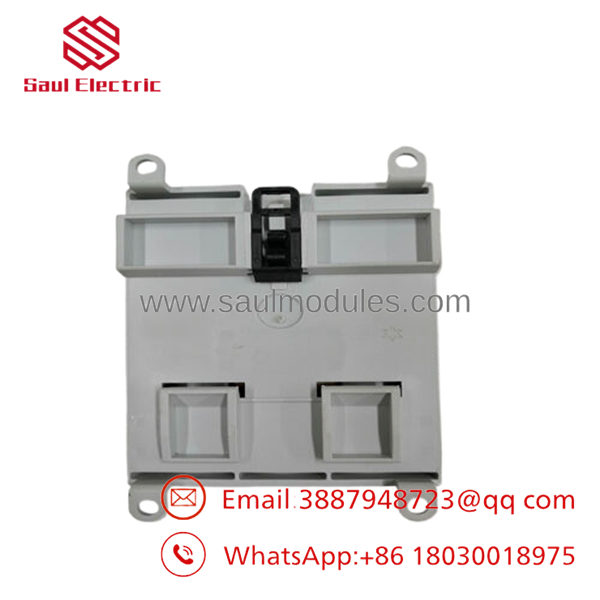
- UMC100
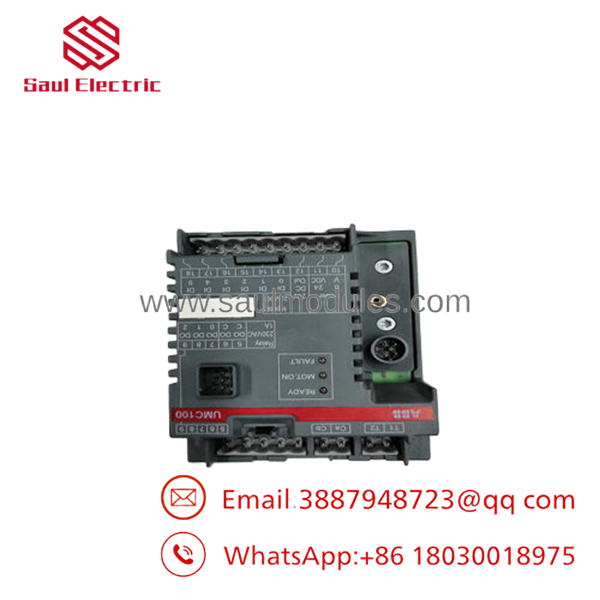
- UMC100
Installation & Configuration Guide
Stage 1: Pre-Installation (Prep & Safety)
- Confirm the replacement unit:
- ABB
- Correct voltage/current configuration
- Perform Lock-out/Tag-out before cabinet access.
- Prepare:
- ESD wrist strap
- Insulated tools
- Multimeter
- Configuration backup tools
- Record:
- Motor parameters
- Current settings
- Communication address
- Fieldbus configuration
- Input/output wiring
Stage 2: Removal
- Disconnect motor starter/control power according to site procedure.
- Verify zero voltage condition.
- Label all terminal connections.
- Remove communication modules if installed.
- Remove the controller carefully from the mounting rail.
Stage 3: Installation (Clone & Seat)
- Inspect the New Original / New Surplus controller.
- Verify:
- Model version
- Supply voltage
- Communication interface
- Install the controller on the DIN rail.
- Reconnect:
- Motor current sensing
- Digital inputs
- Outputs
- Fieldbus communication
- Restore configuration parameters.
Stage 4: Power-On & Testing
- Verify control voltage before startup.
- Check for wiring shorts.
- Power on the controller.
- Confirm:
- Status LEDs
- Communication link
- Motor protection settings
- Perform motor start/stop test.
- Verify alarms and diagnostics.
Firmware/Software Versions & Upgrade Notes
- Recommended Firmware: Match the existing ABB /.3 firmware revision installed in the system.
- Compatibility Check: Confirm communication module type, PLC integration, and parameter backup compatibility.
- Backward Compatibility Risk: Newer firmware revisions may require updated engineering files or communication configuration.
- Upgrade Warning: Firmware upgrades during replacement can change diagnostic behavior or parameter handling.
- Downgrade Warning: Firmware rollback may create configuration mismatches.
Before replacement:
- Export motor parameters.
- Save PLC communication settings.
- Record protection limits.
- Backup engineering files.
Frequently Asked Questions (FAQ)
Yes. The correct supply condition is New Original / New Surplus. It refers to original ABB inventory intended for industrial maintenance use.
manages motor protection, monitoring, and control functions. It is commonly used for industrial motors requiring overload protection, diagnostics, and network communication.
Q3: Why choose New Surplus instead of refurbished alternatives?
New Surplus provides original hardware condition and predictable lifecycle value. Refurbished inventory can introduce unknown component aging risks.
Yes. Depending on the communication interface module, systems can integrate with networks such as PROFIBUS, PROFINET, Modbus, DeviceNet, and Ethernet-based systems.
Only when the specific installation design allows it. Standard replacement should be performed after power isolation.
Q6: Will motor parameters remain after replacement?
Always assume configuration transfer is required. Back up settings before removal and restore parameters after installation.
Q7: How many units should be stocked?
For critical production motors, maintaining 1–2 units as on-site Buffer stock is a practical strategy. Less critical motors may use vendor-managed stock or shared site inventory.


 Start Chat


