





Description
Key Technical Specifications
| Parameter | Value |
|---|---|
| Manufacturer | ABB |
| Product Family | UNITROL 1000 |
| Model | 3BHE014557R0003 |
| Product Type | Automatic voltage regulator / excitation control system |
| Application | Synchronous generators and motors |
| Typical Use | Power plants, marine, industrial backup power |
| Control Function | Voltage regulation and excitation control |
| Platform Notes | UNITROL 1000 family AVR system |
| Lifecycle Status | Obsolete / End-of-life spare |
| Procurement Strategy | Stock strategically; avoid emergency sourcing |
Product Introduction & Supply Chain Strategy
ABB UNITROL 1000 3BHE014557R0003 is an automatic voltage regulator used to control excitation and maintain stable voltage on synchronous generators and motors. It is a critical control element in power generation and industrial electrical systems where exact response and compatibility matter.
Buying this as New Surplus makes supply-chain sense because it protects uptime without paying full OEM list pricing. For an obsolete AVR, the right approach is controlled buffer stock, vendor consolidation, and last-time-buy planning to reduce lead time variability and stock-out incidents.
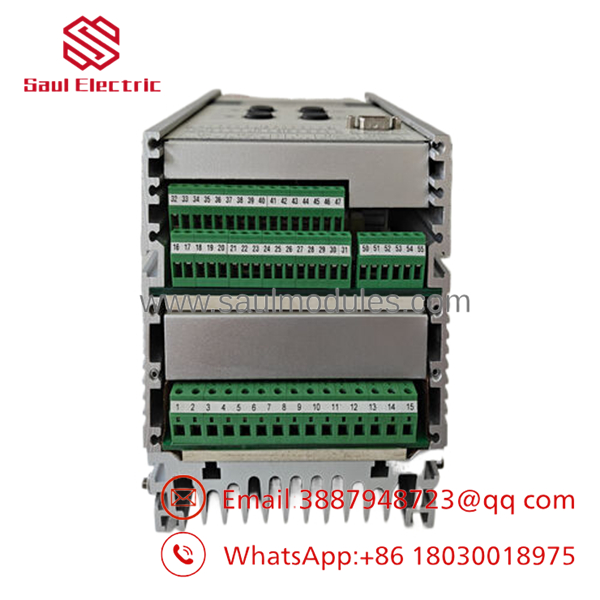
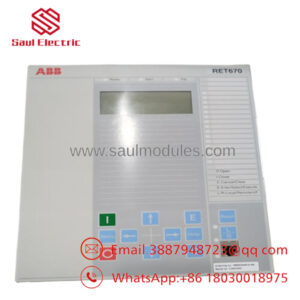
- UNITROL 1000 3BHE014557R0003
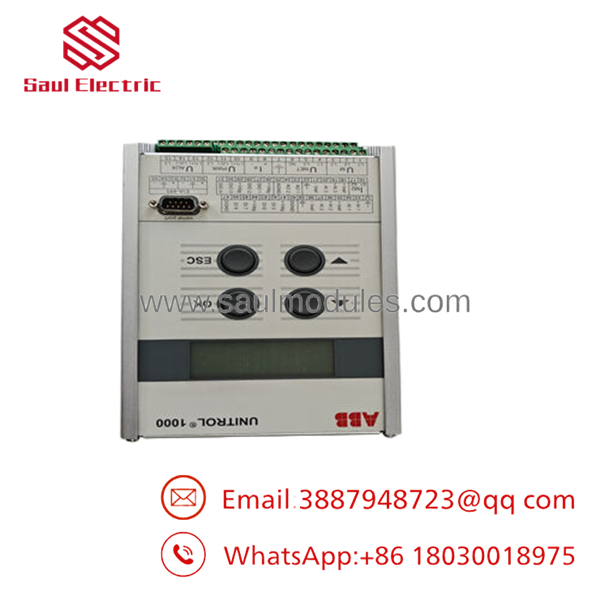
- UNITROL 1000 3BHE014557R0003
Installation & Configuration Guide
Stage 1: Pre-Installation
Apply lock-out/tag-out and confirm the generator or excitation cabinet is fully de-energized. Prepare an ESD strap, insulated tools, a camera, and a label set for documenting wiring and switch positions. Record the existing firmware, settings, and terminal mapping before removing the unit.
Stage 2: Removal
Remove the retaining hardware carefully and extract the module straight out. Do not twist or lever against adjacent boards or backplane connectors. Inspect the slot, pins, and terminals for contamination, wear, or bending before installing the replacement.
Stage 3: Installation
Copy the original DIP switch, jumper, and parameter settings exactly. Seat the module evenly and confirm full connector engagement. Reconnect wiring only after verifying every lead against the captured photos and labels.
Stage 4: Power-On & Testing
Check the 24 V control supply and all related rails for shorts before energizing. Power up and verify LED status, controller recognition, and excitation response. Confirm voltage regulation, alarms, and communication behavior before returning the system to service.
Firmware/Software Versions & Upgrade Notes
Keep the replacement aligned with the original firmware or parameter set whenever possible. A version mismatch can create startup faults, unstable excitation behavior, or communication issues with the host system.
Avoid upgrading during a direct hardware swap unless the site has already validated the new revision on the same platform. Downgrading can be equally risky if the controller expects a different image or behavior. Record the installed version before replacement and mirror it whenever possible.
Frequently Asked Questions (FAQ)
Is this part really new?
Yes, the correct commercial position is New Surplus / Original New, not refurbished or field-worn inventory.
Why is it cheaper than OEM new?
Because surplus sourcing usually costs less than factory list supply while keeping the original ABB part identity.
Why is it still more expensive than questionable alternatives?
Because verified New Surplus parts carry traceability, inspection, and lower hidden failure risk, which improves Total Cost of Ownership.
Is UNITROL 1000 obsolete?
Yes, treat it as an obsolete or end-of-life spare and stock it strategically.
Can I hot-swap it?
Do not assume hot-swap capability. Use lock-out/tag-out and the site-approved replacement procedure.
Will my settings be retained?
The operating configuration is usually stored in the host system or parameter set, not in the spare board alone. Back up the logic, parameters, and regulator settings before replacement.
What warranty terms make sense?
For New Surplus ABB hardware, 1 to 2 years is a common commercial target depending on supplier QC and traceability.


 Start Chat


