





Description
Product Introduction & Engineering Value
The Allen-Bradley 1756-DNB brings DeviceNet master connectivity directly into the high-speed ControlLogix backplane. By consolidating hundreds of discrete and analog field signals into a single 5-wire DeviceNet trunkline, the 1756-DNB eliminates massive point-to-point field wiring harnesses when integrating smart motor management centers, pneumatic valve manifolds, drives, and push-button stations.
Mounted in any available slot of a 1756 ControlLogix chassis, the 1756-DNB handles high-speed Producer/Consumer backplane data transfers to pass control tags and detailed real-time diagnostics directly to ControlLogix CPUs (such as 1756-L7x or L8x processors). Control engineers rely on the module’s onboard USB/RS232 pass-through options and 4-character diagnostic display to maintain total visibility over complex CAN-based field device topologies.
Technical Specifications
| Specification | Parameter Value |
| Network Protocol | DeviceNet (CIP over CAN physical layer) |
| DeviceNet Role | Master / Scanner (supports Slave and Peer-to-Peer modes) |
| Supported Baud Rates | 125 kbps, 250 kbps, 500 kbps |
| Max Network Nodes | Up to 63 slave nodes per scanner |
| Backplane Current (5.1V DC) | 850 mA |
| Backplane Current (24V DC) | 3.0 mA |
| External DeviceNet Power | 11 to 25V DC required on network connector (24V DC nominal) |
| DeviceNet Current Consumption | 110 mA max from network bus |
| Diagnostic Display | 4-character alphanumeric LED display & Status LEDs |
| Programming/Pass-through Port | 1 DeviceNet 10-pin/5-pin phoenix connector, USB/RS232 port |
| Operating Temperature | 0°C to 60°C (32°F to 140°F) |
Field Application & The “Trench” Experience
On an automated palletizing line, a physical line collision sheared a drop cable, shorting out the CAN signal line on a DeviceNet branch. The front alphanumeric LED on the 1756-DNB locked up with scrolling error code A#75 (DeviceNet power drop / bus fault), bringing down communication to 22 ArmorBlock I/O nodes.
After isolating and repairing the damaged field drop cable, technicians swapped the scanner card with a bench-tested 1756-DNB replacement module. Using RSNetWorx for DeviceNet via USB pass-through, they restored the node scanlist mapping (.dnt configuration) to the module. The scanner re-established communication across all 22 nodes, returning the entire palletizer cell to service in less than 30 minutes.
- Smart MCC & VFD Integration: Interfacing PowerFlex drives, E300 electronic overload relays, and soft starters to a ControlLogix CPU.
- Automotive Stamping & Assembly Lines: Managing distributed proximity switch blocks, pneumatic solenoid manifolds, and RFID readers across conveyor zones.
- Packaging & Material Handling Systems: Gathering high-density photoeye and sensor status across long trunkline spans without dense terminal wiring.
Transparency SOP: QA & Testing
- 5-Pin Phoenix Connector & Gold Pin Audit: Inspecting the front 5-pin open-style DeviceNet phoenix terminal, USB port socket, diagnostic LED display, and backplane edge card contacts.
- 24V DC Network Power Isolation Check: Supplying external 24V DC power to the network connector (V+ and V-) to verify internal CAN transceiver power regulation and isolated power plane health.
- Multi-Node Scanlist & RSNetWorx Audit: Installing the module into a live ControlLogix rack with multiple PowerFlex drives and field I/O blocks; executing full scan loops via RSNetWorx across 125k, 250k, and 500k baud rates.
- Thermal Chamber Burn-In: Subjecting the module to continuous high-speed I/O scan cycles in a 60°C environmental test cell for 12 hours under load while monitoring backplane current draw and CAN bus stability.
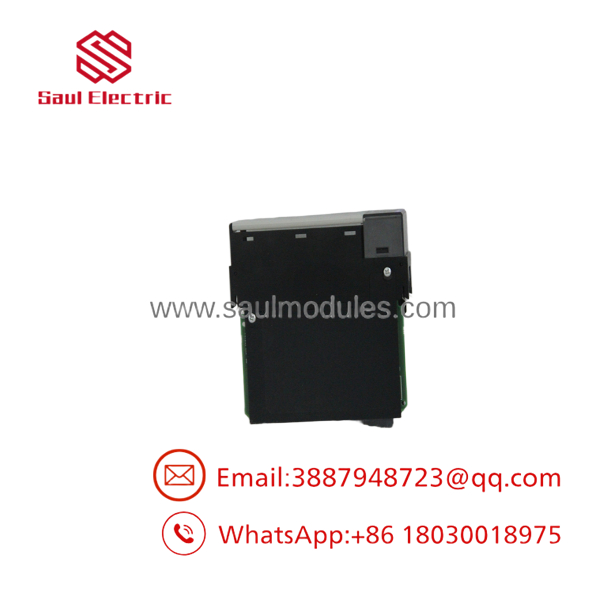
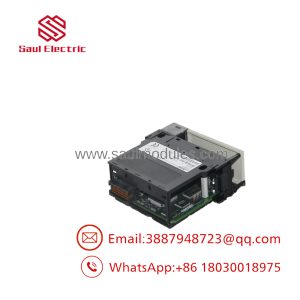
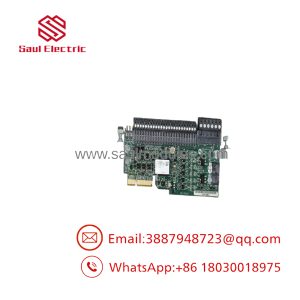
- 1756-DNB
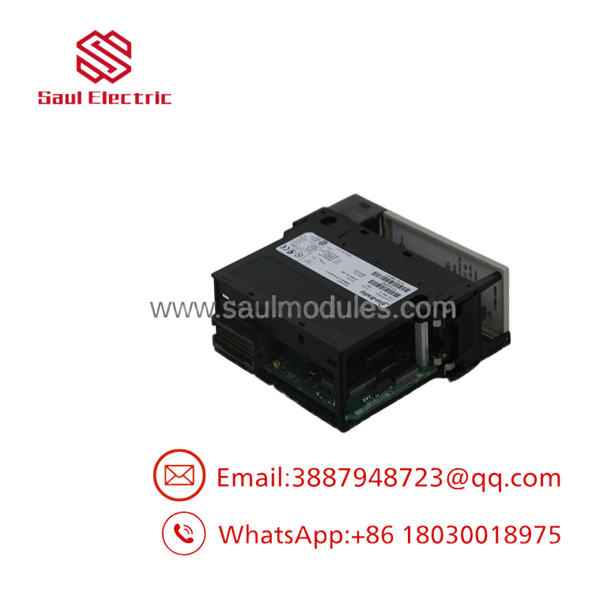
- 1756-DNB
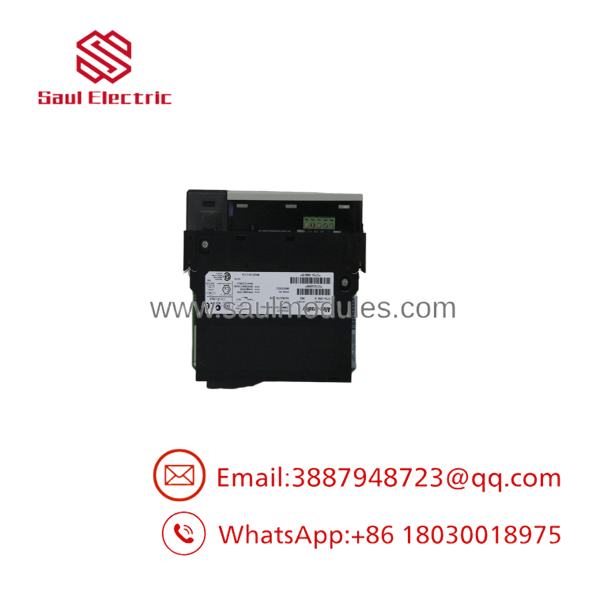
- 1756-DNB
The Veteran’s Tech Trap Guide
- ⚠️ Mandatory 24V DC External Bus Power: The 1756-DNB requires external 24V DC power connected directly to its 5-pin front network plug to power its internal CAN transceivers. If field DeviceNet power drops or is disconnected, the scanner’s alphanumeric LED will display error codes like
E#91orA#75and stop scanning—even if the ControlLogix chassis power supply is fully healthy. - PRO TIP: 121 Ω Trunkline Termination Resistors: DeviceNet requires a 121 Ω, 1/4-Watt terminating resistor installed at each physical end of the main trunkline (between CAN_H and CAN_L). Missing or misplaced termination resistors lead to standing wave reflections, causing random node dropouts (
E#78errors) during motor start spikes. - ⚠️ Scanlist Backup & Automatic Device Replacement (ADR): Simply inserting a new 1756-DNB card will not bring nodes online until the exact
.dntscanlist configuration is downloaded to the module via RSNetWorx for DeviceNet. If using Automatic Device Replacement (ADR), ensure the replacement scanner’s firmware revision matches or exceeds the revision configured in the Studio 5000 / RSLogix 5000 I/O tree.
Dynamic FAQ
Q: Can I replace a 1756-DNB module without stopping the ControlLogix CPU?
A: Yes. ControlLogix chassis support Removal and Insertion Under Power (RIUP). You can physically swap the 1756-DNB module while the rack is powered, provided you follow proper plant safety protocols. However, the DeviceNet nodes managed by that scanner will remain offline until the new card is configured and scanning.
Q: How do I load the scanlist into a new replacement 1756-DNB module?
A: Connect a PC running RSNetWorx for DeviceNet to the network (or via USB/Ethernet passthrough through the ControlLogix backplane), open the saved .dnt project file for that line, and perform a “Download to Scanner.”
Q: What is the difference between the 1747-SDN and the 1756-DNB?
A: The 1747-SDN is designed for the legacy SLC 500 platform, while the 1756-DNB is designed for the ControlLogix (1756) platform, featuring higher backplane throughput, advanced CIP passthrough, and Studio 5000 integration.
Q: Are replacement 1756-DNB modules fully tested before shipment?
A: Yes. Every 1756-DNB scanner undergoes live 24V DC bus verification, multi-node RSNetWorx scanlist loading, active backplane data transfer checks, and thermal burn-in on a live ControlLogix test rack.

 Start Chat


