





Description
Product Introduction
The Allen-Bradley 1761-NET-ENI (EtherNet/IP Interface) is an essential communication bridge that enables legacy PLCs and PACs to communicate over standard EtherNet/IP networks. It plugs into the RS-232 serial DF1 port of controllers such as MicroLogix (1000, 1100, 1200, 1500), SLC 5/03, SLC 5/04, and CompactLogix, converting serial messaging into Ethernet TCP/IP packets.
Instead of running dedicated serial programming cables across a facility or upgrading entire PLC hardware racks, the 1761-NET-ENI allows maintenance teams to program controllers, fetch SCADA/HMI data, and pass peer-to-peer messages over the existing plant network.
Key Technical Specifications
| Parameter | Value / Specification |
| Ethernet Port | 10 Base-T (RJ45 Connector, IEEE 802.3) |
| Serial Port | 8-Pin Mini-DIN RS-232 (DF1 Full-Duplex) |
| Supported Protocols | EtherNet/IP, TCP/IP, UDP, BOOTP, DHCP |
| Serial Baud Rates | 1200, 2400, 4800, 9600, 19200, 38400 bps (Auto-Baud option) |
| Incoming Power Supply | 24V DC (Power via controller pin 8 OR external terminal block) |
| Power Consumption | 200 mA @ 24V DC max |
| Max Concurrent Connections | 4 Incoming TCP, 2 Outgoing TCP, 3 Unconnected Messaging |
| Email Capability | Supports sending SMTP email alerts based on controller triggers |
| Mounting Options | DIN Rail or Direct Panel Mount |
Application Scenarios & The “Trench” Experience
A plant engineer needs to bring ten isolated standalone MicroLogix 1000 PLCs into the plant-wide Ignition or FactoryTalk SCADA system for production tracking. Because the MicroLogix 1000 only has a single RS-232 serial port, running individual serial cabling to an industrial PC is impractical and prone to ground noise over long distances. Mounting a 1761-NET-ENI next to each controller converts the RS-232 port into a networkable EtherNet/IP node, letting the SCADA server pull live data over standard panel Ethernet switches without changing the PLC ladder logic.
Target Application Scenarios
- Remote PLC Programming over LAN: Allows engineers to upload, download, and monitor RSLogix 500 ladder logic over Ethernet rather than connecting serial cables directly to the machine.
- SCADA & HMI Network Integration: Connects older DF1-only PLCs to modern Ethernet-based HMIs (e.g., PanelView Plus) or OPC servers.
- Peer-to-Peer Messaging: Facilitates MSG (message) instruction exchanges between legacy SLC 500 / MicroLogix controllers and modern ControlLogix/CompactLogix PACs over local networks.
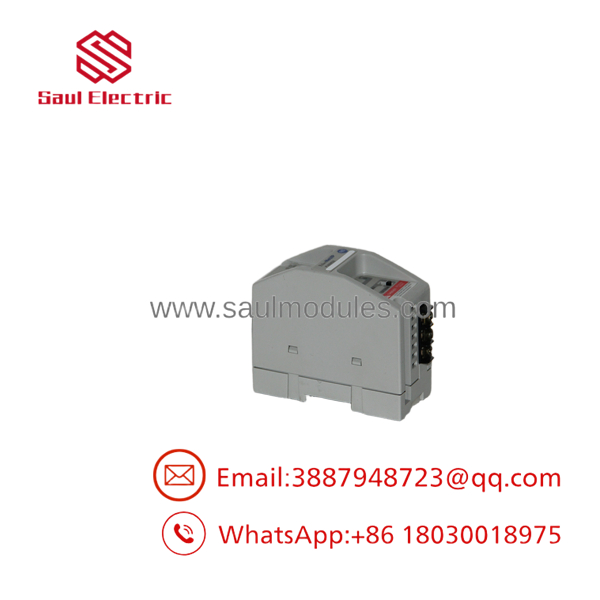
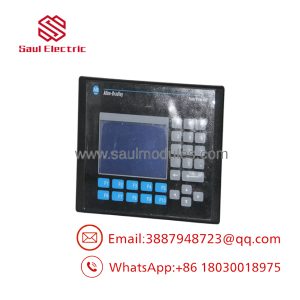
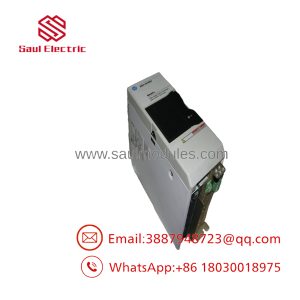
- 1761-NET-ENI
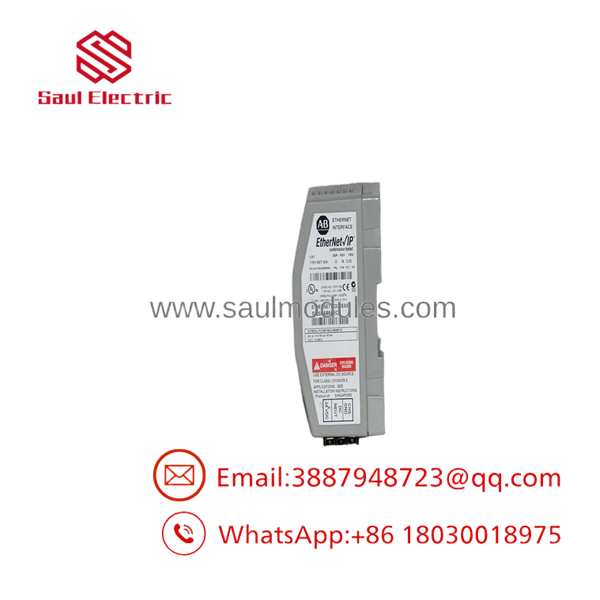
- 1761-NET-ENI
Transparency SOP: Quality Assurance & Testing
Every 1761-NET-ENI module goes through rigorous testing prior to dispatch:
- Physical Inspection: Checking housing latches, DIN rail clips, RJ45 port pins, 8-pin Mini-DIN connector alignment, and terminal block integrity.
- Power Rail Verification: Powering the module via both the 24V DC terminal block and the Mini-DIN cable interface to verify internal power regulation.
- Network Boot & Configuration Audit: Connecting via the ENI Utility software over Ethernet to verify IP address assignment (Static, BOOTP, DHCP) and factory settings reset capability.
- Active Serial-to-Ethernet Bridge Test: Connecting the 1761-NET-ENI between a live MicroLogix controller and a PC running RSLinx to verify active DF1-to-EtherNet/IP translation and online ladder monitoring.
- ESD Static Neutralization & Packaging: Cleaning the housing at an ESD-certified station before sealing in static-shielding bags with desiccant.
The Veteran’s Tech Trap Guide (Crucial Value-Add)
⚠️ Watch Connection Limits (The “ENI Bottleneck”): The 1761-NET-ENI is a light-duty gateway that supports a maximum of 4 incoming TCP connections and 2 outgoing TCP connections. Polling the module simultaneously from multiple HMIs, SCADA servers, and RSLogix programming laptops will exhaust its connection buffer, causing network drops and offline faults!
❗ Power Selection Switch Position: The 1761-NET-ENI features a small slide switch for selecting power:
CONTROLLER(draws 24V DC directly through pin 8 of the Mini-DIN cable) orEXTERNAL(requires 24V DC wired to the terminal block). Setting this switch incorrectly will cause the module to remain powered off or overload the controller auxiliary supply.
⚠️ ENI Configuration Utility Required: You cannot configure the IP address or serial baud rate through RSLinx driver auto-discovery alone. You must use the Allen-Bradley ENI Utility software (or BOOTP/DHCP Server) to assign the initial IP address and serial settings.
Frequently Asked Questions (FAQ for Conversion)
Q: What is the difference between 1761-NET-ENI and 1761-NET-ENNI?
A: The 1761-NET-ENI provides standard Ethernet-to-DF1 serial bridging. The 1761-NET-ENNI is an enhanced version that includes full Net-ENI and ENI Series D functionality with broader messaging buffer support, specifically optimized for multi-node pass-through networking.
Q: Can I use the 1761-NET-ENI with a SLC 5/03 or SLC 5/04 CPU?
A: Yes. Connect the 1761-NET-ENI serial port to the Channel 0 RS-232 port of the SLC CPU using a 1761-CBL-PM02 cable (Mini-DIN to DB9) and configure the channel for DF1 Full-Duplex.
Q: What cable do I need to connect the 1761-NET-ENI to a MicroLogix PLC?
A: You use the 1761-CBL-AM00 (0.5 meter) or 1761-CBL-HM02 (2 meter) Mini-DIN to Mini-DIN serial cable, which carries both DF1 data and 24V DC operating power from the MicroLogix port.
Q: What warranty is provided with this unit?
A: We back every New Surplus and fully tested refurbished 1761-NET-ENI interface module with a full 12-month operational warranty.

 Start Chat


