





Description
Product Introduction & Engineering Value
The EZ-T10 designation belongs to the EZTouch HMI family associated with AutomationDirect/EZAutomation. The 10-inch EZTouch platform was designed to provide a local operator interface between PLCs and machine-control equipment, with serial PLC communications and configurable operator screens.
There is an important procurement detail here: EZ-T10 is not necessarily the complete ordering code. The documented product family contains suffix-specific versions such as EZ-T10C-FS, EZ-T10-FSH, EZ-T10-FSD, and others. The suffix should therefore be verified against the original nameplate before purchasing a replacement.
Technical Specifications
| Parameter | Specification |
|---|---|
| Product Family | EZTouch HMI |
| 10-inch Display | 10.4-inch TFT color |
| Resolution | 640 × 480 pixels |
| Touch Technology | Resistive touch |
| Touch Cells | 192 cells, 16 × 12 |
| CPU | Motorola ColdFire 32-bit, 40 MHz |
| Power Supply | 24 VDC |
| Operating Supply Range | 20–30 VDC |
| Typical Power | Approximately 18 W at 24 VDC for documented 10-inch models |
| PLC Port | RS-232C / RS-422A / RS-485A |
| Programming Port | RS-232C / RS-422A / RS-485A |
| Enclosure | NEMA 4 / 4X indoor |
| Operating Temperature | 0–50 °C for documented 10-inch models |
| User Memory | 512K system RAM, with optional expansion/flash memory depending on model |
These specifications are for the documented 10-inch EZTouch variants; do not automatically apply every value to an unspecified EZ-T10 suffix.
Field Application & the “Trench” Experience
A failed legacy HMI can stop an otherwise healthy machine. The PLC, drives, and field wiring may still be functioning, but the operator has lost the interface required to start production or adjust process parameters.
The EZ-T10 family was built around this type of machine-control application. Its serial interfaces support connection to PLC equipment, while the touchscreen provides the operator interface.
A realistic replacement scenario is a packaging machine with an aging 10-inch EZTouch panel. The display develops intermittent touch failures. The maintenance team finds an EZ-T10 replacement, but the original label actually reads EZ-T10C-FS. Ordering only by “EZ-T10” could result in the wrong variant.
Typical applications include:
- Packaging-machine operator stations
- Legacy PLC-based material-handling equipment
- Process-machine local control panels
- Production-line HMI replacement projects
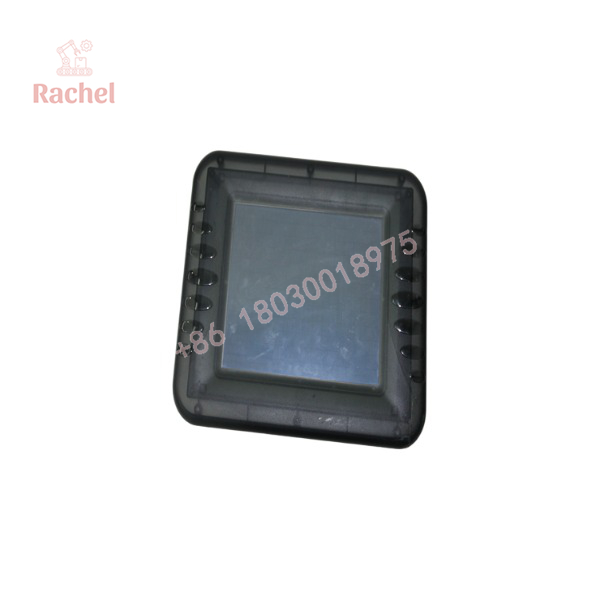
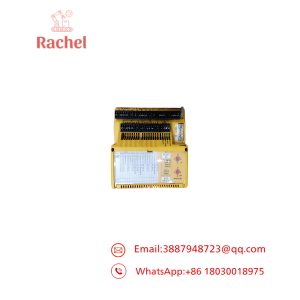
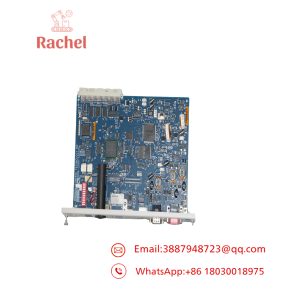
EZ-T10
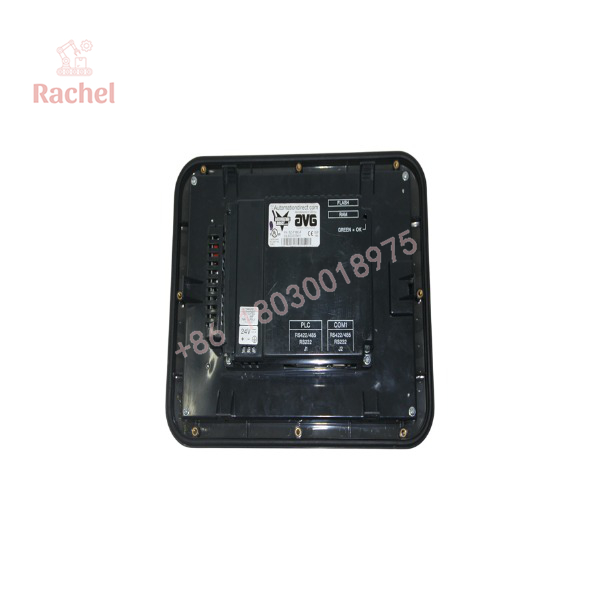
EZ-T10
Transparency SOP: QA & Testing
For New Surplus or Refurbished EZ-T10 inventory:
1. Identification verification
Confirm the exact suffix on the rear label. Record the complete part number, serial number, and hardware revision.
2. Display inspection
Check the TFT display for dead pixels, uneven illumination, scratches, discoloration, and startup abnormalities.
3. Touchscreen test
Test the full touch area. Verify that touch registration is accurate across the screen rather than checking only the center.
4. Power test
Verify normal startup using the specified DC supply range. For documented 10-inch EZTouch models, the operating range is 20–30 VDC.
5. Communication test
Where suitable equipment is available, verify the applicable PLC serial interface and confirm that the HMI can exchange data with the intended controller.
The Veteran’s Tech Trap Guide
⚠️ Trap #1 — “EZ-T10” is too broad.
The EZTouch family contains multiple 10-inch variants. The suffix can determine the exact hardware configuration.
⚠️ Trap #2 — Assuming the HMI is ready to run immediately.
The replacement hardware may require the correct user project to be transferred to the panel. Do not confuse hardware replacement with project restoration.
⚠️ Trap #3 — Ignoring the PLC driver.
The physical serial connection may be correct while the HMI project uses an incompatible PLC driver or communication configuration.
PRO TIP: Before removing a working but aging EZ-T10, back up the HMI project. If the existing panel still operates, extracting the project can be far more valuable than simply recording the model number.
Dynamic FAQ
What is the AutomationDirect EZ-T10?
The EZ-T10 refers to the 10-inch EZTouch HMI family used for local operator interaction with PLC and machine-control systems. Documented variants use a 10.4-inch TFT color display and 640 × 480 resolution.
What voltage does the EZ-T10 use?
Documented 10-inch EZTouch variants use a 24 VDC nominal supply, with a specified operating range of 20–30 VDC.
Does EZ-T10 have serial PLC communications?
Yes. The documented 10-inch EZTouch models provide PLC and programming serial interfaces supporting RS-232C, RS-422A, and RS-485A configurations.
Is every EZ-T10 directly interchangeable?
No. Verify the complete suffix and hardware configuration. EZ-T10-family variants differ, so the exact original ordering code should be matched before purchase.
Is New Surplus EZ-T10 acceptable?
Yes, provided the exact variant is confirmed and the unit passes display, touchscreen, power, and applicable communication checks. New Surplus condition alone does not guarantee that the correct HMI configuration is installed.
What warranty should I request?
For New Surplus or refurbished stock, request written coverage for power-up operation, LCD performance, touchscreen response, and communication functionality. Also confirm whether the actual unit supplied was function-tested rather than only visually inspected.

 Start Chat


