





Description
Ordering Code Breakdown: 3500/46-03-00
The specific part number 3500/46-03-00 defines the precise hardware option card set sent from the factory:
- 3500/46M = Hydro Monitor Main Module (Front Panel card part number: 176449-06)
03(I/O Module Type) = Multimode Prox/Velom (Proximity/Velocity) I/O Module with Internal Terminations00(Agency Approval) = None / No specific regional hazardous area certificate required (standard safe area)
Key Technical Specifications
| Parameter | Value |
| Product Type | Hydro Monitor (Four-Channel) with Multimode I/O |
| Main Processor Card | 176449-06 (3500/46M) |
| Input Channels | 4 independent channels (configured/programmed in pairs) |
| Transducer Types | Proximitor® Probes, Air Gap Sensors, Accelerometers, Velomitors, Dynamic Pressure Sensors |
| Signal Inputs | -23 Vdc (nominal) transducer excitation power supplied directly by the I/O card |
| Power Consumption | 7.7 Watts (Typical) |
| Analog Outputs | +4 to +20 mA DC recorder outputs (proportional to full-scale configured range) |
| Input Impedance | 50 kΩ (for Multimode Positive Input I/O) |
| Frequency Response Range | Customized for low-speed machines: 0.104 Hz to 500 Hz (at rotor speeds of 25 to 1,500 cpm) |
| Physical Dimensions | 244 mm x 24.4 mm x 242 mm (9.6″ x 0.96″ x 9.5″) |
| Net Weight | 0.82 kg (1.8 lbs) |
| Operating Temperature | -30 to +65 °C |
Product Introduction
The Bently Nevada 3500/46M Hydro Monitor is a specialized, high-reliability instrument designed specifically for the unique, slow-speed vibration and condition monitoring demands of hydroelectric turbine-generators and pump-storage units. Unlike standard high-speed turbomachinery, hydro assets rotate at much slower rates (often under 100 RPM) and experience severe, variable mechanical forces from water flow, head height, and generator load.
To effectively monitor these machines, the 3500/46M utilizes an advanced “Multimode” feature. It allows operators to establish up to eight independent machine states (such as Startup, Run, Rough Load Zone, Pump-Storage Mode). The system then automatically switches to distinct, optimized alarm setpoints and time delays to prevent false trips during transient operating conditions, while maintaining tight, localized protection.
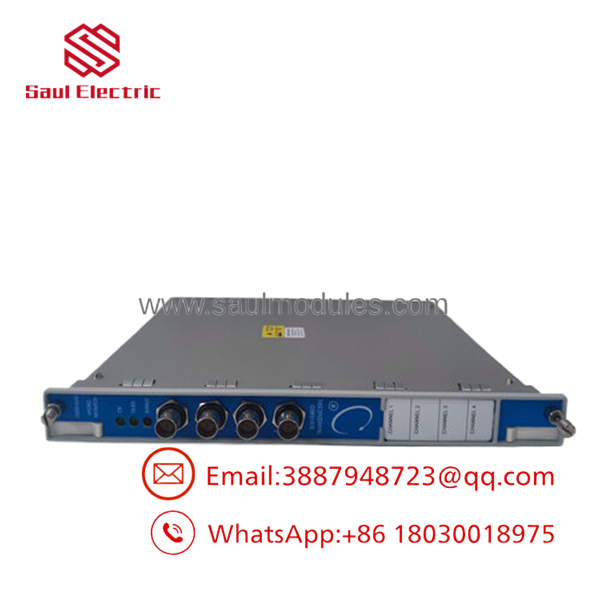
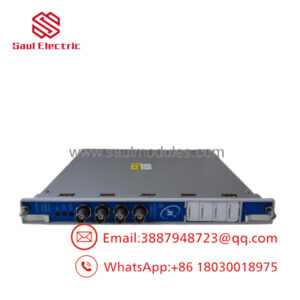
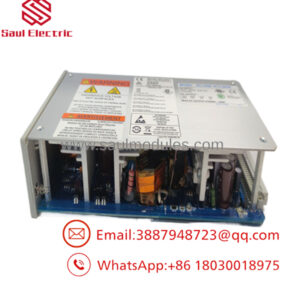
- 3500/46M-03-00
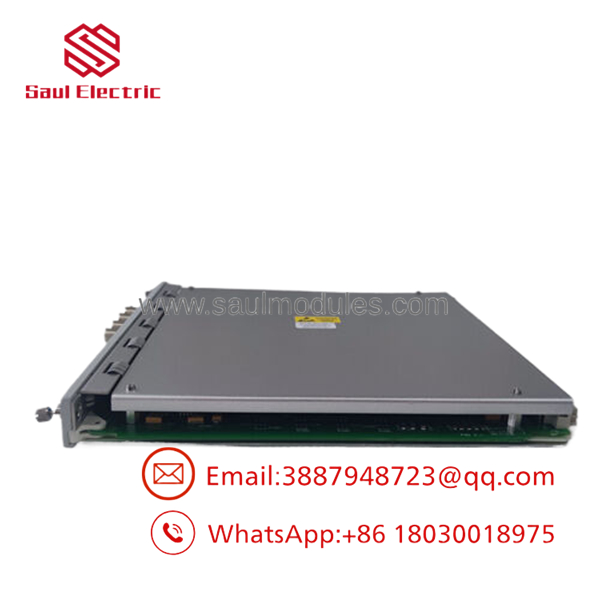
- 3500/46M-03-00
Installation & Configuration Guide
Stage 1: Pre-Installation Preparation (Estimated Time: 15 minutes)
- ⚠️ Safety & Shutdown Alert: The 3500/46M is a primary safety device that triggers alarms or safety trips based on hydro shaft radial vibration or stator air gap limits. You must bypass any associated trip relay contacts on the rack’s relay modules (e.g., 3500/32M or 3500/33) to prevent a false machine trip during card insertion.
- Tools Required: ESD grounded wrist strap, flathead screwdriver, terminal blocks screwdriver, laptop running 3500 Rack Configuration software.
- File Safeguard: Connect to the 3500 Rack TDI module via USB or Ethernet and backup the active
.3500system configuration file before swapping physical components.
Stage 2: Hardware Physical Replacement (Estimated Time: 10 minutes)
- Put on your ESD grounded wrist strap and attach the clip to the unpainted rack metal frame.
- On the rear of the rack, verify the field wiring from your hydro proximity sensors, Velomitors, or air gap transducers are clearly labeled before disconnecting them from the internal terminal block headers.
- Loosen the captive retention screws on both the front main processor card (Slot 1–14) and the rear I/O module.
- Gently extract the faulty rear I/O module and slide the new Multimode Prox/Velom Internal Termination I/O Module into place. Tighten the rear retention screws.
- On the front panel, pull the ejector tabs of the faulty monitor card outward to slide it from the slot. Insert the new 3500/46M (176449-06) front processor card until it seats flush against the backplane. Tighten the front captive screws.
- Plug the labeled field sensor wiring headers back into the internal termination block sockets on the new rear I/O card.
Stage 3: Configuration & System Restoration (Estimated Time: 20 minutes)
- Power up the monitoring rack if it was completely isolated.
- Observe the front panel LEDs of the 3500/46M:
- OK LED: Flashing Green (Indicates the card is powered but unconfigured).
- Bypass LED: Solid Red (Normal state during initial, unconfigured hardware startup).
- Connect your configuration laptop to the rack’s TDI gateway.
- Open the 3500 Rack Configuration utility and upload the target
.3500configuration file containing the specific hydro sensor parameters, multimode switching matrices, and alert/danger setpoints. - Send the configuration to the 3500/46M monitor slot. The OK LED will switch to solid Green, and the TX/RX LED will flash.
- Coordinate with operators to verify the live stator air gap, shaft radial vibration, and thrust measurements. Once verified, deactivate the channel bypasses to re-engage active protection.
Frequently Asked Questions (FAQ)
What makes a “Hydro Monitor” different from standard vibration monitors like the 3500/42M?
Standard vibration monitors are optimized for high-speed industrial machinery (such as gas turbines or centrifugal compressors) running at thousands of RPM. Hydroelectric turbines rotate very slowly (often 50–300 RPM). The 3500/46M features specialized slow-speed signal filtering (down to 0.104 Hz), dedicated calculations for Stator Air Gap tracking, and “Shear Pin” failure detection algorithms specifically tailored to hydro machinery.
What is the “Multimode” feature on the 3500/46M?
Hydro generators experience significantly different vibration profiles depending on their active state (e.g., pump mode vs. generation mode). Defining a single “average” alarm threshold often leads to missed faults or false alarms. The “Multimode” option allows the 3500/46M to maintain up to eight sets of unique alarm parameters. The monitor automatically switches thresholds on the fly via discrete contact inputs or communication protocols.
What is the difference between “Internal Terminations” (Option 03) and “External Terminations”?
Option 03 features Internal Terminations, meaning your field wiring from the proximity probes, accelerometers, and air gap sensors is wired directly to the green screw terminal blocks mounted directly on the rear I/O module. External Terminations require a specialized cable that routes from the rear I/O card to an external terminal block mounted elsewhere in the cabinet.
Can I hot-swap the 3500/46M while the rack is live?
Yes, Bently Nevada 3500 modules are hot-swappable. However, because inserting a fresh card can trigger transient signals across the backplane bus, it is critical to place any linked shutdown relay outputs into “Bypass” before pulling or replacing the monitor card to prevent an accidental machine trip.

 Start Chat


