





Description
Key Technical Specifications
| Parameter | Value |
| Product Type | Universal AC Power Supply Module |
| System Compatibility | Bently Nevada 3500/15 Power Supply System |
| Input Voltage Range | Nominal: 110…220 V AC
Non-Hazardous: 85…264 V AC RMS Hazardous Areas: 85…250 V AC RMS |
| Input Frequency | 47 to 63 Hz |
| DC Peak Input Limits | 120 to 373 V DC Peak |
| Module Slotting | Half-height design; installs on the left side of the 3500 rack |
| Redundancy | Dual redundancy capable (Upper slot = Backup, Lower slot = Primary) |
| Power Output Capabilities | Fully powers a completely populated 3500 monitoring rack |
| Compatibility Note | Incompatible with legacy High/Low Voltage AC Power Input Modules (PIMs) |
| Physical Dimensions | 120.7 mm x 50.8 mm x 251.5 mm (4.75″ x 2.0″ x 9.9″) |
| Net Weight | 1.39 kg (3.06 lbs) |
| Operating Temperature | -30 to +65 °C |
Product Introduction
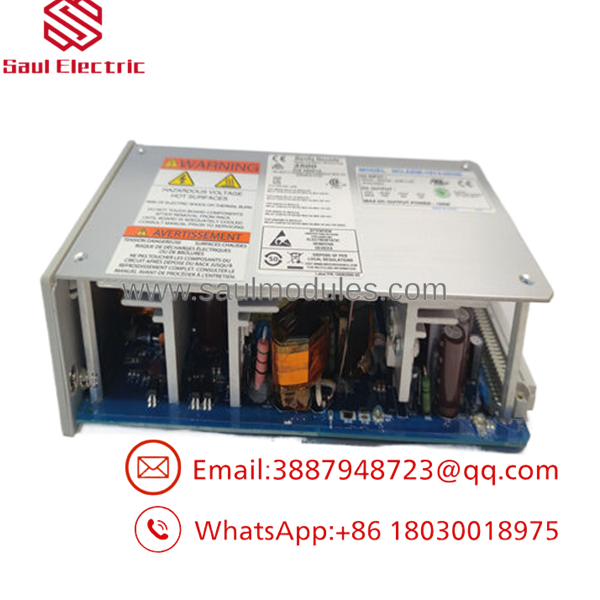
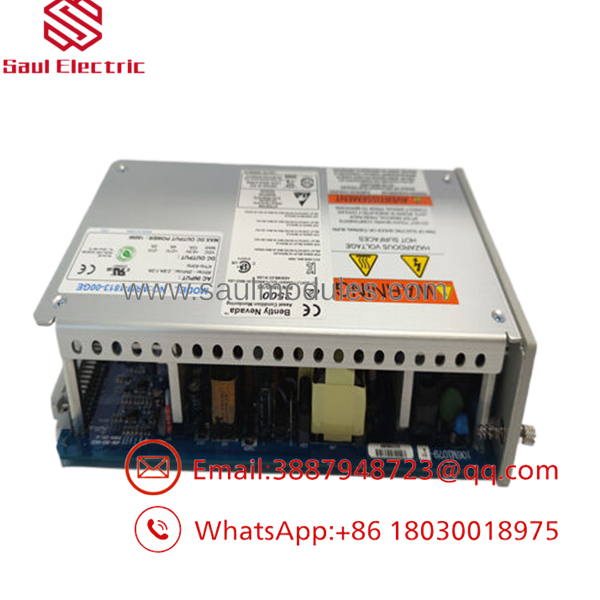
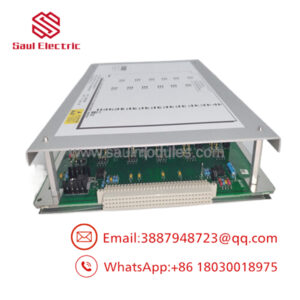
The Bently Nevada 106M1079-01 is a highly reliable Universal AC Power Supply Module engineered specifically for the 3500/15 Power Supply System, which forms the physical backbone of the Bently Nevada 3500 Machinery Protection System. Operating as a half-height module, this device slides into designated slots on the far left side of the 3500 instrument rack to convert variable plant AC utility power into the highly filtered, stable DC voltage rails required by adjacent monitoring cards.
A primary highlight of the 106M1079-01 is its support for redundant hardware deployment. By installing two power supplies together in the same rack, you configure an active-backup pairing. The lower slot behaves as the primary feed, while the upper slot operates as an online standby unit. If one supply experiences a component failure or losing its feed, the companion unit takes over the complete system load instantly without causing a trip or losing critical turbine vibration diagnostic streams.
- 106M1079-01
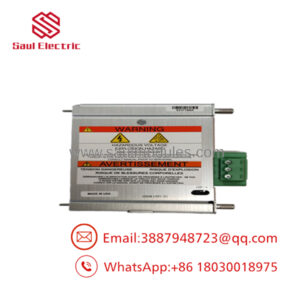
- 106M1079-01
Installation & Configuration Guide
Stage 1: Pre-Installation Preparation (Estimated Time: 10 minutes)
- ⚠️ Safety First: Ensure the incoming power supply cord is safely routed through an external circuit breaker. While the 3500 system supports active card insertion, use extreme care when routing live electrical conductors to the backplane input connections.
- Tools Required: ESD grounded wrist strap, medium flathead screwdriver, Philips screwdriver, digital multimeter.
- Compatibility Check: Verify that the companion Power Input Module (PIM) mounted to the rear of the rack matches the universal design (typically 106M1081-01). The universal AC power supply cannot be combined with legacy high-voltage or low-voltage AC input modules.
Stage 2: Removing the Old Module (Estimated Time: 5 minutes)
- Redundant System Check: If your 3500 rack features two power supplies (redundant configuration) and one is still running healthy, you can safely pull the failed supply without shutting down the monitoring rack. If you only have one power supply, the entire rack will lose power—coordinate with plant operators to bypass active machine safety trips before proceeding.
- Put on a grounded ESD wrist strap and clamp it to the rack’s frame.
- Loosen the two captive retaining screws located on the front face of the power supply module.
- Grasp the built-in ejector tabs on the front panel, pivot them outward to disengage the rear connectors, and pull the module straight out of its slot.
Stage 3: Installing the New Module (Estimated Time: 10 minutes)
- Unbox the replacement 106M1079-01 module while wearing your ESD wrist strap.
- Slide the module into the left-side slot guides of the 3500 rack. Ensure it aligns squarely with the track rails.
- Push the module firmly into the slot until the front faceplate is flush with the rack frame, ensuring the backplane pins are fully seated.
- Tighten the two captive retaining screws on the front panel to lock the module in place.
Self-Checklist:
- [ ] Module sits fully flush and aligned with adjacent cards
- [ ] Retaining screws hand-tightened to prevent loosening from vibration
- [ ] Correct Power Input Module (106M1081-01) confirmed on the rear backplane
Stage 4: Power-On & Testing (Estimated Time: 15 minutes)
- Switch on the upstream supply breaker feeding the power input module.
- Observe the LED indicators on the front panel of the 106M1079-01:
- SUPPLY OK LED: Solid Green (indicating input and output DC rails are within functional parameters).
- OK LED: Solid Green (indicating internal card diagnostics have passed).
- If configured as a redundant pair, verify that the active “Supply OK” LEDs on both the lower (primary) and upper (backup) modules are lit.
- Connect a PC running 3500 Rack Configuration software to check system logs and confirm that no power supply error codes are active.
Frequently Asked Questions (FAQ)
Can I mix an AC power supply and a DC power supply in the same redundant rack?
Yes. The 3500/15 power supply design allows you to install one AC power supply and one DC power supply in the same rack. This is a common strategy in critical infrastructure installations where you want to feed the primary lower slot with standard plant utility AC power and connect the upper backup slot to a 24 V DC battery station bus. If the main AC power grid fails, the DC battery backup continues to power your critical machine vibration sensors seamlessly.
Is the 106M1079-01 hot-swappable under load?
Yes, provided that a second, fully operational power supply is installed in the rack’s redundant slot and connected to an active power source. In this setup, you can extract a faulty power supply and insert the new 106M1079-01 without interrupting the operation of any other cards in the rack, meaning your vibration monitors remain active.
What is the difference between the 106M1079-01 and the legacy 129486-01 power supply?
The 106M1079-01 is a modern, Universal AC Power Supply that accepts a broad voltage range (85…264 V AC). The 129486-01 is a legacy High Voltage DC Power Supply. Because of differences in backplane connections and internal routing design, the Universal AC units are physically and electrically incompatible with legacy AC or DC Power Input Modules (PIMs). Always ensure your front-side power supply matches the rear-side input module’s design.
What causes the “Supply OK” LED to go out or flicker?
A dark or flickering “Supply OK” LED typically points to an unstable input voltage line, an overloaded DC rail on the backplane (often caused by a faulted monitor module elsewhere in the rack), or thermal breakdown within the power supply’s internal transformer circuit. If replacing the supply does not clear the issue, systematically pull the other monitor modules to locate the short circuit on the backplane.
Why choose surplus Bently Nevada units rather than purchasing factory-direct?
Bently Nevada hardware is highly durable, but obtaining components through standard factory-direct pipelines can involve significant lead times. We stock original, unused surplus, and certified refurbished 106M1079-01 modules to help you bypass long factory delays. This lets you replace critical protection equipment immediately, protecting your turbine assets from running without active vibration monitoring.

 Start Chat


