





Description
Product Introduction & Engineering Value
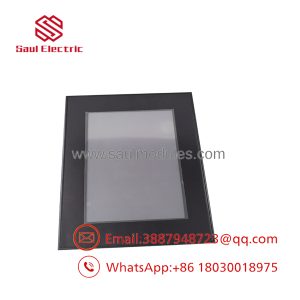
The Eaton XV-303-70-CE0-A00-1E is a 7-inch XV300-series operator panel intended for industrial machine and process visualization. It gives operators a local graphical interface for equipment status, alarms, parameters, recipes, and control commands.
The CE0-A00-1E configuration is important. Do not select a replacement simply because another XV300 unit has a 7-inch display. Communication interfaces, power requirements, software compatibility, firmware, and mounting details must be checked against the installed system.
Technical Specifications
| Parameter | Specification |
|---|---|
| Manufacturer | Eaton |
| Model | XV-303-70-CE0-A00-1E |
| Product Family | XV300 |
| Product Type | HMI / Operator Panel |
| Display Size | 7 in |
| Operator Interface | Touchscreen |
| Display Function | Graphical visualization |
| Application | Industrial machine and process control |
| Installation | Panel-mounted |
| Communication | Configuration-dependent |
| Application Project | User/application dependent |
| System Integration | Dependent on connected controller |
Engineering note
The exact electrical specifications for the CE0-A00-1E configuration should be verified from the applicable Eaton documentation. Do not infer communication ports, supply voltage, memory, environmental ratings, or display resolution from the broader XV300 family alone.
Field Application & the “Trench” Experience
A touchscreen HMI can fail in two very different ways: the hardware can stop operating, or the hardware can operate while communication with the controller is lost. Those situations require different troubleshooting paths.
When replacing an XV-303-70-CE0-A00-1E, preserve the original HMI project and communication settings before removing the existing panel. After installation, verify the controller connection before returning the machine to production. A working touchscreen is only the first checkpoint.
Specific application scenarios
- Packaging and filling equipment requiring recipes, alarm screens, and operator setpoints.
- Machine automation panels displaying drive status, production counters, and fault conditions.
- Material-handling equipment where operators need local control and visualization of conveyor and actuator states.
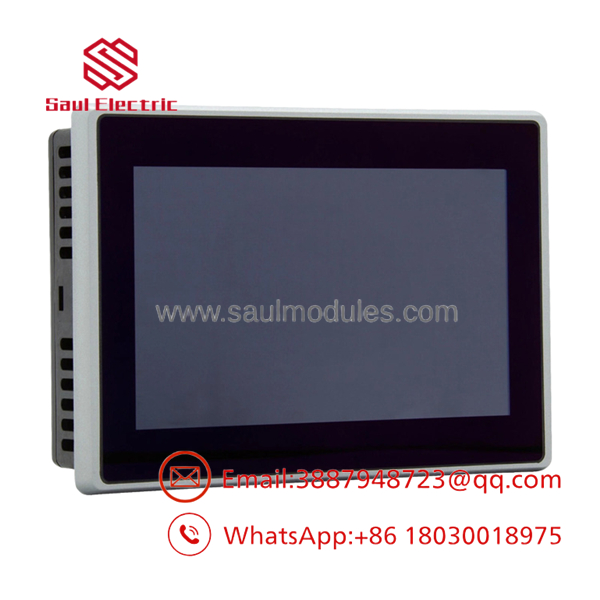
XV-303-70-CE0-A00-1E
Transparency SOP: QA & Testing
For New Surplus XV-303-70-CE0-A00-1E, use this acceptance checklist:
- Part identification: Confirm the complete model number on the actual unit.
- Display condition: Check for cracks, scratches, dead pixels, and discoloration.
- Touch response: Test multiple locations across the touchscreen.
- Mechanical condition: Inspect bezel, enclosure, mounting points, and rear connectors.
- Power-up: Verify normal startup under controlled conditions.
- Communication: Test the applicable interface when suitable equipment is available.
- Software: Determine whether the unit contains an application project or is supplied as hardware only.
A supplier should be able to state exactly what “tested” means. Booting to a startup screen is not the same as verifying communication and application functionality.
The Veteran’s Tech Trap Guide
⚠️ Trap #1 — Confusing CE0 with another XV300 configuration
The complete suffix should remain in the purchasing specification. Similar XV300 model numbers can represent different configurations.
⚠️ Trap #2 — Forgetting to save the original project
If the old HMI still powers up, back up the project before replacement. Do not depend on recovering the application after the old unit has been removed.
PRO TIP: Photograph the original model label and rear connections. Save the communication parameters and controller address in the maintenance record.
⚠️ Trap #3 — Assuming a factory-default replacement is production-ready
A New Surplus HMI may require project loading, communication configuration, user setup, and machine-specific parameter restoration before it can be commissioned.
Dynamic FAQ
What is Eaton XV-303-70-?
It is a 7-inch Eaton -series touchscreen HMI/operator panel intended for industrial machine and process-control applications.
Is this an HMI?
Yes. The XV-303 designation identifies it as part of the Eaton operator-interface family.
Does the unit come with an HMI project?
Not necessarily. Hardware condition and application software are separate. Confirm project availability with the supplier before purchase.
What should I verify before ordering this model?
Verify the complete XV-303-70- designation, display characteristics, power requirements, communications, mounting requirements, firmware/software compatibility, and the connected controller.
Can another 7-inch replace it?
Only after compatibility has been confirmed. Screen size and family membership are not sufficient evidence of interchangeability.
How can I verify New Surplus authenticity?
Request actual-unit photographs showing the front and identification label. Confirm whether the unit is unused or previously installed and ask for details of any power-up, touchscreen, and communication testing.
What warranty should I request?
Confirm the warranty period, hardware condition, functional-test scope, project/software status, and return policy in writing. For production equipment, avoid relying on an unspecified “tested” or “surplus” description.

 Start Chat


