





Description
Product Introduction
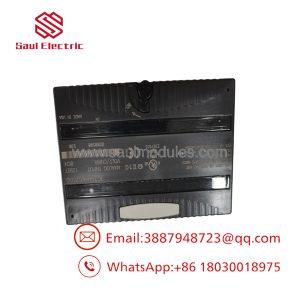
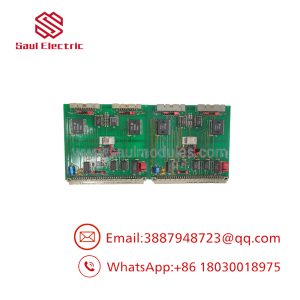
The FANUC A17B-3900-0124 is a specialized modular sub-board (daughter card) designed to plug directly into the main CPU motherboard of FANUC Series 16i, 18i, 21i, and 0i CNC controllers. Functioning as an architectural extension of the primary processor rack, this card handles dedicated tasks such as high-speed axis interpolation, high-density SRAM execution, or PMC ladder coprocessing.
Engineered with high-reliability surface-mount components and gold-plated edge connectors, the A17B-3900-0124 expands controller capabilities without requiring extra backplane slot space. Its direct socket connection guarantees ultra-low latency communication with the host CPU, allowing multi-axis CNC machines to maintain tight contouring accuracy during high-speed machining operations.
Key Technical Specifications
| Parameter | Value |
| Part Number | A17B-3900-0124 (PCB Mark: A20B-3900-0124 / HCD55G) |
| Manufacturer | FANUC Corporation |
| Control System Compatibility | FANUC Series 16i, 18i, 21i, 0i-A/B System Mainboards |
| Form Factor | Plug-in Daughter Card / SODIMM-Style Edge Connector |
| Bus Interface | Proprietary High-Speed Direct System Bus |
| Operating Voltage | +5V DC (Supplied internally by host motherboard) |
| Mounting Mechanism | Dual snap-lock retaining clips or guide rails |
| Cooling Method | Convection via main control rack fan airflow |
Application Scenarios & The “Trench” Experience
When an internal SRAM or coprocessor failure occurs on an A17B-3900-0124 sub-board, the CNC screen may freeze during bootup, throw a “SYSTEM ALARM 970 / 971” (Check SUM Error or Bus Error), or drop communications with the servo axis cards. Swapping out a damaged daughter card restores mainboard functionality instantly without having to replace the far more expensive primary motherboard assembly.
- High-Speed Milling Centers – Coprocesses multi-axis trajectory interpolation for complex 3D mold-and-die contouring.
- Multi-Axis CNC Lathes – Manages auxiliary spindle synchronization and high-speed PMC ladder logic execution.
- Precision Grinding Machines – Delivers low-jitter feedback processing for micro-positioning axis loops.
Field Case Study
A production aerospace shop experienced a “System Alarm 972” (NMI Occurred in CPU Board) on a 5-axis machining center equipped with a FANUC 18i-MB control. Troubleshooting pinpointed a failed memory IC on the plugged-in A17B-3900-0124 sub-card. Replacing the entire mainboard would have required hours of parameter re-loading and cable unweaving. Instead, the technician unclipped the faulty sub-board and swapped in a bench-tested surplus A17B-3900-0124 card. The CNC booted up cleanly on the first try with all machine parameters and ladder files completely intact.
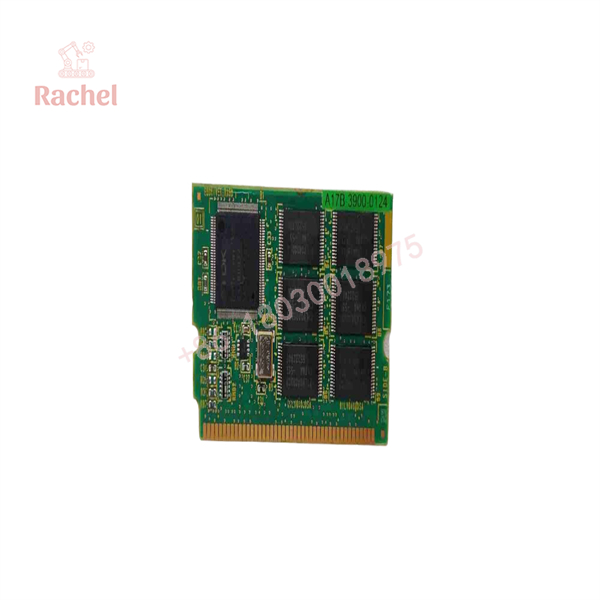
A17B-3900-0124
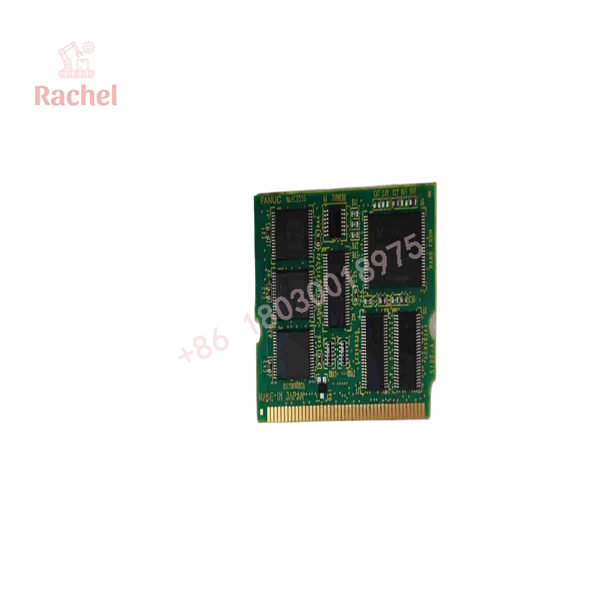
A17B-3900-0124
Transparency SOP: Quality Assurance & Testing
Every FANUC daughter card in our inventory undergoes testing on live CNC mainboard test rigs prior to stock approval.
- Inbound Visual Inspection: Inspect gold edge connector pins for wear or scratches, check surface-mount ICs for thermal discoloration, and verify PCB trace integrity.
- Gold Contact Cleaning: Treat all edge-connector gold fingers with isopropyl alcohol and electrical contact cleaner to remove oxidation layer build-up.
- Live System Boot Test: Insert the card into a matching FANUC 18i/21i mainboard test rig. Power up the control and verify that all system self-diagnostics pass without SRAM or bus parity alarms.
- Thermal Stress & Extended Run Test: Run continuous high-speed PMC execution loops for 60 minutes inside a powered test chassis to confirm zero thermal drift or dropouts.
- ESD Protection & Packaging: Vacuum-seal the card in an anti-static ESD shielding bag with fresh desiccant, protected by high-density foam inside a rigid shipping box.
The Veteran’s Tech Trap Guide
- ⚠️ Always Backup Parameters First: Before removing or installing sub-boards on a FANUC motherboard, back up your NC parameters, PMC ladder, pitch error tables, and macro variables to a PCMCIA memory card or USB drive. If the card contains SRAM memory backup tracks, removing it can clear local memory buffers!
- ❗ Ground Yourself Against ESD Electrostatic Discharge: Daughter cards like the A17B-3900-0124 contain unshielded, static-sensitive CMOS integrated circuits. Touching the gold contacts without an ESD grounding wrist strap can destroy memory cells instantly.
- ⚠️ Inspect Card Alignment Before Latching: Ensure the card fits squarely into its socket before pressing down on the side retention clips. Forcing a misaligned daughter card will bend socket pins on the primary motherboard, resulting in permanent mainboard damage.
- ❗ Never Insert or Remove Cards Under Power: Always shut off the main cabinet disconnect switch and wait for all power supply LEDs to extinguish before opening the CNC rack to insert or swap sub-boards.
Frequently Asked Questions (FAQ for Conversion)
Q: What is the difference between an A17B-3900-0124 part number and the A20B-3900-0124 number printed on the green circuit board?
A: In FANUC terminology, is the complete functional card assembly number (including factory testing and loaded firmware/configuration), whereas A20B-3900-0124 is the raw part number stamped on the unpopulated PCB substrate. They refer to the exact same physical board.
Q: Will swapping this board erase my CNC machine parameters?
A: If the main system parameters are stored in the SRAM section of the host motherboard or flash module, swapping this sub-board will not erase them. However, if the sub-card itself houses the system SRAM option, parameters must be restored from a backup. Always save a system backup prior to hardware replacement.
Q: How do I know if my CNC fault is caused by this daughter card or the main motherboard?
A: System alarms in the 970–973 range typically point to RAM, bus, or parity failures on the motherboard or its attached daughter cards. Swapping the sub-board with a known-good test unit is the fastest way to isolate the fault.
Q: What warranty coverage comes with this surplus FANUC daughter card?
A: We back all clean surplus and reconditioned A17B-3900-0124 sub-boards with a full 12-month operational replacement warranty.
Q: Why choose a tested surplus daughter card over sending the whole CNC rack out for repair?
A: Board-level repair services can take weeks of diagnostic turnaround time. Swapping the daughter card directly on-site gets your CNC machine running in minutes at a fraction of the cost.

 Start Chat


