





Description
Product Introduction & Engineering Value
When a CNC machine is integrated into a larger automation network, communication reliability becomes just as important as servo performance. The FANUC A20B-8100-0430 provides the PROFIBUS-DP master interface required for exchanging data between FANUC CNC controls and connected field devices.
For factories maintaining older FANUC-based production cells, replacing the original communication PCB is often preferable to redesigning the network architecture. Correct installation requires matching the CNC generation, board revision, PROFIBUS configuration, and connected device parameters.
Technical Specifications
| Parameter | Specification |
|---|---|
| Manufacturer | FANUC |
| Part Number | A20B-8100-0430 |
| Product Type | CNC Communication PCB |
| Board Series | A20B-8100 |
| Function | PROFIBUS-DP Master Interface |
| Network Protocol | PROFIBUS-DP |
| Communication Role | Master station |
| Application | FANUC CNC controller networking |
| Installation Method | CNC rack / PCB slot mounting |
| Interface Function | External device communication |
| Compatible Systems | FANUC CNC platforms with PROFIBUS option |
| Replacement Category | Legacy CNC communication spare |
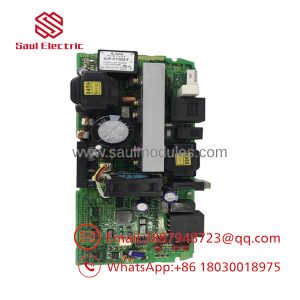
The A20B-8100-0430 is identified as a PROFIBUS-DP (Master Function) PCB A within the FANUC A20B-8100 series.
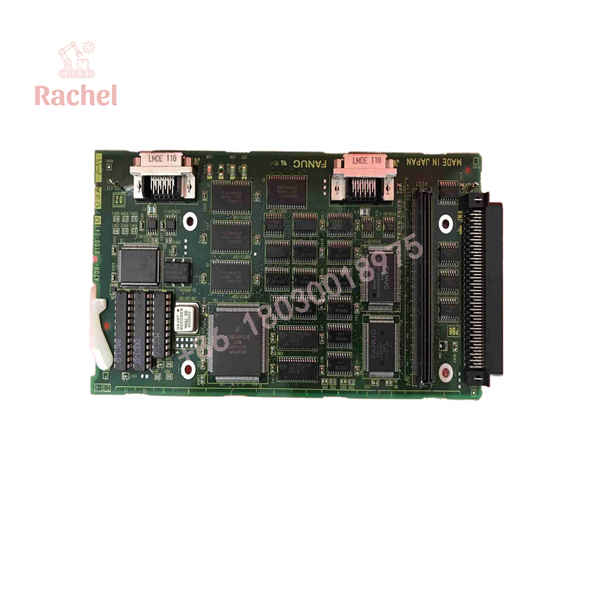
A20B-8100-0430
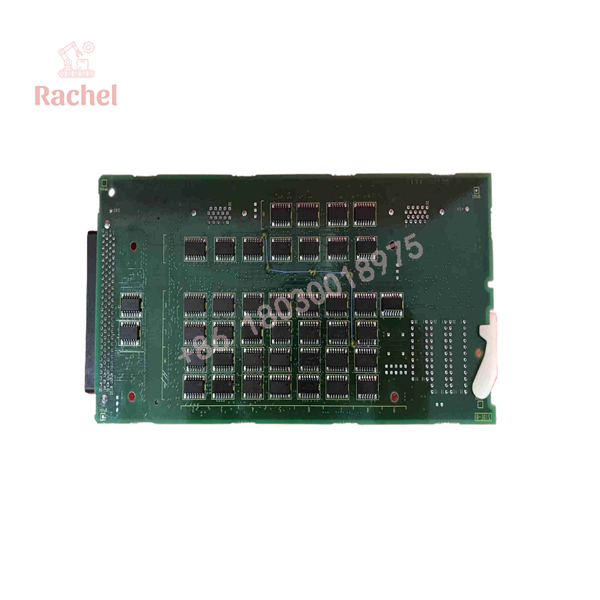
A20B-8100-0430
Field Application & The “Trench” Experience
A machining line uses FANUC CNC equipment connected to a factory automation network through PROFIBUS. After years of operation, operators begin seeing intermittent communication alarms between the CNC controller and remote I/O devices.
The maintenance team first checks:
- PROFIBUS cable shielding
- Bus termination resistors
- Node addressing
- External field devices
After confirming the network hardware is healthy, technicians identify the CNC communication board as the failure point. A tested FANUC A20B-8100-0430 replacement PCB is installed.
The restart procedure includes:
- Confirming the replacement board identification.
- Installing the PCB into the CNC rack.
- Restoring PROFIBUS parameters.
- Checking master/slave communication.
- Running machine production tests.
The field lesson: network faults in CNC systems often appear as machine problems. A communication board failure can stop production even when the mechanical and servo systems are operating normally.
Specific application scenarios
- FANUC CNC machining cells — connecting CNC controls with distributed automation devices.
- Automated production lines — PROFIBUS communication between controllers and field modules.
- Legacy factory networks — maintaining existing PROFIBUS-based CNC installations.
Transparency SOP: QA & Testing
For New Surplus or Refurbished A20B-8100-0430 units, testing should focus on communication performance and PCB condition.
Inspection Workflow
1. Identification Verification
- Confirm FANUC label.
- Verify:
- A20B-8100-0430
- Check board revision markings.
2. Physical Inspection
- Examine PCB surface.
- Inspect edge connectors.
- Check communication interface components.
- Look for corrosion or contamination.
3. Component Review
- Inspect IC devices.
- Check solder joints.
- Verify connector integrity.
4. Functional Testing
- Install on compatible FANUC CNC hardware.
- Confirm board recognition.
- Test PROFIBUS communication.
- Verify data exchange with connected devices.
5. Final Preparation
- Apply ESD protection.
- Secure PCB packaging.
- Record test information.
The Veteran’s Tech Trap Guide
⚠️ Trap #1 — Confusing PROFIBUS boards with similar FANUC communication PCBs
FANUC A20B boards include many communication options:
- PROFIBUS-DP
- Ethernet
- DeviceNet
- I/O Link
A board may physically fit but provide a completely different network function.
PRO TIP: Always verify the full A20B part number before replacement.
⚠️ Trap #2 — Forgetting PROFIBUS configuration data
Replacing the hardware does not automatically restore:
- Node address
- Communication parameters
- Master configuration
- Device mapping
Save network settings before removing the original PCB.
⚠️ Trap #3 — Ignoring cable and termination issues
A failed communication board is not always the cause of PROFIBUS faults.
Check:
- Bus termination
- Shield grounding
- Cable condition
- Connector quality
⚠️ Trap #4 — Mixing CNC generations
A20B-8100 communication boards may depend on CNC software generation and option configuration.
Verify:
- CNC model
- Software version
- Installed communication options
Dynamic FAQ
Q1: ANUC ?
The FANUC is a PROFIBUS-DP master function PCB used for communication between FANUC CNC systems and PROFIBUS network devices.
Q2: What communication protocol does A20B-8100-0430 support?
This PCB supports PROFIBUS-DP master communication for FANUC CNC automation networks.
Q3: Which FANNC sy use ?
Compatibility depends on the installed CNC architecture. It is associated with FANUC systems including certain 0i-C, 0i Mate-C, 16i, 18i, and 21i applications, but the exact machine configuration must be verified.
: Is a direct replacement PCB?
Only after confirming:
- CNC model
- Board revision
- PROFIBUS option availability
- Existing configuration data
Q5: What should I provide when ordering this FANUC PCB?
Provide:
- Complete part number
- CNC control model
- Existing PCB photo
- Board revision
- Machine builder information
Q6: Iplus unused?
New Surplus generally refers to unused industrial inventory from previous stock. Verify label condition, storage history, testing records, and warranty terms before purchase.
Q7: Can refurbished A20B-8100-0430 boards be used in production machines?
Yes. A suitable refurbishment process should include PCB inspection, connector checks, communication testing, and validation on compatible FANUC CNC hardware.

 Start Chat


