





Description
Core Product Summary
The FOXBORO FBM232 P0926GW is a Field Device System Integrator (FDSI) module that connects Ethernet-based field devices to a compatible Foxboro distributed control system. It provides one copper Ethernet interface supporting 10 Mbps or 100 Mbps communication and uses downloadable software drivers to integrate supported third-party device protocols.
Through Ethernet switches or hubs, the FBM232 can communicate with one directly connected network device or up to 64 external devices. Its software interface supports up to 2,000 Distributed Control Interface (DCI) data connections, allowing supported analog, digital, and packed digital values to be read or written through the control system.
The module communicates with its associated Fieldbus Communication Module (FCM) or Field Control Processor (FCP) over the redundant 2 Mbps module Fieldbus. This provides a communication path into the Foxboro control architecture while keeping the external device network on a separate Ethernet interface.
Product identification
- Manufacturer: Foxboro, Schneider Electric
- Model: FBM232
- Part number: P0926GW
- Product category: Field Device System Integrator module
- Ethernet ports: 1
- Ethernet speed: 10 or 100 Mbps
- Network protocols: UDP/IP or TCP/IP, depending on the driver
- Maximum external device count: 64, subject to performance
- Maximum DCI connections: 2,000
- System family: Foxboro Evo / compatible I/A Series installations
Key Technical Specifications
| Parameter | Manufacturer specification |
|---|---|
| Module model | FBM232 |
| Part number | P0926GW |
| Product type | Field Device System Integrator (FDSI) |
| Ethernet interface | Single copper Ethernet port |
| Ethernet transmission rate | 10 or 100 Mbps |
| Communication protocols | UDP/IP or TCP/IP |
| IP configuration | Fixed IP address or DHCP |
| External device capacity | Up to 64 devices per module |
| DCI data connections | Up to 2,000 |
| Supported data types | 2-byte or 4-byte signed/unsigned integers, 4-byte IEEE single-precision floating point, binary values |
| Data access period | As fast as 500 ms, depending on device and data layout |
| Software configuration | Downloadable protocol driver; FDSI configurator |
| Ethernet connector | RJ-45 |
| Ethernet cable length | 1–100 m, depending on network configuration |
| Null hub adapter cable | P0971PK |
| Module Fieldbus | Redundant 2 Mbps |
| Compatible communication interfaces | FCM100E, FCM100Et, FCP270, FCP280 |
| Redundant supply input | 24 VDC, +5%/−10% |
| Maximum power consumption | 7 W |
| Maximum heat dissipation | 7 W |
| Operating temperature | −20 to +70°C |
| Storage temperature | −40 to +70°C |
| Relative humidity | 5–95%, non-condensing |
| Environmental classification | ISA S71.04 Class G3 |
| Module weight | Approximately 284 g |
| Module dimensions | 102 × 45 × 104 mm |
| Height including mounting lugs | 114 mm |
| Mounting | Standard 200 Series modular baseplate |
| Calibration | Not required |
Specification note: The number of supported devices, data points, and achievable scan rate depends on the driver, device response time, network layout, and control-processor sizing. Confirm revision-specific operating limits against the applicable manufacturer documentation.
Engineering Selection Highlights
Single-port 10/100 Mbps Ethernet
The FBM232 connects to one copper Ethernet network through an RJ-45 interface. It supports 10 Mbps and 100 Mbps Ethernet, allowing integration with compatible devices and network infrastructure.
The single-port design is an important selection criterion. If the application requires two Ethernet ports for redundant network connections, evaluate the FBM233 rather than assuming that the FBM232 offers dual-port Ethernet redundancy.
Integration of up to 64 external devices
The module can communicate with up to 64 field devices through Ethernet switches or hubs. The actual number supported in a particular installation depends on the device protocol, scan requirements, driver implementation, and available control-system resources.
The FBM232 does not provide 64 physical ports. The external devices share the module’s single Ethernet connection through suitable network equipment.
Downloadable protocol drivers
The FBM232 is a general-purpose Ethernet hardware platform. A software driver defines how the module communicates with a particular device protocol and interprets its data.
Standard drivers are available for supported integrations, and custom drivers may be developed for specific requirements. The driver determines the device configuration process, supported data types, addressing, scan intervals, and read/write operations.
Up to 2,000 DCI data connections
The module can expose up to 2,000 DCI data connections to the Foxboro control station. Depending on the driver, these connections can represent analog input or output values, individual digital values, or packed digital points.
A single packed digital connection can represent up to 32 digital points. The maximum theoretical point count should not be treated as a guaranteed system capacity for every application; driver behavior and control-processor sizing remain relevant.
Redundant module Fieldbus connection
The FBM232 communicates with the control architecture through a redundant 2 Mbps module Fieldbus. It can continue communicating over the active Fieldbus path if the other path fails or is switched at the system level.
This feature does not make the external Ethernet port redundant. Network redundancy for the connected field devices must be evaluated separately.
Front-panel diagnostic indicators
The module’s LEDs provide visual indications of operational status and Ethernet transmit/receive activity. These indicators help maintenance personnel determine whether the module is powered and whether traffic is moving through its Ethernet interface.
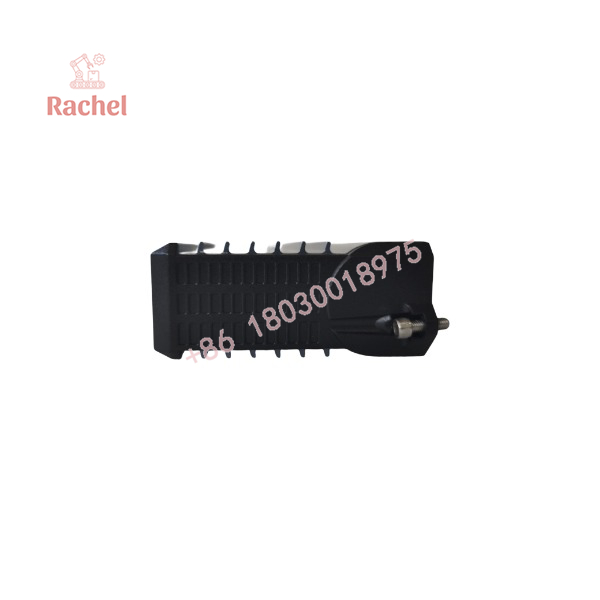
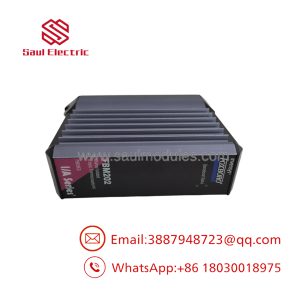
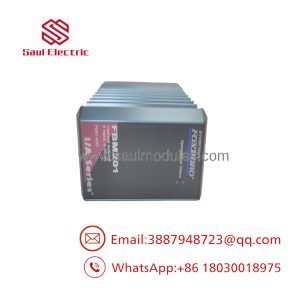
FBM232 P0926GW
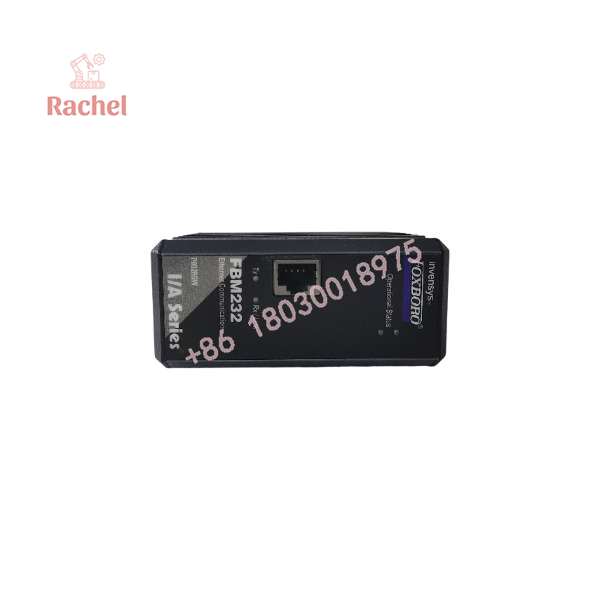
FBM232 P0926GW
System Compatibility and Integration Requirements
Control-system compatibility
The manufacturer’s specification identifies the following interfaces for the FBM232:
- FCM100E
- FCM100Et
- FCP270
- FCP280
Confirm the installed Foxboro system release, controller, baseplate, and module revision before replacing hardware. A physically compatible module may still require the correct driver and configuration files to function in the existing application.
Ethernet network requirements
The FBM232 connects to a 10 Mbps or 100 Mbps copper Ethernet network through its RJ-45 port. Multiple external devices require an Ethernet hub or switch.
Before commissioning, verify:
- IP address assignment: fixed IP or DHCP, as supported by the configuration.
- Network addressing and subnet settings.
- Ethernet switch compatibility and port configuration.
- Field-device network addressing.
- Cable type, cable length, and connector condition.
- The selected driver’s supported protocol and communication parameters.
The manufacturer’s specification lists UDP/IP and TCP/IP as communication protocols. This does not mean every industrial protocol is automatically available; the required device driver must explicitly support the target protocol.
Driver and data configuration
The FDSI configurator creates XML-based port and device configuration files. Port settings include communication parameters such as IP addressing. Where required by the driver, the device configurator defines device-specific and point-specific details, including data addresses, scan rates, and the amount of data transferred per transaction.
Driver-specific documentation should be consulted before defining control blocks or planning the number of devices.
Termination and cable requirements
Unlike serial FBMs that use separate field termination assemblies, the FBM232 connects to the external Ethernet network through its front-panel RJ-45 port. A separate analog or serial termination assembly is not specified for the module.
The manufacturer lists Ethernet cable lengths from 1 m to 100 m, depending on the connected hub, switch, or device. The null hub adapter cable is P0971PK. Confirm the required cable and network topology for the actual installation.
Dimensions, Mounting, and Connection Notes
Mechanical specifications
| Parameter | Specification |
|---|---|
| Height | 102 mm |
| Height including mounting lugs | 114 mm |
| Width | 45 mm |
| Depth | 104 mm |
| Approximate weight | 284 g |
| Mounting platform | Standard 200 Series modular baseplate |
| Baseplate capacity | Four- or eight-module arrangement, depending on baseplate |
| Mounting orientation | Horizontal or vertical on DIN rail; horizontal in a 19-inch rack with mounting kit |
| Ethernet connector | RJ-45 |
| Ethernet cable range | 1–100 m |
The baseplate provides the module connectors, independent DC power connections, I/O cable connections, and 2 Mbps module Fieldbus connections. Cabinet layout should allow access to the front-panel Ethernet connector and status LEDs.
Installation checklist
- Verify the module label and part number P0926GW.
- Confirm compatibility with the installed baseplate and control processor.
- Check the required software driver and device configuration files.
- Confirm the Ethernet network topology, IP settings, and switch configuration.
- Verify the cable type and length.
- Confirm the expected device count and data-transfer requirements.
- Check module power and Fieldbus status.
- Test Ethernet connectivity, data acquisition, and write operations where applicable.
- Confirm that the DCI values presented to the control station match the field-device data.
The FBM232 is designed to be removed or replaced without removing power, according to the manufacturer’s specification. Follow the site’s approved maintenance procedures before handling control-system hardware.
Detailed Product Overview
How the FBM232 works
The FBM232 establishes communication with Ethernet-connected devices using the protocol driver loaded into the module. The driver determines how data is requested, interpreted, converted, and delivered to the Foxboro control database.
The module can read or write supported data from up to 64 devices. Data is converted to Foxboro DCI types, including integer values, IEEE single-precision floating-point values, and binary values. Additional conversions depend on the implementation of the selected driver.
The control station can access FBM232 data as quickly as every 500 ms. This is a documented fastest access period, not a guarantee that every field device will update at that rate. Device response time, data layout, network traffic, and driver configuration affect actual performance.
Ethernet topology and device capacity
The FBM232 has one Ethernet port. A single device can connect through a suitable cable, while multiple devices require an Ethernet switch or hub. The manufacturer’s documentation identifies up to 64 external devices per module.
The switch provides the physical network fan-out; the FBM232 remains the gateway between the external Ethernet devices and the Foxboro DCS. Device addressing, routing where applicable, and driver-specific communication settings must be correct for each connected device.
Redundant Fieldbus versus Ethernet redundancy
The module accepts communication over either path of the redundant 2 Mbps module Fieldbus. If one Fieldbus path fails or is switched off at the system level, communication can continue over the active path.
However, the FBM232 has only one external Ethernet port. Redundancy of the control-system Fieldbus and redundancy of the external device network are separate design considerations. If the application requires dual Ethernet ports, the FBM233 should be evaluated.
Diagnostics and maintenance
The module’s front-panel LEDs indicate overall operating status and Ethernet communication activity. When troubleshooting, check power, module status, link status, switch port configuration, IP settings, protocol driver, and the field device’s own communication status.
Before replacing the FBM232, record the installed driver version, network configuration, device addresses, and data mapping. After replacement, verify all required device connections and confirm that the DCI data values are correct.
The manufacturer states that calibration of the module is not required. This does not eliminate the need for communication testing and system-level validation after maintenance.
Applications and System Role
The FBM232 is suited to industrial installations where Ethernet-enabled field devices must exchange data with a Foxboro DCS.
Typical applications include:
- Third-party PLC integration: Exchange supported data with Ethernet-enabled controllers.
- Power and electrical equipment: Integrate compatible monitoring devices and equipment controllers.
- Process analyzers: Bring supported analyzer data into the control database.
- Packaged equipment: Connect vendor-supplied Ethernet devices to the plant control system.
- Utility systems: Acquire operating data from compatible water, steam, compressed-air, and auxiliary systems.
- Industrial equipment monitoring: Read supported operating values and status points from networked devices.
- Legacy control-system integration: Maintain connectivity between supported Ethernet devices and existing Foxboro I/A Series or Evo installations.
The FBM232 provides the communication interface. Control logic, alarm handling, interlocks, operator graphics, and process responses are configured in the wider control system.
Frequently Asked Questions
What is the FOXBORO FBM232 P0926GW?
It is a single-port Ethernet Field Device System Integrator module that connects compatible Ethernet field devices to a Foxboro DCS.
How many Ethernet ports does the FBM232 have?
It has one copper Ethernet port with an RJ-45 connector, supporting 10 Mbps or 100 Mbps communication.
How many field devices can it connect?
The manufacturer’s specification states up to 64 external devices per module through Ethernet switches or hubs. Actual capacity depends on driver and system performance.
Which protocols does the FBM232 support?
The module supports UDP/IP or TCP/IP communication. The specific application protocol depends on the downloadable software driver. Verify that the driver supports the intended field device before planning the integration.
Does the FBM232 support Modbus TCP?
Modbus TCP can be used only where a compatible driver is available and configured for the target device and system software. The general Ethernet hardware specification alone does not guarantee support for every Modbus TCP implementation.
What is the maximum data capacity?
The module supports up to 2,000 DCI data connections. These may represent analog values, individual digital values, or packed digital points, subject to the selected driver and system sizing constraints.
Does the FBM232 support redundant Ethernet connections?
No. It has a single external Ethernet port. Its redundant communication feature applies to the 2 Mbps module Fieldbus connection. For dual-port Ethernet redundancy, evaluate the FBM233.
What power supply does the module require?
The specified redundant input supply is 24 VDC, +5%/−10%. Maximum power consumption and heat dissipation are both rated at 7 W.
Which Ethernet cable length is supported?
The manufacturer lists 1–100 m for connections between the module and a hub, switch, or device. The actual cable arrangement should comply with the applicable Ethernet standard and network design.
Does the FBM232 require calibration?
No. The manufacturer states that module calibration is not required. Communication and data validation should still be performed during commissioning and after replacement.
What should be checked before ordering a replacement?
Verify the module model and P0926GW part number, hardware revision, control-system compatibility, protocol driver, network settings, cable requirements, and external device count.

 Start Chat


